


For well over a decade, Peloton has made its mark as one of the most well-known smart home gym equipment manufacturers. During that time, the company has gone from producing just the Peloton Bike (now called the Cross Training Bike) to offering a deep lineup of cardio machines that also includes treadmills and rowers.
As is the case with any successful venture, you must have an eye on the future.
After all, no matter if it’s in the gym or in the business world, how do you set goals (and achieve them) without having a clear vision?
Keen to keep innovating, Peloton took its uber-popular treadmill line to the next level in 2026 by unveiling three new models. Our team has ample experience with this brand (check out our review of the original Peloton Tread), but we were particularly excited about getting our hands (and feet, of course) on a machine with an impressive spec sheet and more palatable price tag than the brand’s top-of-the-line Tread+ Vision.
With the help of GGR editor and seasoned product tester Ben Emminger, NASM-CNC, NASM-CSNC, I’ll give you an intimate look (and unbiased assessment) of a model that could convince you to make cycling a more integral component of your workout routine. So, if you’re looking for a fun, interactive way to break a sweat and burn some calories, let’s see what this machine can do for you.
Our Peloton Tread Vision Review, Summarized
The Peloton Tread Vision is a premium smart treadmill that combines AI-powered coaching, running-form analysis, and the brand’s extensive library of instructor-led workouts into a truly connected experience. Featuring a swiveling 23.8-inch HD touchscreen, high-quality speakers, and all the conveniences you’d expect for a machine that costs roughly $3,500, the Tread Vision earned a 4 or higher in seven of 11 categories, including perfect scores for dynamic programming, tech capabilities, and customizations.
How We Tested
While we prefer folding treadmills because of their space-saving capabilities, we’ll still give a 3 as long as one or two people can easily move the machine around using features like built-in transport wheels. Larger, heavier machines that are difficult to move earn lower scores. Foldable models built with portability in mind typically earn a 4 or 5.

To earn a 3 in this category, a home treadmill must offer an incline range of at least 10% and a max speed of at least 10 miles per hour. Machines that offer faster speeds or more robust incline settings (the Peloton Tread Vision does both) receive higher marks. Although it’s less common, treadmills with decline capabilities allow for even more training variety.

We look at whether the treadmill has built-in programs that give you a path to follow. Peloton particularly stands out in this area by offering a wide range of instructor-led classes, structured programs, and even off-treadmill workouts. Treadmills score a 3 for dynamic programming if they have at least a few built-in workouts, with higher scores going to models like the Tread Vision that have expanded training options.
Our team has developed a comprehensive treadmill testing methodology that uses a 1-5 scoring scale to rate categories such as customizations, ergonomics, dynamic programming, and more. Our treadmill reviews include putting each machine through a series of treadmill walking workouts, HIIT treadmill workouts, and more, to evaluate how it performs at various speeds and intensities. We’ll also assess whether the price and company policies provide sufficient value.
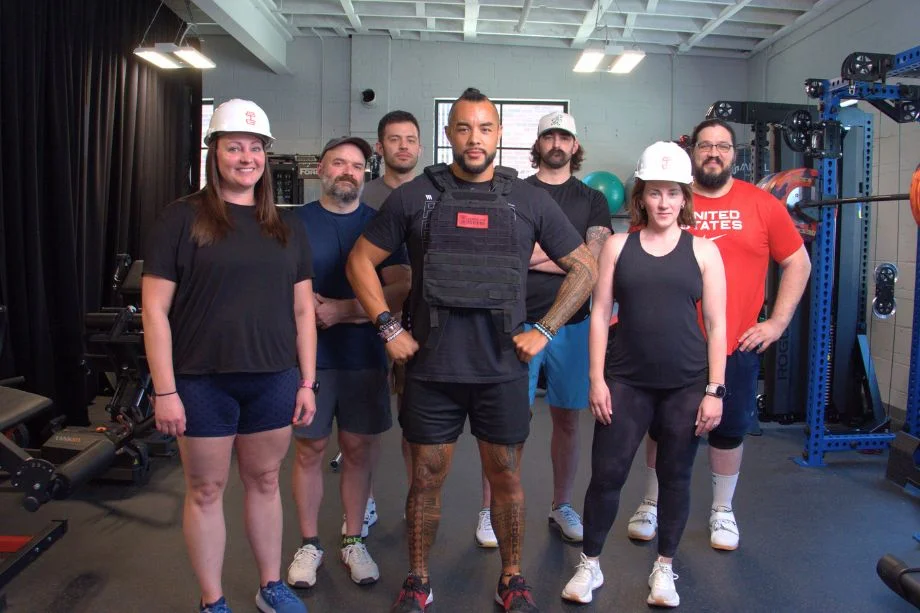
The Garage Gym Reviews team includes certified personal trainers, marathoners, and recreational runners who appreciate how different elements affect your workout experience. After testing more than 50 treadmills (and counting) from big-name brands and even lesser-known ones, we’re confident we can help you find the right machine based on your training needs, budget, and available space.
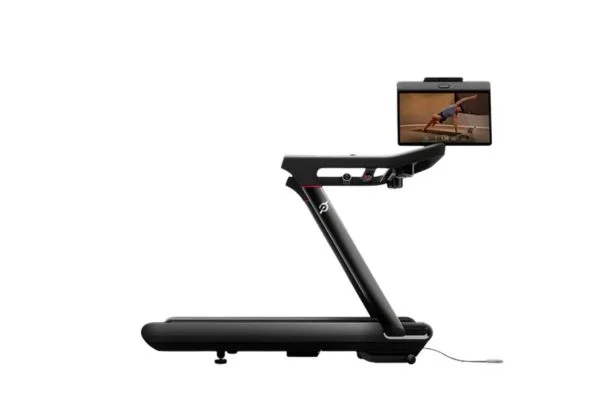








The Peloton Tread Vision combines a compact footprint, responsive speed and incline controls, and an immersive touchscreen with Peloton’s extensive workout programming. We think it’s best suited to people who will regularly use the Peloton ecosystem, since accessing its connected features requires an ongoing membership.
Before You Buy
- Peloton released three new treadmills in October 2026: the Tread Flex, Tread Vision, and Tread+ Vision. The Tread Vision bridges the gap between the more affordable Tread Flex and the ultra-premium Tread+ Vision. So, depending on your budget, you could go in three different directions.
- Because it’s quite heavy and doesn’t fold, the Tread Vision is not the most footprint-friendly. If you have limited space, take a look at the Tread Flex, which is Peloton’s first foldable treadmill.
- The base price for the Tread Vision is $3,495, but you must also factor Peloton’s All-Access Membership into the total cost of ownership. At $49.99 per month (about $600 annually), this subscription unlocks the treadmill’s full functionality, including access to classes and other connected features.
RELATED: Peloton App Review
Is the Peloton Tread Vision Worth It?
Let’s be clear: the Tread Vision is not marketed as a budget-friendly option.
While it’s much more affordable than its bigger brother, the Tread+ Vision (which costs a whopping $6,695), it’s still expensive. At $3,495, it’s about $1,300 more than the Tread Flex. The latter is the most budget-friendly option.
Peloton products come with a premium price tag because of their excellent dynamic programming, top-tier build quality, and tech-centric capabilities—and, let’s be honest, the brand name. If you’re a serious runner who’ll take advantage of the built-in camera system, personalized coaching, and other interactive features, the Tread Vision can be your trusted training companion.
However, if you’re more of a casual exerciser, you can probably afford to go with the more affordable Peloton Tread Flex, or even another top budget treadmill.
Before we go over how the Tread Vision performed during testing, here’s a quick look at its key specs and features.
Peloton Tread Vision: Key Features & Specs
| MSRP | $3,495 |
| Dimensions | 68″ L x 33″ W x 65″ H |
| Running Belt | 59″ L x 20″ W |
| Step-Up Height | 8” |
| Foldable? | No |
| Product Weight | 316 lbs |
| User Weight Capacity | 300 lbs |
| Speed Range | 0-12.5 mph, adjustable in 0.1 mph increments |
| Incline Range | 0-12.5% incline, adjustable in 0.5% increments |
| Display & Programming | 23.8” HD swivel touchscreen; IQ Pace Targets, ReRuns, Run Analysis, scenic runs, entertainment apps (requires All-Access membership) |
| Warranty | 5-year frame, 3-year motor and running belt, 1-year touchscreen and components |
Experience Using the Peloton Tread Vision
GGR editor Ben Emminger, NASM-CNC, NASM-CSNC, is as detail-oriented as they come, so when I tell you that he assessed each component of the Tread Vision with a critical eye, I’m not being hyperbolic. After all, when you have a machine that costs about $3,500, you want to know exactly what you’re getting for that type of investment.
As is the case with every treadmill we test, Ben took the Tread Vision through a series of workouts to determine its sturdiness and stability, adjustability and ergonomics, and programming and tech capabilities. While no machine is perfect, this recently released model made a strong impression on someone who’s notoriously hard to impress.
“This is a fantastic treadmill with its performance capabilities, conveniences, and available programming,” Ben says. “Honestly, it’s one of the most comfortable treadmills I’ve run on in recent memory.”
Now that we’ve set the stage properly, let’s get into the nitty-gritty details about Ben’s Peloton experience.
Investing in something like the Peloton Tread Vision may seem over-the-top. And for some people, it is. But for serious runners who want to improve their technique, increase their running efficiency, and have fun while training, the Tread Vision is a no-brainer if the budget allows.
Amanda Capritto, CPT, CES, CNC, CF-L1, CSNC
Peloton Tread Vision Rating
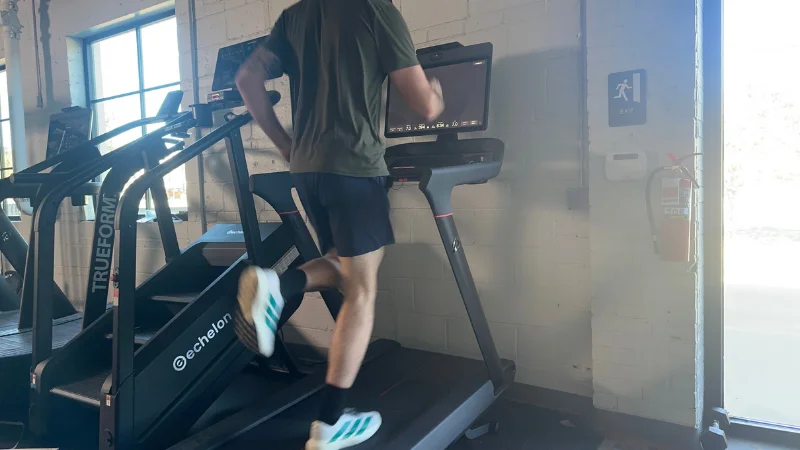
Footprint and Portability
Right off the bat: The Peloton Tread Vision is not the optimal choice if you prioritize portability.
In fact, this is the only category in which this treadmill failed to meet our baseline score of a 3 out of 5.
Tipping the scales at 316 pounds, the Tread Vision is a hefty machine that isn’t particularly easy to move. Even Ben—a lifelong athlete and avid weightlifter—acknowledged this point.
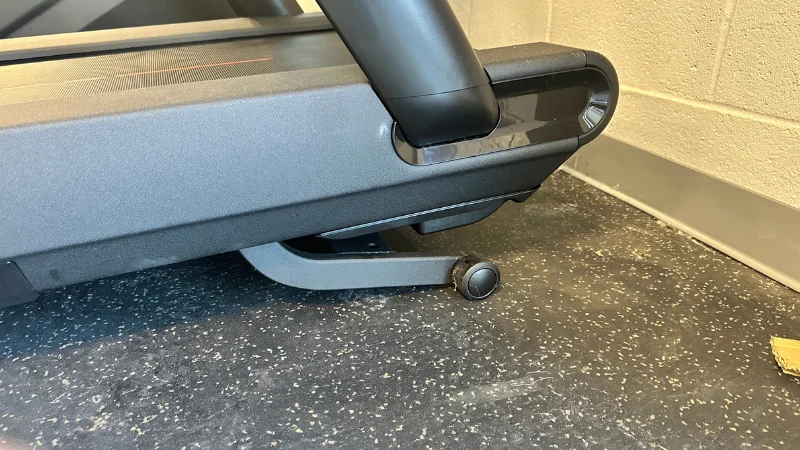
“I was able to pick the rear of the machine up for transport, but it was a bit of a chore,” he explains. “Additionally, the fact that it doesn’t fold for easier storage or maneuverability does mean you’re trying to move an awkward machine throughout your training area, which can be a hassle in tighter quarters.”
To give you a better idea of how much space the Tread Vision takes up, its dimensions (68 inches long by 33 inches wide by 65 inches high) equate to a footprint of 15.6 square feet.
According to Peloton, you need at least 24 inches of space to the left, right, and front of the Tread Vision and 79 inches of clearance behind to use it without restrictions. That’s actually not terrible for a commercial-grade treadmill, so this score of 2 out of 5 is mostly a reflection of its portability (or lack thereof) and the fact that it doesn’t fold to save space when not in use.
Delivery and Setup
Similar to the Tonal smart home gym system, Peloton requires expert installation for the Tread Vision+. However, it’s optional for the Tread Vision. If you choose the expert assembly route, be prepared to add another $150 to your total investment. This is an added cost, but one that at least should provide peace of mind that your equipment will be ready to go.
Otherwise, you can simply choose the self-assembly option and keep that extra $150 in your pocket.
The hands-off assembly process should be stress-free, though we admit we ran into some issues.
“Our Central Testing office had some mishaps with the display console’s install,” Ben explains. “Apparently, the incorrect screen was placed on this treadmill, thus creating an inoperable machine until this component was properly installed.”
Luckily, that was eventually remedied, but Ben rightfully docked one point here due to the mishap.
Durability
Our durability rating encompasses several factors, including the weight capacity, motor size, and overall sturdiness and stability. While Peloton does not provide any specifics about the actual motor size, Ben says he doesn’t have any major concerns regarding the Tread Vision’s durability.
“I didn’t feel any shakes or wobbles, even as I aggressively increased the incline pitch during my jogging sessions,” he says. “The frame feels sturdy, and I think most people who shell out for this machine’s heightened price tag will walk away satisfied.”
Moreover, Ben appreciates a specific design element that enhances the overall stability.
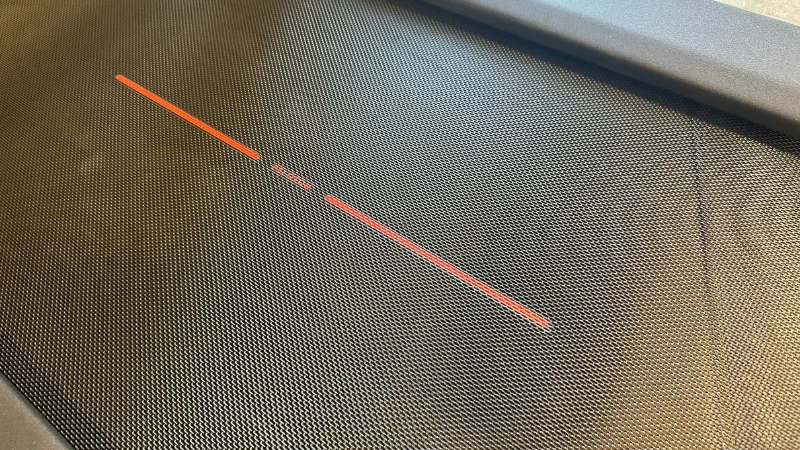
“The underfoot cushioning is very apparent, meaning you can push yourself on this treadmill without fear of unnecessary impact across your joints,” he says.
While that would ordinarily earn a perfect score, we went with a 4 out of 5 for one key reason: the weight capacity.
Despite weighing 316 pounds, the machine only supports users up to 300 pounds. That’s certainly not the most inclusive we’ve seen. For example, the Sole F80 has a 350-pound weight capacity, while the Horizon 7.8 AT supports up to 375 pounds.
If you fall outside of Peloton’s weight range, you will have to look elsewhere.
RELATED: Best Treadmills for for Heavy People
Customizations
To meet our standards for a 3 out of 5, a treadmill must offer a max speed of at least 10 miles per hour and an incline range of at least 10%. To no surprise, the Peloton Tread Vision surpasses both of those benchmarks.
“The 12.5-mile-per-hour max speed and 12.5% max incline provide a good sense of training variety here, and I do like how easy it is to adjust these settings on the fly with the pinwheel-style controls at each arm rest,” Ben says. We also appreciate the granular adjustments: You can change your speed in 0.1 MPH increments and your incline in 0.5% increments. This gives you much more flexibility in your training compared to the typical treadmill.
Obviously, having that type of speed and incline range gives you more flexibility to challenge yourself. For example, you can toggle the incline settings for treadmill hill workouts that’ll leave your quads and calves burning.
Just how effective can incline training be? According to a 2015 study1, walking at a 10% incline can increase the metabolic cost by 32% (measured in watts per kilogram of body weight) compared to walking on a flat surface!
Ben also appreciates how the Tread Vision allows you to precisely dial in your desired settings.
“You can really fine-tune your toggles to your preferred speed and pitch, and the illuminated up-and-down jump buttons at the center of each pinwheel make for larger jumps,” he says. “This was a very intuitive treadmill and I feel that I could easily create a worthwhile running regimen across these capabilities.”
Ergonomics
Nobody wants to use a machine that’s uncomfortable. At least, not more than once. Luckily, Peloton knocked it out of the park with this design, as Ben awarded a near-perfect 4.5 out of 5 for ergonomics.
“The cushioning is top-notch, and you really get a comfortable footstrike regardless of your training speed,” he says. “The touchscreen was positioned far enough from the running deck that I wasn’t consumed by the pixels, yet the screen is still comfortably within reach for on-screen adjustments and workout selections.”
According to Ben, you shouldn’t feel the need to ‘overstretch’ to select a session or adjust your settings—for most people, all controls will be well within arm’s reach.
Of course, the location and positioning of the swiveling touchscreen display is just one (albeit important) component that affects the ergonomics.
As any experienced treadmill user knows, being able to make adjustments seamlessly matters, too. Again, the Tread Vision stands out for its user-friendliness.
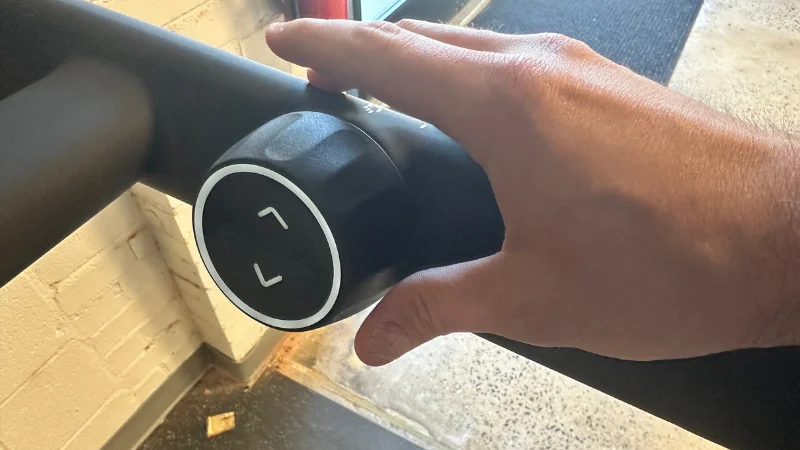
“The pinwheel-style toggles fell right at hip-height for me and were well within reach for fast adjustments,” Ben says.
So, why not a perfect score?
The running deck measures 59 inches long, which is actually four inches longer than the average treadmill we test. However, compared to popular machines like the NordicTrack Commercial 1750 (which has a 60-inch-long belt), this is a bit shorter than we’d like to see.
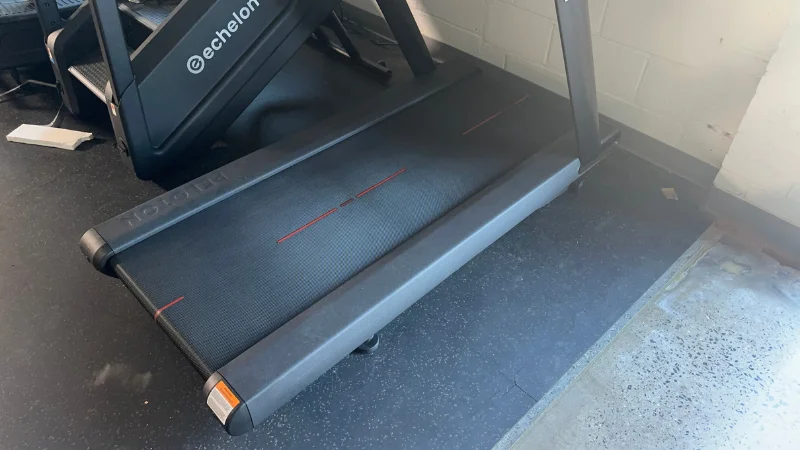
“The somewhat shorter running deck may be a negative for particularly tall athletes,” Ben says. “Plus, the step-up height of 8 inches (measured at roughly 9 inches to the running boards) can be a rather tall task for those with impaired mobility or senior athletes.”
RELATED: Best Treadmills for Seniors
Tech Capabilities
It shouldn’t be a surprise that the Peloton Tread Vision earned a perfect 5-out-of-5 rating for tech capabilities. After all, the brand is synonymous with highly connected, interactive training.
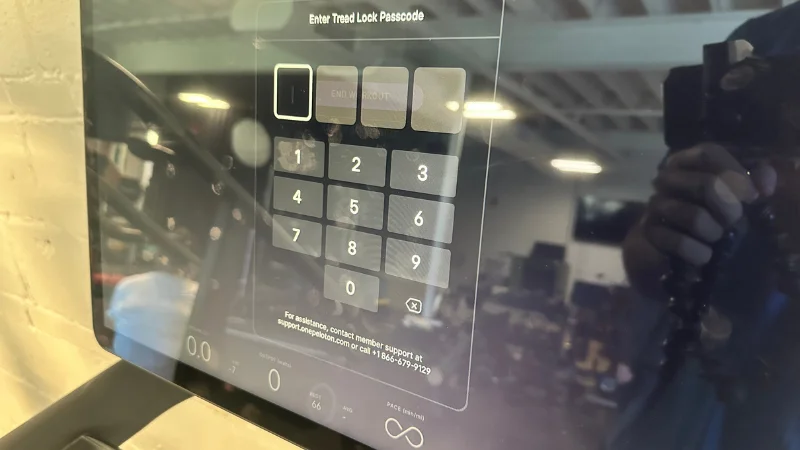
Building upon its predecessors, the Tread Vision boasts an impressive list of tech specs that includes:
- 23.8” full HD touchscreen with 360-degree rotation and vertical tilt
- Movement-tracking camera
- 2.1 audio system with Sonos-tuned, front-facing speakers and rear-facing woofer
- Wi-Fi and Bluetooth connectivity
- USB-C charging port
- Hands-free voice controls to change the volume or pause a class
- Auto-incline to automatically follow trainer cues in-workout
- In-workout metrics including speed, mileage, pace splits, elevation, heart rate zones, and more
“It’s tough to overlook the tech baked into the Tread Vision,” Ben says. “The 23.8-inch HD touchscreen shows crisp visuals when pacing along with on-screen sessions, and the listed metrics are clear and easy to read, as well.”
While budget-friendly treadmills may have lower-quality speakers (or none at all), that isn’t the case here. This is especially important when you take classes, as you want to be able to hear everything clearly.
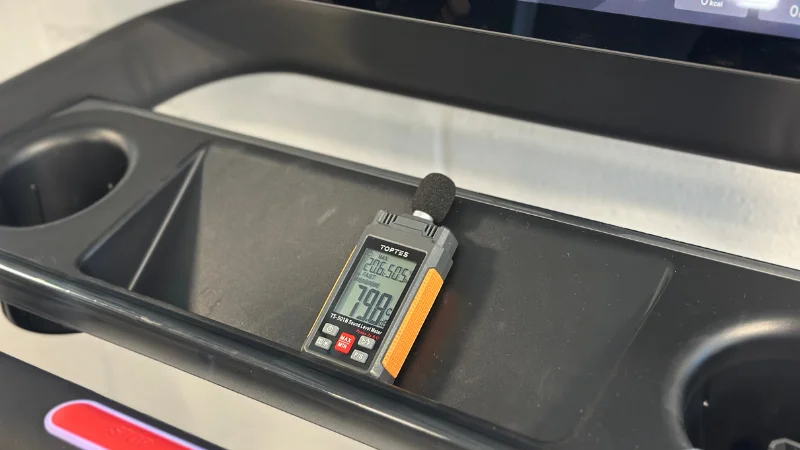
“The audio system produces clear, crisp callouts that shouldn’t leave you guessing about your instructor’s latest commands,” Ben says. “I also like that Peloton is accommodating the latest tech devices with a convenient USB-C charging port for smartphones and tablets.”
We also appreciate that you can adjust the in-class mix so the music and instructor audio are balanced differently using More Music, Original Mix, or More Instructor settings.
Conveniences
From having a spot to store your phone to having multiple places to keep your water bottle within arm’s reach, we always appreciate when a treadmill is outfitted with conveniences that make your workout as hassle-free as possible.
While it didn’t necessarily blow Ben away, the Tread Vision met his expectations for a machine of this caliber. Here’s an overview of what you get:
- Two cup holders
- Center storage tray
- Bluetooth-compatible audio
- Quick-adjust pinwheels for changing speed and incline settings
- 3-speed cooling fan
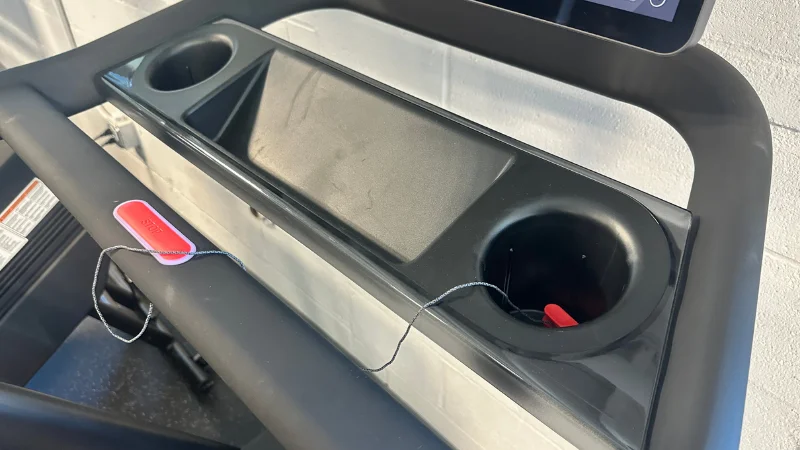
“These are all certainly worthwhile add-ons and elevate your overall training experience, but for a treadmill that’s nearly $3,500, you’d sort of expect these creature comforts,” Ben notes. “That said, the quick-adjust pinwheels are some of the smoothest toggles I’ve seen in recent memory, so you definitely get what you pay for here.”
Dynamic Programming
It goes without saying that the primary reason most people invest in a Peloton product is the programming. Of course, you have to pay for this feature (an All-Access Membership costs $49.99 per month), but we believe it’s well worth it if you’re already shelling out thousands of dollars for the machine itself.
That said, you can still use the machine without a subscription in Just Run mode, which allows you to walk or run at your own pace without following an instructor-led class. This requires manually adjusting the speed and incline settings.
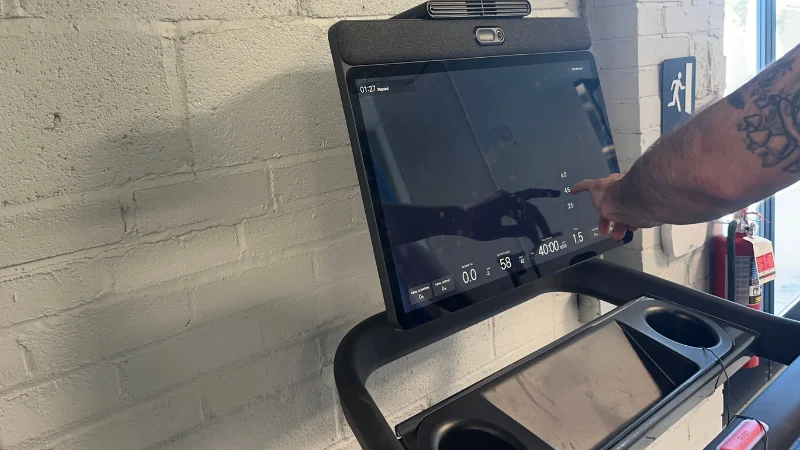
“Peloton programming sort of speaks for itself these days, and I do like the notion of live running classes that offer a unique twist on regular running sessions,” Ben says. “There are also plenty of on-demand courses to choose from, and the pivoting touchscreen does allow for off-treadmill workouts.”
So, what options do you have at your disposal? Here’s an overview of some of the key class types available on the Tread Vision with an All-Access Membership:
- Live and pre-recorded instructor-led runs, hikes, and walks ranging from 5 to 60 minutes
- Scenic classes and ReRuns where you can sync your favorite local outdoor routes onto the Tread Vision with automatic incline adjustments
- Race training programs that can help prepare you for 5K, 10K, and marathon competitions
The ReRuns feature is something that should appeal to cardio enthusiasts who follow familiar routes around their neighborhood. You can import previous workouts from Peloton, Garmin, Apple Health, or WHOOP, or choose from featured routes and racecourses in Peloton’s Discover library. By recreating one of these workouts, the Peloton Tread Vision automatically adjusts the treadmill’s incline to match the elevation changes of the original outdoor course.
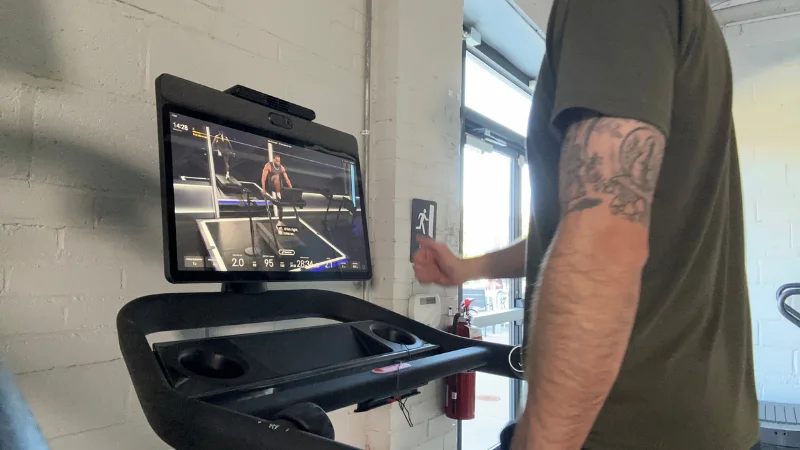
During your workout, the screen displays a map of your route, upcoming elevation changes, and your overall progress, providing a more immersive training experience.
Ben also tried out a new feature that should quickly become a favorite for anyone who invests in a Peloton treadmill.
“The Peloton IQ tech is also interesting, offering up class recommendations, projected outputs, detailed insights generated from past workouts, and more,” he explains.
This feature also utilizes the built-in movement-tracking camera for Run Analysis, which analyzes your cadence and provides an efficiency score and real-time tips to improve your form.
“The subscription fee may be higher than other on-demand fitness apps, but I think it’s justified in this case, particularly when you factor in that Peloton is one of the few platforms still offering live in-studio classes,” Ben says.
RELATED: 14 Running Workouts for Every Runner
Value
Is the Peloton Tread Vision a great value buy?
That’s up for debate.
That’s not a knock on its capabilities. After all, it has all the bells and whistles you need to stay engaged and actually enjoy training on a treadmill.
However, Ben is quick to point out that the price—along with the subscription cost—makes this a less-than-ideal pick if you’re truly looking to maximize every dollar.
“Don’t get me wrong: I think it is a terrific treadmill, but between the near-$3,500 price tag and a near-critical All Access membership, it’s certainly not in the realm of ‘budget-friendly,’” he explains. “You’re plenty capable of finding comparable machines (the Aviron Podium and NordicTrack Commercial 2450 immediately come to mind) for cheaper totals.”
So, what’s Ben’s ultimate takeaway here?
“If you’re a Peloton die-hard and don’t mind paying the brand premium, I think it’s a worthwhile investment. If you’re simply looking for a tech-heavy treadmill that can support streamable programming, it may be best to continue your search.”
Customer Experience
Ben wasn’t exactly impressed by Peloton’s policies, especially for a machine that comes with such a steep price tag. Here’s what you get in terms of warranty coverage:
- 5 years for the frame
- 3 years for the belt and motor
- 12 months on components
Is that the worst we’ve seen? Far from it.
But should you expect more for what you’re paying? We’d say so.
“While this is better than some machines (and a general improvement over Peloton’s previous 12-month coverage), you’d expect a little more protection for a product that costs nearly $3,500,” Ben says. “That said, the customer service team is easy to reach via the Live Chat feature, and financing options are available.”
It’s also worth pointing out that Peloton does offer extended warranty plans—albeit for an additional fee.
Customer Reviews
As of this writing, there were no reviews available for the Peloton Tread Vision. This isn’t a surprise since it was released in October 2026, but based on Ben’s experience, we feel confident it’ll generate positive feedback from customers. We’re keeping our eyes on this treadmill and will update our review once customer reviews start coming in.
Peloton Tread Vision Vs
To make this a truly apples-to-apples comparison, I’m going to give a simple, easy-to-follow breakdown of all three of Peloton’s new treadmills that hit the market in 2026.
Obviously, we’ve gone over what the Tread Vision is capable of. So, let’s take a look at the lower- and higher-priced options in this product line.
First, the Tread Flex is by far the most affordable, checking in at about $2,220. It’s also the most space-efficient option thanks to its foldable frame. So, if you live in a smaller apartment or simply don’t have much room to work with, this is a better option than its more expensive siblings.
On the other end of the spectrum you have the uber-expensive Tread+ Vision. At a list price of $6,695, this is easily the most expensive treadmill I’ve ever seen, and you’ll be hard-pressed to convince me that it’s worth shelling out that type of money on a cardio machine.
So, what do you get for your money?
Its biggest differentiator is its 67-inch-long shock-absorbing slat belt, along with a steeper 15% maximum incline. You also can use the Tread+ Vision in Free Mode, which allows users to power the treadmill belt using their own effort rather than the motor. You also get resistance-based Sled Mode, which can add more versatility to your training.
However, this is truly a top-of-the-line product that won’t be financially feasible (or necessary) for a majority of home gym owners.
| 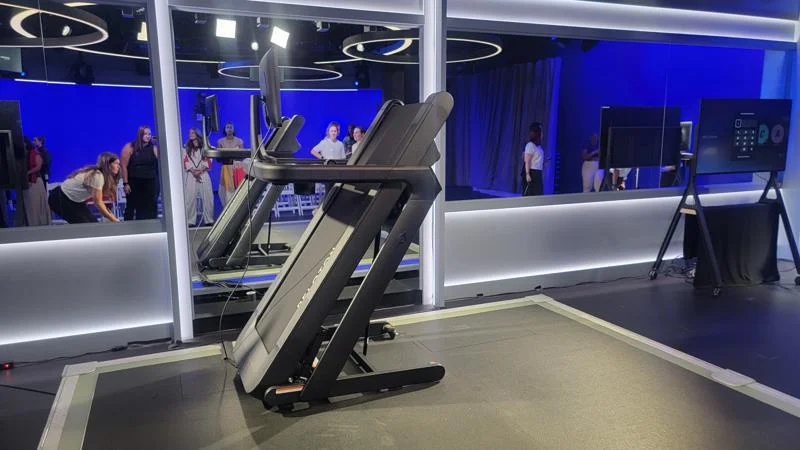 | 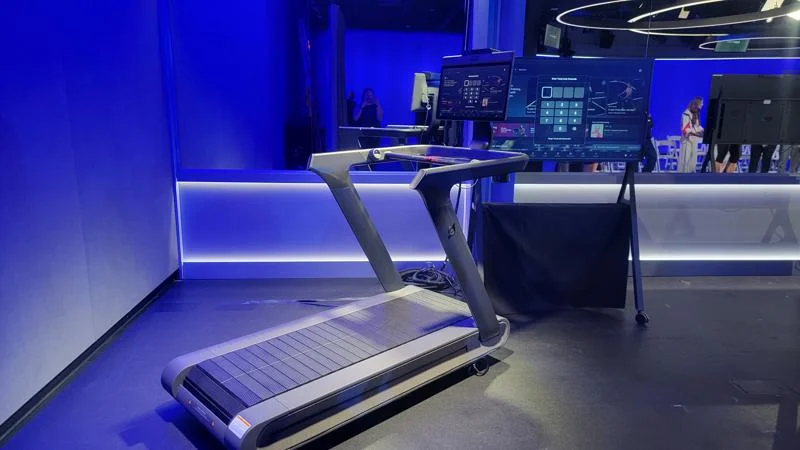 | |
| Peloton Tread Vision | Peloton Tread Flex | Peloton Tread+ Vision | |
Rating | |||
| Speed Range | 0 to 12.5 mph adjustable in 0.1 mph increments | Speeds from 0 to 12.5 mph adjustable in 0.1 mph increments | 0 to 12.5 mph adjustable in 0.1 mph increments |
| Incline Range | 0 to 12.5% grade adjustable in 0.5% increments | Incline from 0 to 12.5% grade adjustable in 0.5% increments | 0 to 15% grade adjustable in 0.05% increments |
| Deck Size | |||
| Foldable? | — | — | |
| Programs | Peloton All-Access Membership | Peloton All-Access Membership | Peloton All-Access Membership |
| Display | 23.8″ Full HD Swivel Screen | 21.5″ Full HD Swivel Screen | 23.8″ Full HD Swivel Screen |
| Warranty | 12-month limited warranty | 12-month limited warranty | 12-month Limited Warranty |
Final Verdict of Our Peloton Tread Vision Review
The Peloton Tread Vision packs a ton of features into a premium-priced machine. Ben is a tough critic, but he certainly seemed pleased with his experience using this new-to-2026 model. With improved tech and the brand’s signature dynamic programming, you can rely on this tread for more than just your typical steady-state sessions or sprint workouts. As long as you can stomach the high sticker price and $50 monthly subscription fee, this can be your go-to training tool for years to come.
- You can connect your heart rate monitor, Apple Watch, Fitbit, Garmin watch, and other fitness trackers to this machine so you can get all your workout metrics.
- The Tread Vision is HSA/FSA eligible, meaning you can use qualifying funds to help make this purchase more manageable.
- We appreciate that Peloton offers a 30-day home trial that allows you to determine if this is truly the right fit. If you’re not satisfied, you can get a full refund, minus applicable return fees and any assembly fees that were paid at purchase.
Peloton Tread Vision Review: FAQs
What are the pros and cons of the Peloton Tread Vision?
The Peloton Tread Vision offers immersive workouts, advanced fitness tracking, and a large swiveling touchscreen, but its high price, substantial footprint, and subscription costs may deter budget-conscious buyers.
Can you watch Netflix on the Peloton Tread Vision?
Yes, you can stream Netflix on the Peloton Tread Vision through the Entertainment feature.
Do you need a subscription to use the Peloton Tread Vision?
No, you can use the Peloton Tread Vision without a subscription through Just Run Mode, but you’ll need an All-Access Membership to unlock instructor-led classes and other premium features. If you’re shelling out $3,500+ for the machine, we recommend getting the membership, too.
References
- Silder, A., Besier, T., & Delp, S. L. (2012). Predicting the metabolic cost of incline walking from muscle activity and walking mechanics. Journal of biomechanics, 45(10), 1842–1849. https://doi.org/10.1016/j.jbiomech.2012.03.032