




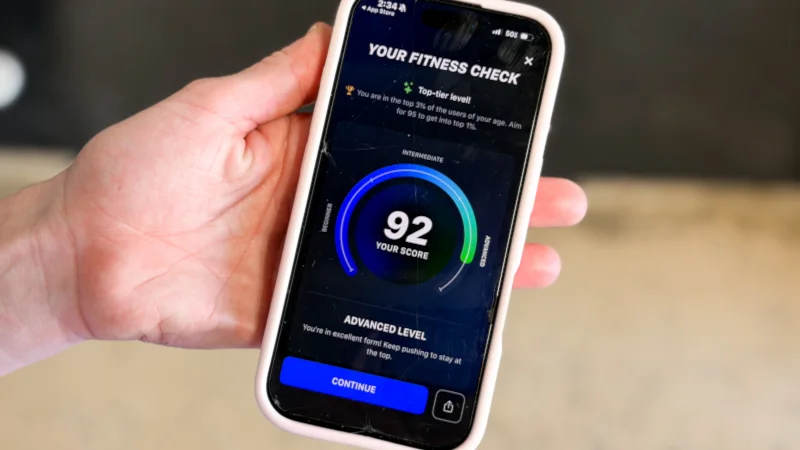
Fitness apps may seem like a dime a dozen, but our product testers here at Garage Gym Reviews have tested over 70 different workout apps to determine which ones are worth your time and money with playlists and personalized workouts abound to improve your fitness tracking and progress.
We’re a group of certified personal trainers, gym owners, and Olympic-level athletes with years of experience following, designing, and coaching clients through training programs.
While weight loss apps tend to focus on one goal, the best workout apps can offer plenty of variety and functionality. Whether you’re looking to build strength, improve mobility, or boost your cardiovascular health, there’s a workout tracker for you.
During our testing process, each tester uses our detailed testing methodology to guide our examinations as we rate and review each platform across 10 different categories on a scale of 1 to 5 stars. These categories include factors like:
- Trial Period: To earn 3 out of 5 stars, an app should offer at least a 7-day trial period.
- Pricing: For 3 out of 5 stars, an app should cost around $15 per month, with higher scores going to apps with more affordable costs or free versions.
- Ease of Use: To get a 3 out of 5, an app may have a slight learning curve, but it is easy to use once you get familiar with the features.
- Accountability: To earn a 3 out of 5, there should be structured programs you can follow, with the ability to set yourself reminders, but there may not be accountability from a coach or community support.
We also considered categories like instruction quality, workout variety, and equipment needed, all of which helped shape our overall score. After carefully rating each app we tested, we narrowed down our list to the top 11 options. Nearly 6,000 people found their ideal workout app with our help in 2025, and we’re ready to help you with the picks below:
The 11 Best Workout Apps of 2026
- Best Workout App Overall – Boostcamp
- Best App for Workout Plans – TR[Ai]NER by Element 26
- Best Workout App for Men – Caliber Strength Training
- Best Personal Training App – Future
- Best Workout App for Bodyweight Training – BetterMe: Health Coaching App
- Best Workout App for Strength Training – SHRED App
- Best AI Workout App – Fitbod
- Best Workout App Instructors – iFIT
- Best Workout App for Beginners – Muscle Booster
- Best Workout App for Powerlifting – JuggernautAI
- Best Home Workout App – Ladder
Current Top Deals
- Future – GGR Exclusive: Get your first month free
- JuggernautAI – Use code GARAGEGYM to save 10%
Latest Updates
In July 2026, we added Boostcamp to the top of our list of the best workout apps. This app serves as a one-stop shop for workout plans with training routines from renowned certified personal trainers, athletes, and coaches. The SHRED app now earns our praise as the best workout app for strength training thanks to its highly effective weightlifting and muscle-building programs.
Best Workout Apps Video Review
Best Workout App Overall: Boostcamp
Updated by: Amanda Dvorak, ISSA-CPT, ISSA-CNC










At a Glance
- Offers both free and premium versions
- Includes workout plans from a variety of professionals
- Detailed workout tracking and analytics
- Many features are locked behind the Pro version
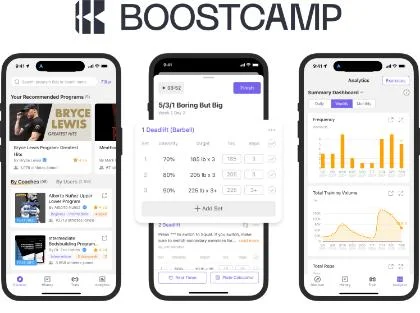
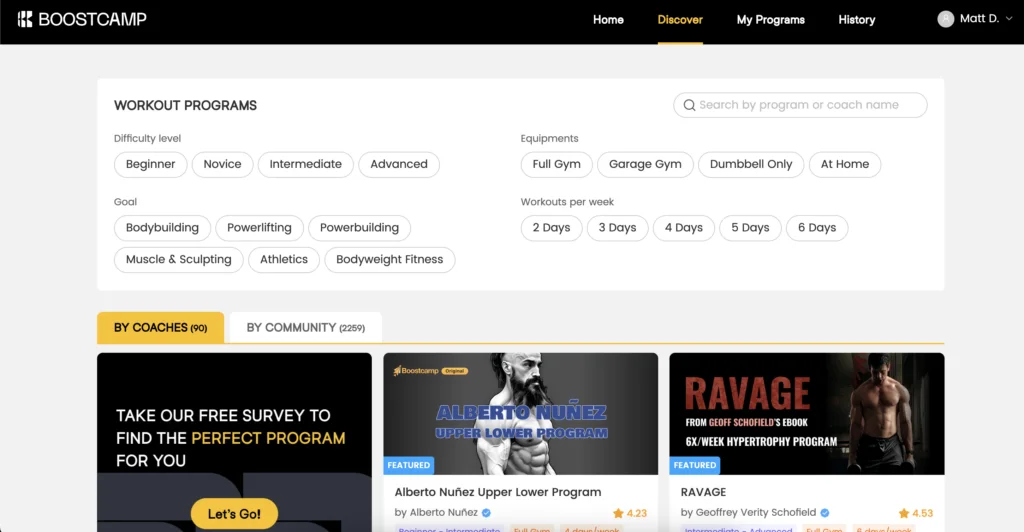
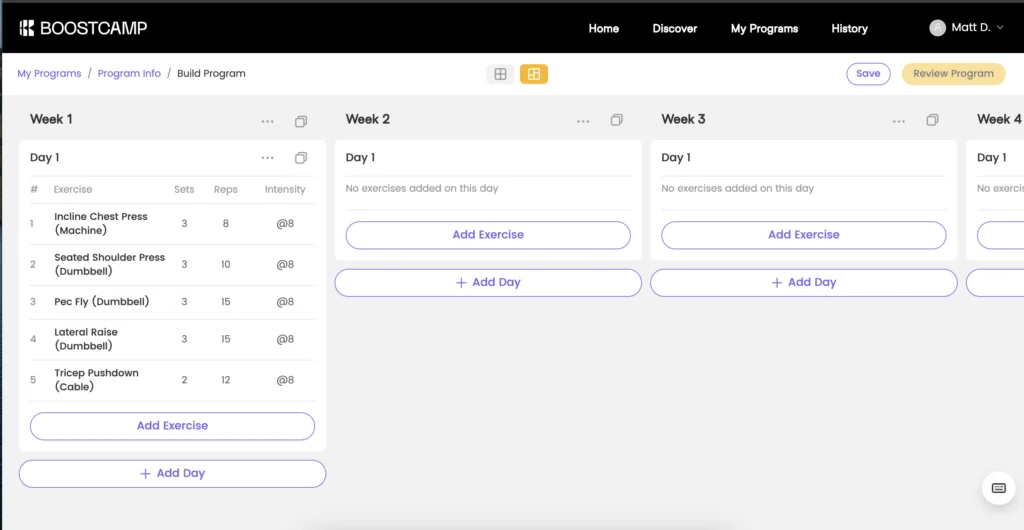
For those needing a solid program for strength training, we highly recommend Boostcamp. This online portal provides you with hundreds of training programs from top fitness professionals and experts—folks like Dr. Eric Helms, Dr. Swole, or Jim Wendler, creator of the 5/3/1 workout.
It prioritizes strength training, but caters to a variety of programs and disciplines, including powerlifting, weightlifting, and bodybuilding. You can even build your own program if you so desire. It earns 4 out of 5 stars for workout variety.
App Setup: 5/5
Instruction: 3.5/5
Ease of Use: 4/5
Why We Like Boostcamp
GGR Senior Staff Writer Matt Dustin, CSCS, PN1-NC, has used Boostcamp for over a year, and it’s his preferred method for tracking his workouts.
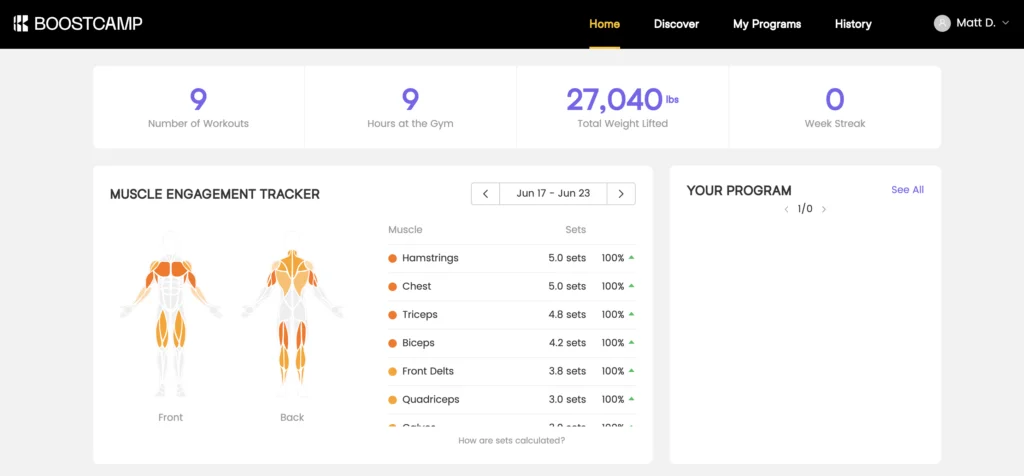
“I love that it has detailed charts and stats to track my lifts over time,” he says. “Plus, there’s analytics, including an anatomy chart that’s heat-mapped based on volume, so you can add any neglected muscle groups to your routine.” He rates the ease of use a 4 out of 5.
Matt also rates the level of instruction a 3.5 out of 5. “The app has videos and detailed instructions of each exercise, but it won’t be at the level of having a coach or group trainer leading a class,” Matt explains.
For those who want to follow a well-designed program for several months at a time, focusing on progressive overload in the gym, Boostcamp is a great option.
I primarily train for strength and hypertrophy, and Boostcamp is the best app I’ve ever used. I love all the data it provides, and there are so many great programs to choose from within the workout library.
Matt Dustin, CSCS, PN1-NC
Alternatives
While we love Boostcamp, and there’s a free version, it’s pretty limited in terms of scope. Some popular programs, as well as advanced analytics, are locked behind the Boostcamp PRO paywall. While there’s plenty to do in the free version, gym goers who love crunching numbers and data will get more stats and charts in the PRO version.
If you’re needing a bit of accountability, too, Boostcamp has some community and interactive features—push notifications, inviting friends to do your workouts or programs, and sharing progress—but Matt emphasizes that it’s not the main focus of the app, and he gives the accountability 2 out of 5 stars. He notes, “This is an app for intermediate lifters who simply need a better program, not beginners who are still learning the exercises. There aren’t any video demos or coaches to offer support, but if you don’t need those, you’ll love this app.”
This is the best app on the market for strength training, but if you prefer to focus on your cardio training and enjoy live classes, we recommend the Peloton App.
Testing Breakdown
Boostcamp receives high scores in nearly every category, but it’s best for intermediate lifters, as there’s little accountability or instruction provided.
Vs. The Average
Boostcamp offers better features than the average workout app in nearly every category, which is why we consider it to be the best app for strength training.
| Boostcamp | Average Workout App | |
| Price Per Month | Free version; $14.99/month or $39.99/year for PRO version | $34 |
| Free Trial Period | Free version; 7-day trial of PRO version | 7 days |
| Type of Training | Strength training, bodybuilding, weightlifting, powerlifting, bodyweight exercises | Strength training, cardio, mobility |
| Type of Equipment Needed | Depends on the program; full gym, garage gym, dumbbell-only, and at-home options available | Bodyweight, home gym, or commercial gym |
| Compatible With | iOS, Android | iOS, Android |
Be sure to check out our comprehensive Boostcamp review for more details on this high-quality training app.
Best App for Workout Plans: TR[Ai]NER by Element 26
Updated by: Amanda Dvorak, ISSA-CPT, ISSA-CNC
![Tr[AI]ner logo](https://i.garagegymreviews.com/265/646/897/3/Trainer.webp)





At a Glance
- Customizable, AI-powered programming
- Create up to three programs for free
- Lower-than-average monthly subscription cost
- Strength, HIIT, dumbbell-only, and bodyweight workouts available
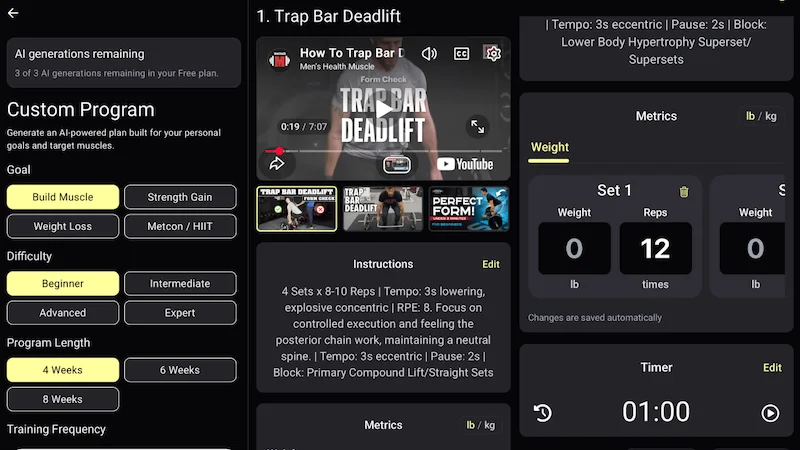
If you’re looking for an app that takes the guesswork out of your training, TR[Ai]NER by Element 26 is worth considering. This AI-powered workout app offers programs you can customize based on your preferences, equipment access, and personal goals. Available modules include a four-week dumbbell muscle build program, a four-week metcon/HIIT program, and a six-week full gym strength gain program, among others.
Our tester, a certified personal trainer and Olympic weightlifter, rated his workout experience with the app at 5 out of 5. “I was pretty impressed,” he told me. “The app’s programs allow you to maintain consistency over time, and each training day has a unique intention, which helps you manage your expectations whenever you step into the gym.”
Instruction: 5/5
Equipment Demands: 5/5
![A screenshot of the custom training options available in the TR[Ai]NER app](https://i.garagegymreviews.com/348/294/037/6/element-26-trainer-app-custom-program-creation.webp)
Accountability: 1/5
![A screenshot of the customization options in the TR[Ai]NER app](https://i.garagegymreviews.com/332/455/479/3/element-26-trainer-app-custom-workout-goals.webp)
Why We Like TR[Ai]NER by Element 26
A standout feature of the TR[Ai]NER app is its clean, simple interface. Our tester was able to set it up in less than a minute and was impressed with its user-friendly design. He rated the ease of use at a perfect 5 out of 5.
“Everything is detailed but easy to understand. Visually, it looks simple, but once you open up your training plan for any given day, it’s very immersive,” he told me.
TR[Ai]NER by Element 26 is highly adaptable based on the information you give it. For example, our tester told the app that he also trains for Olympic weightlifting. It recommended some lower-body accessories he could perform without accumulating too much fatigue. Plus, each session will also provide recommended RPE (rate of perceived exertion) and tempo, and you can swap movements based on your skill level or what’s available in your gym.
“Everything the app suggests makes sense, as long you’re honest and logical about your goals. The more information you give it, the better a program it will create for you,” our tester adds.
We also like that the app allows you to create three programs for free; some of which can last up to eight weeks. You can essentially get a six-month-long training program without spending a dime. The app will only ask you to upgrade to a paid plan once you’re ready to start a fourth program, so we rated it at 5 out of 5 for its free trial.
As a fitness coach and competitive athlete, I found it to be a very useful workout app. It’s flexible, but it also tells you what the priorities should be for each day.
Our expert tester, a certified personal trainer and Olympic weightlifter
Alternatives
One downside to TR[Ai]NER by Element 26 is that it doesn’t provide a ton of accountability. Since it is an AI-based app, you don’t get access to a human trainer. You also won’t find any nutrition coaching or features like community leaderboards, forums, or push notifications to remind you to work out. As such, we rate the accountability at 1 out of 5.
Additionally, we don’t recommend this app for true beginners. Rather, we find it better suited for people who have been training for at least six months because it lacks some of the human coaching and motivational tools that gym novices may want.
“It feels like a more advanced program with a workout journal, which I like,” our tester told me. “However, it’s definitely missing the community aspects and nutrition guidance that new lifters can benefit from.”
If you’re looking for an app with more human coaching that can also help you with dietary changes, consider Caliber. You’ll pay much more per month, but you’ll receive more hands-on guidance from personal trainers and nutrition coaches.
Testing Breakdown
TR[Ai]NER earned mostly 4s and 5s across the board, only falling short in categories like accountability and interactive features.
Vs. The Average
Even though TR[Ai]NER lacks some interactive feature that may benefit gym newbies, it beats the competition in nearly every other category.
| TR[Ai]NER by Element 26 | Average Workout App | |
| Price Per Month | As low as $10/month with an annual plan ($99.99 upfront cost) | $34 |
| Free Trial Period | Up to 3 free workout programs | 7 days |
| Type of Training | Muscle building, weight loss, metcon/HIIT, strength gain, hybrid training | Strength training, cardio, mobility |
| Type of Equipment Needed | Bodyweight, home gym, or commercial gym options | Bodyweight, home gym, or commercial gym options |
| Compatible With | iOS, Android | iOS, Android |
Best Workout App for Men: Caliber Strength Training
Updated by: Matt Dustin, CSCS, PN1-NC





Caliber Strength Training is a fitness coaching program grounded in scientific principles designed to increase strength and improve body composition. The app offers both group and individual training plans which are written and modified by a certified coach based on progress.
What our tester says:
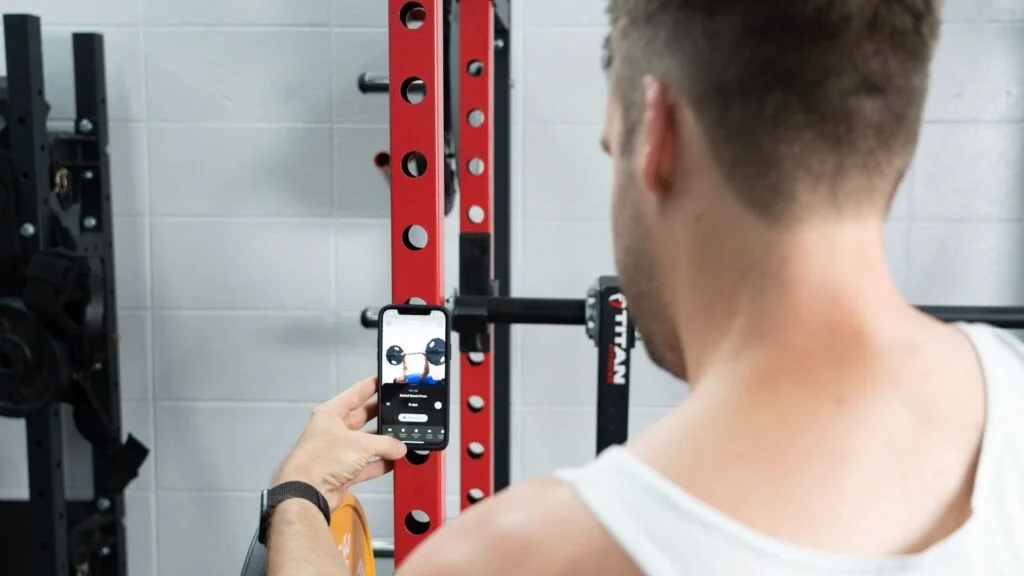
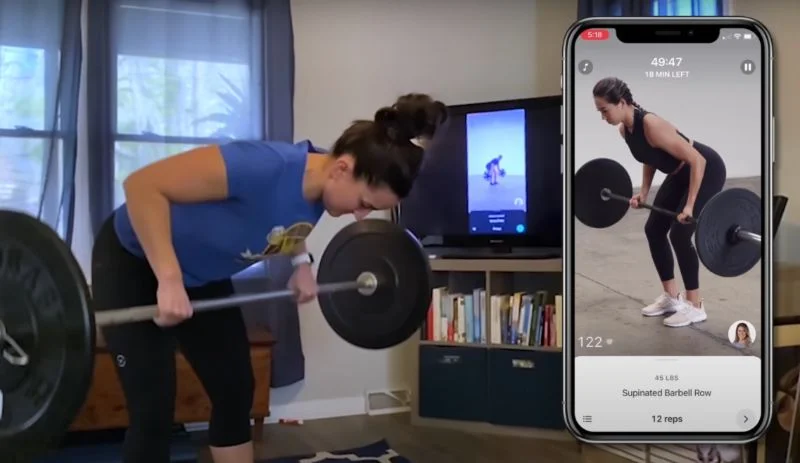
“My coach gives me goals to hit each week regarding weights and reps to ensure I’m progressively overloading. There’s also a feature in the app that lets you record right from within the app, then your trainer can send feedback ASAP on how to correct if needed.”
At a Glance
- Free plan, group coaching, and personalized programs available
- Designed for resistance training in a commercial gym setting
- Pricing options that fit all budgets
- You can submit videos of your lifts for coach review
While the Caliber app earns the nod on our best workout app for men, women can also achieve great results since it offers something for everyone. There is a robust free-forever version and two paid options that grant you access to either group coaching ($19 per month) or a fully customized one-on-one coaching program (starting at $200 per month).
With price points available for any preference and budget, Caliber earns 5 out of 5 stars for value.
Value: 5/5

Ease of Use: 4/5
Equipment Demands: 5/5
Why We Like Caliber Strength Training
While Caliber’s main offering is online personal training, we appreciate that the free version of the Caliber app is ad-free and features the full exercise library of over 500 movements. Each exercise features a demonstration video, step-by-step written instructions, and the ability to log your weights and reps (and access your history at any point).
This alone is an incredible value, and we give the app 4 out of 5 stars for interactive features.
Our tester and former lead reviewer for Garage Gym Reviews Everything, Lindsay Scheele, CPT, CNC, notes there are bodyweight, dumbbell, and barbell progressions for most movements. Both the paid and free versions earn a 5-out-of-5-star rating for equipment demands.
“I think no matter where you are, there will be a workout you can do with the app,” says Lindsay.
Another tester, Amanda Capritto, CPT, CES, CNC, CF-L1, CSNC, used Caliber Premium to work with a coach for a customized strength training routine. She reports working with her coach and using the app is easy, and she appreciates the fact that there are demonstration videos for every exercise assigned to your program.
“Not only are there video demos for every movement in the Caliber app (which are really well-done), but you can even send form videos to your coach,” Amanda explains.
It doesn’t get better than this, except for being with an in-person trainer. And to be honest, this style of personal training kind of forces you to be held even more accountable because the trainer can really see what you’re doing all the time and check in with you regularly.
Amanda Capritto, CPT, CES, CNC, CF-L1, CSNC
Alternatives
Overall, our testers were very happy with their Caliber experience. Our only real callout was the app itself, which had a few technical issues.
While you can upload photos to send to your trainer, you can only send one at a time, according to Amanda.
“If you want to send photos to your trainer, such as of your meal, you can only send one photo at a time and you can’t add any text to it,” she told me. “This is minor, but annoying. It mostly annoyed me when my trainer asked for photos of the equipment at my gym and I had like 12 photos I needed to send.”
This is the main reason Amanda docked a point from the ease of use score, and only gave it 4 out of 5 stars.
Amanda also noted the instructional videos do not always load. “Other than that, I don’t have any complaints,” she says. She also notes the app syncs with the Apple Watch but not apps like Garmin, Fitbit, or Strava, and she found it a bit frustrating to manually enter workout data later.
If you’re looking for another great app that also offers personalized coaching from a certified fitness professional, you may want to consider Future. It also costs $199 per month, but GGR readers can get their first month for free.
Testing Breakdown
Caliber received above-average scores in most categories, but the personal coaching plan isn’t cheap, so we gave this 3.5 out of 5 for pricing.
Vs. The Average
While the pricing varies, the highest tier of Caliber starts at $200 per month, which is significantly more expensive than the average app. However, it offsets this with affordable group coaching and a free forever plan.
| Caliber Strength Training | Average Workout App | |
| Price Per Month | Free version; $19 (Pro); $200+ (Premium) | $34 |
| Free Trial Period | Free version available | 7 days |
| Type of Training | Strength training | Strength training, cardio, mobility |
| Type of Equipment Needed | Bodyweight, home gym, or commercial gym options | Bodyweight, home gym, or commercial gym |
| Compatible With | iOS, Android | iOS, Android |
Read our Caliber App review to learn more about this premium fitness app.
Best Personal Training App: Future
Updated by: Matt Dustin, CSCS, PN1-NC

Although it costs about $200 a month, Future features a user-friendly interface, customizable programming, and excellent support from your personal coach.
What our tester says:
“My coach does a great job of checking in on training and rest days. They also take my feedback into account when designing workouts moving forward.”
At a Glance
- Offers custom training and support
- Higher than average cost
- Ongoing support and feedback
- Works with any type of equipment setup
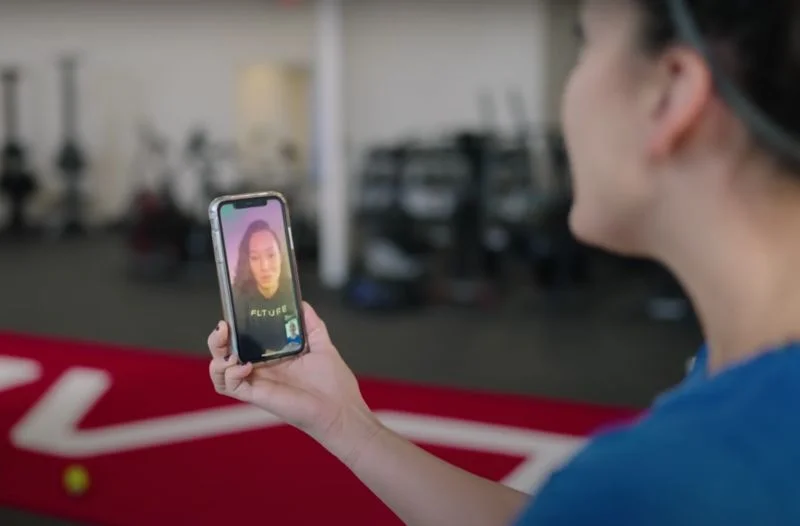
If you’re curious about personal training, the Future app is the next best option to working with an in-person instructor. You’ll be able to use the online personal trainer app to find a coach by sorting through coaching styles (high-energy, laidback, detail-oriented, etc.), coaching expertise (adaptive exercise, bodybuilding, injury prevention, etc.), or sport-specific coaches (football, hockey, winter sports, etc.). As one of the few apps that connects you with a real-life coach, Future earns 5 out of 5 stars for accountability.
RELATED: Best Online Personal Trainers
Ease of Use: 4.5/5
Accountability: 5/5
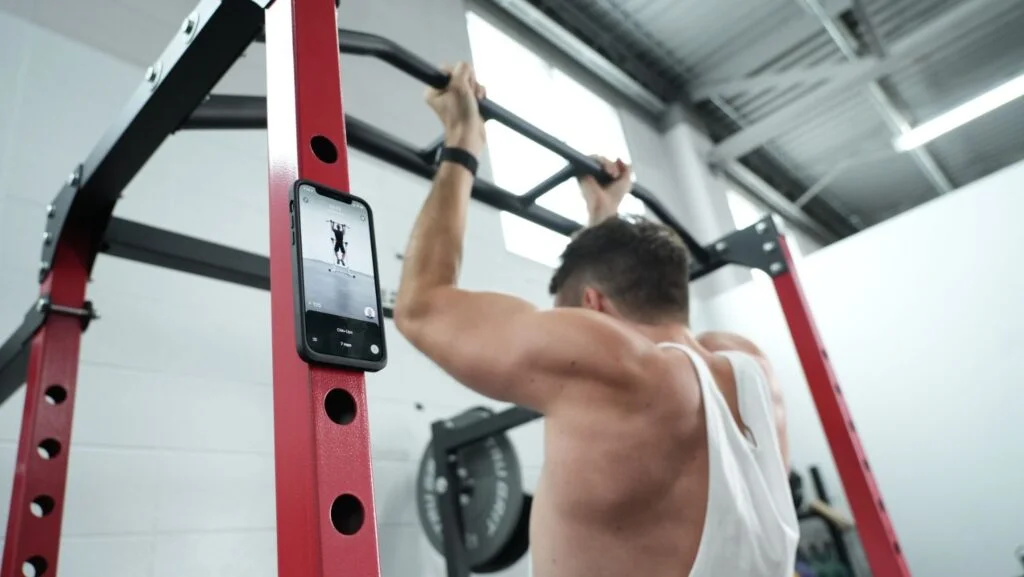
Equipment Demands: 5/5
Why We Like Future
GGR expert product tester Logan Block reports his coach, Layne, is personable and energetic. “Layne does a great job of checking in on training and rest days. He also took my feedback into account when designing workouts going forward,” says Logan, who gave Future 5 out of 5 stars for progressive overload.
Kate Meier, NASM-CPT, USAW-L1, CF-L1 says her coach is fantastic about daily check-ins and gathering feedback. Kate also likes the fact the Future app pairs with her Apple Watch. “Seeing my fitness rings on my Apple Watch worked really well for me in terms of keeping me on track with my workouts,” says Kate, who gave Future 4 out of 5 stars for interactive features.
Additionally, Future has an incredible user interface. “Future is well-designed and intuitive,” Logan says. “I really think the ease with which you can communicate with your trainer and how clean everything operates is what sets this app apart.”
I think the biggest evidence of my feelings toward Future is that I’ve used it every week since September 2020. I also pay for my wife to use it, I’m that big of a believer.
Cooper Mitchell, GGR founder
Alternatives
If we had to call out one issue with Future, it’s the price. At $199/month, this is still significantly more affordable than hiring a personal trainer on a monthly basis at your local gym, but it’s going to cost a lot more than most apps on our list. Overall, this app earns 2 out of 5 stars for pricing.
We think it’s worth it, especially if you want personal coaching, and when you use our GGR-exclusive discount link, you can enjoy your first month completely free. This is the only trial option for users, which we only gave this 3 out of 5 stars for the trial period.
Typically, we like to see some sort of free trial, especially for a service with such an expensive cost. Those who join without our code won’t receive the free month, so we docked a couple of points for the trial period.
If you want a more affordable app that’s still personalized to your goals and performance, JuggernautAI may be worth a try, especially if you’re focused on strength goals.
Testing Breakdown
Future is an outstanding app in nearly every category, but the only real drawback is the cost, as it’s certainly not cheap.
Vs. The Average
Future is more expensive than the average app, but you’re paying for human coaching, so we think it’s worth the cost.
| Future | Average Workout App | |
| Price Per Month | $199 | $34 |
| Free Trial Period | 1 month (Limited GGR exclusive) | 7 days |
| Type of Training | Customized based on your goals | Strength training, cardio, mobility |
| Type of Equipment Needed | Customized based on your individual setup | Bodyweight, home gym, or commercial gym |
| Compatible With | iOS | iOS, Android |
Read more about this personal training app in our Future App review.
Best Workout App for Bodyweight Training: BetterMe
Updated by: Matt Dustin, CSCS, PN1-NC

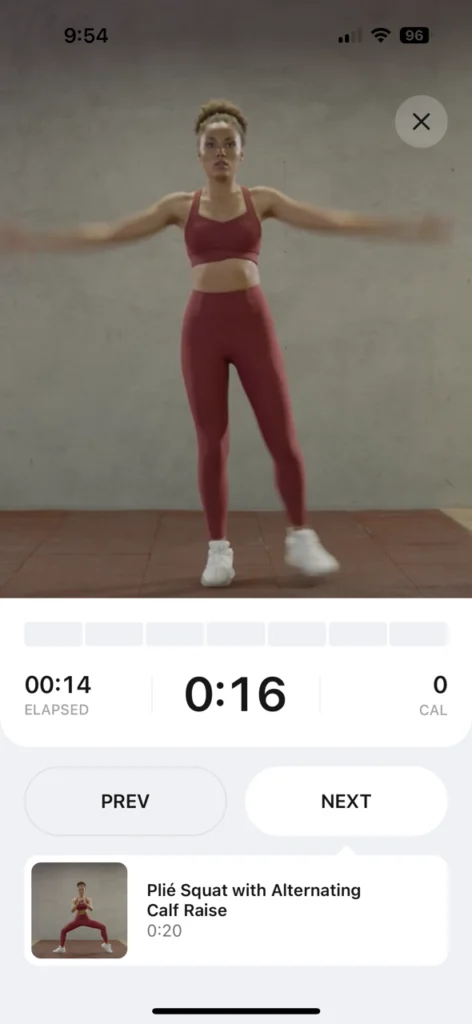
The BetterMe app is Pilates-focused workout app aimed toward beginners. It has a nutrition function where you can track calories or gather healthy meal ideas.
What our tester says:
“There’s a video compilation of the app’s library of exercises that’s powered by AI but well done. The cuing and instruction is pretty good.”
At a Glance
- Provides audio and video instruction for workouts
- Optional coaching available for an additional fee
- App includes nutrition coaching
- Focuses primarily on bodyweight workouts
If you’re all in on bodyweight training, BetterMe is one of the best options around. Not only is it one of our best workout apps for beginners, but it’s packed with an array of equipment-free training plans that are geared toward just about anyone. It also earns 4 out of 5 stars for ease of use, making it a good option for those new to workout apps.
Ease of Use: 4/5
Instruction: 4/5
Equipment Demands: 5/5
Why We Like BetterMe
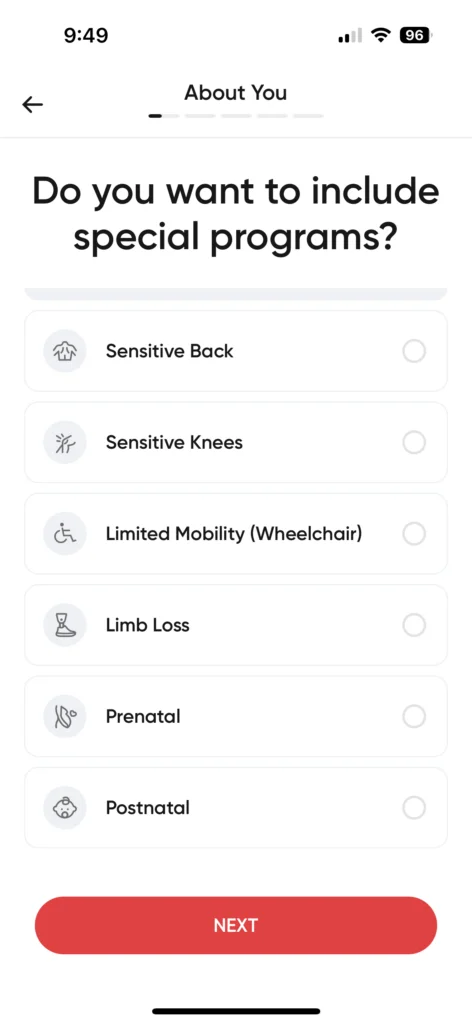
BetterMe gets a 4 out of 5 in its initial setup, since you begin with a quiz on your fitness goals, mobility issues, sleep schedule, and more. “I like that the quiz will populate a workout plan based on your answers, but the quiz was a bit too long for my taste,” says GGR editorial member Nicole Davis, CPT, PN1-NC, who tested out the fitness app.
You can deviate from the workout plan given by BetterMe, though, as there is an entire workout library. That said, Nicole notes that you may have to dig around to find what you need. “Once you get used to it, it’s easy enough; things are clearly labeled,” she adds.
Workouts are pretty easy to follow with provided video and audio instructions throughout the different exercises—they even account for rest periods. Nicole rates the level of instruction a 4 out of 5 and says the guidance is pretty good. “Don’t expect an instructor-led workout like Peloton does, though,” she adds. “You follow along with a video, but there’s no instructor doing it with you.”
BetterMe creates a plan for you based on your goals, so the daily workouts are populated. They have a workout library, too, so you can go off plan if you want to.
Nicole Davis, CPT, PN1-NC
Alternatives
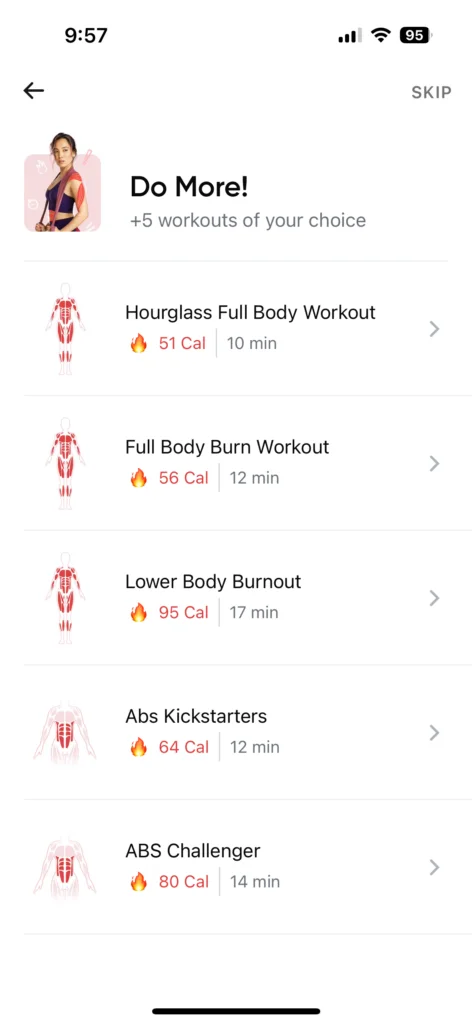
Lifters, old and new, may not appreciate BetterMe as the majority of the workouts are bodyweight with several dumbbells-only workouts. Still, it gets a 5 out of 5 for equipment demands, as people can do these workouts almost anywhere, but it’s not the best app for strength training.
It should be noted that customer reviews are mixed, with some reviews even calling BetterMe a scam. These reviews mostly talked about the nutrition side of the app, and also complained about cancelling their subscription. We had no issues in our testing, however, and more recent reviews seem generally more positive.
If you want something with a greater focus on traditional strength training, you may want to consider something like Boostcamp, instead.
Testing Breakdown
Even though BetterMe received above-average scores for categories like ease of use and equipment demands, it doesn’t have too many interactive features and only received average scores for pricing and value.
Vs. The Average
While BetterMe is more affordable than the average workout app, it doesn’t have quite as many strength-training plans.
| BetterMe | Average Workout App | |
| Price Per Month | $19.99 | $34 |
| Free Trial Period | 7 days | 7 days |
| Type of Training | Pilates, bodyweight, strength, mindfulness | Strength training, cardio, mobility |
| Type of Equipment Needed | Bodyweight, dumbbells | Bodyweight, home gym, or commercial gym |
| Compatible With | iOS, Android | iOS, Android |
You can read more in our complete BetterMe review.
Best Workout App for Strength Training: SHRED App
Updated by: Matt Dustin, CSCS, PN1-NC

The Shred app is an AI-powered virtual trainer that can be used to customize workouts in your home or commercial gym.
What our tester says:
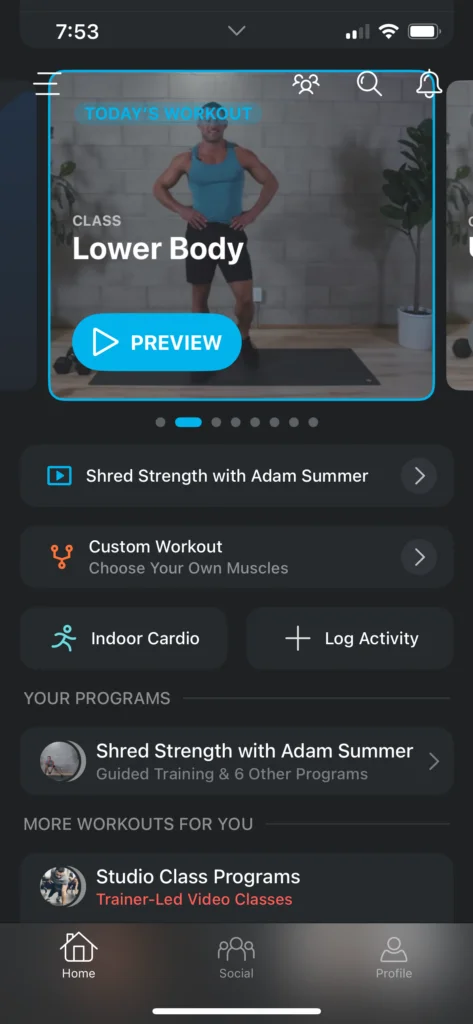
“The instructions are great. If you’re not doing a trainer-led video, some exercise tutorials also come with step-by-step breakdowns on how to do a certain exercise.”
At a Glance
- AI-powered programming customized to your individual needs
- 7-day trial available
- Lower than average cost
- Works with any equipment setup
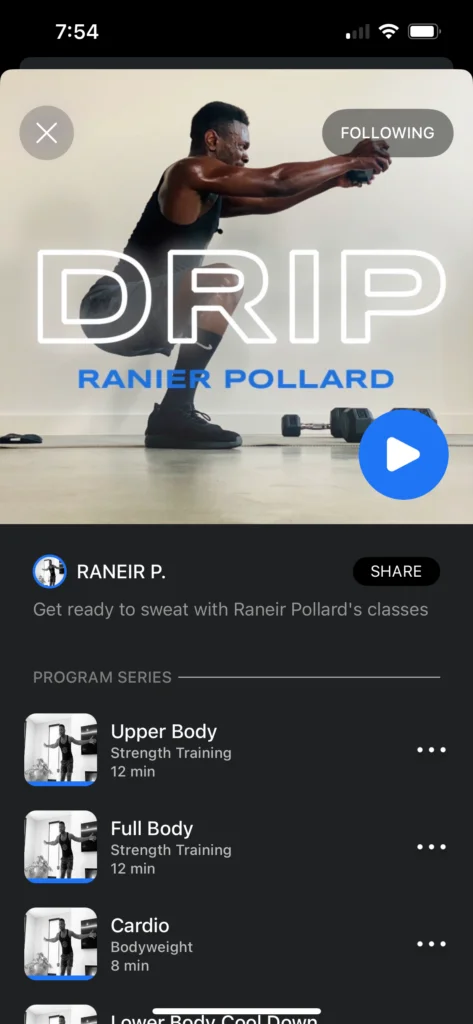
Suitable for both at-home workouts and commercial gyms, the SHRED app is our pick for the best workout app for strength training because it offers high-quality weight training programs and serves as a virtual personal trainer at a fraction of the cost. We give the app 5 out of 5 stars for both ease of use and equipment demands.
Ease of Use: 5/5
Instruction: 5/5
Workout Variety: 4/5
Why We Like the SHRED App
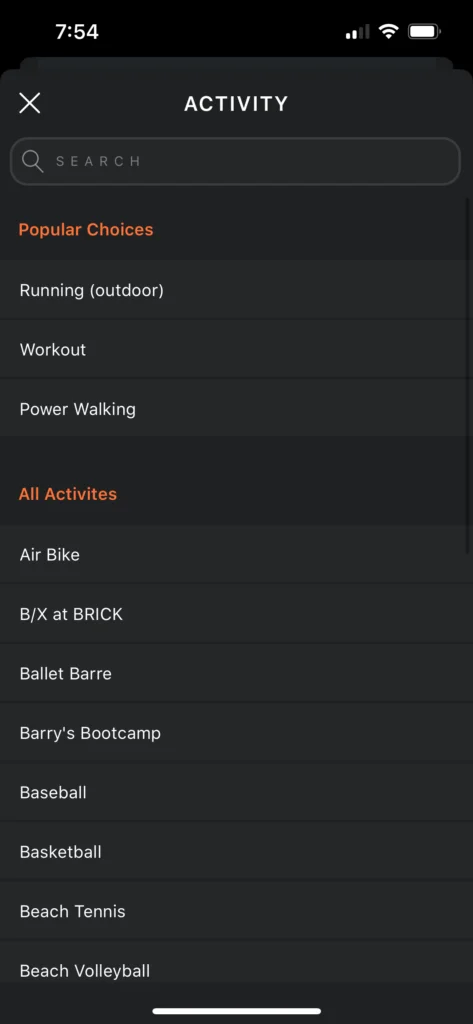
After entering some basic information about your height, weight, fitness history, goals, and training style, the app allows you to select from dozens of programs designed and led by world-class athletes. Anthony O’Reilly, CPT, CNC, has been following the Shred7 programming—a daily 7-minute high-intensity interval training program.
RELATED: Best CrossFit Training Programs
“The instructor, Adam Summer, is very energetic, and while it’s a grueling 7 minutes, you’re done with the workout in what seems like no time,” says Anthony, who rates the instruction at 5 out of 5. “I especially love that Adam gives pointers throughout the class. It makes it seem much more accessible than other workout apps.”
As you progress through your program, SHRED uses artificial intelligence to customize the training program to your needs based on your performance and feedback. You’ll have to grant the app access to your camera, though, so it can track and rate your performance and provide form corrections.
Another area where this app stands out: equipment demands. Anthony rated it a 5 out of 5, highlighting the level of flexibility to tailor your workouts according to what you do (or don’t) have on hand. Whether partaking in a full-body gym workout at your local establishment or taking on a bodyweight session with no additional equipment, Shred’s workout library has a session for you.
This instruction is perfect. If you’re not doing a trainer-led video, there are exercise tutorials that also come with step-by-step breakdowns on how to do a certain exercise. It also comes with AI coaching.
Anthony O’Reilly, CPT
Alternatives
While we think this is the best overall workout app, it’s really meant for athletes who want to follow pre-made programs rather than those who simply want an app to track their existing workouts. It’s good, but it’s a little limiting for those who want to make their own training plan. We give this app 3 out of 5 stars for interactive features.
You can choose your own training goal, but you can’t build your own workouts. Instead, you’ll have to choose from one of SHRED’s circuit-style workouts, which some may not enjoy. Even if you choose strength or bodybuilding workouts, the app uses circuit workouts rather than traditional strength training.
You’ll also follow the workouts on your own, so aside from optional workout reminders, you’re not really getting any accountability with Shred. This isn’t a big deal for those who don’t mind training alone, but if you’re looking for accountability, you’ll need to choose a different option.
If you want a plan that’s truly customized to your needs and goals by a human coach, you may want to consider a platform like Future.
Testing Breakdown
SHRED scored well above average for most categories, though it only earned 3 out of 5 stars for interactive features and accountability.
Vs. The Average
The SHRED app is significantly more affordable than the average workout app and includes a 7-day trial for new users.
| SHRED App | Average Workout App | |
| Price Per Month | $9.99 | $34 |
| Free Trial Period | 7 days | 7 days |
| Type of Training | Strength, HIIT, cardio, bodyweight | Strength training, cardio, mobility |
| Type of Equipment Needed | Varies based on which workouts you choose | Bodyweight, home gym, or commercial gym |
| Compatible With | iOS, Android | iOS, Android |
To learn more about this AI-powered circuit training app, be sure to check out our full SHRED App review.
Best AI Workout App: Fitbod
Updated by: Matt Dustin, CSCS, PN1-NC

The Fitbod App is a high-tech AI-powered fitness platform that personalizes workouts and adapts them over time based on your progress. Although there is not a free version, the subscription is affordable and allows you to workout with whatever equipment you have.
What our tester says:
“There’s plenty of variety, and workouts are structured based off of the equipment you say you have available. The app pulls exercises from the database of available exercises based on what you have access to.”
At a Glance
- AI-created workout plans specific to individual fitness goals and experience
- Workouts consider available equipment, ideal workout duration, and more
- Lower than average cost
- Simple, easy-to-navigate interface
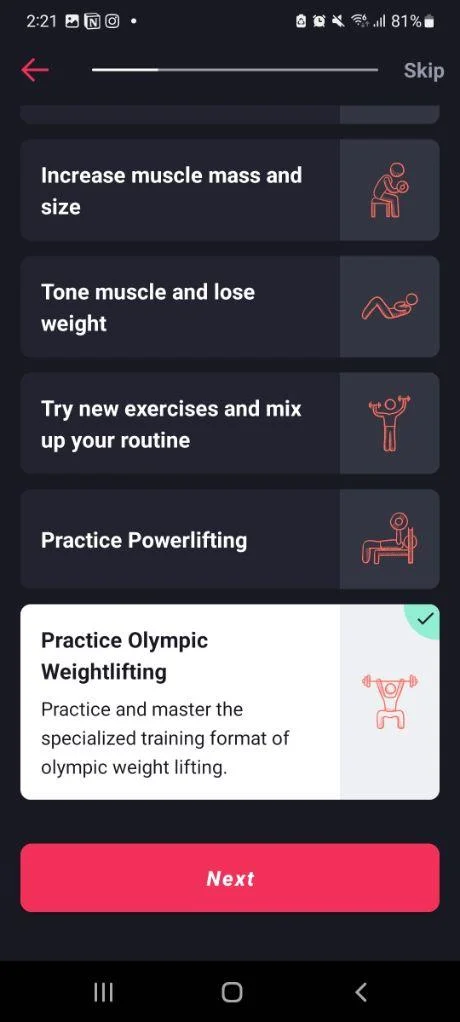
If you’re looking for an app that can generate endless workouts for a variety of goals tailored to your preferences and equipment, Fitbod is a great choice. It focuses on strength training workouts, allowing users to build muscle and strength or train for specific activities, such as Olympic weightlifting or powerlifting. It earns 5 out of 5 stars for workout variety, and it’s affordably priced compared to other apps.
Equipment Demands: 5/5
Ease of Use: 4/5
Workout Variety: 5/5
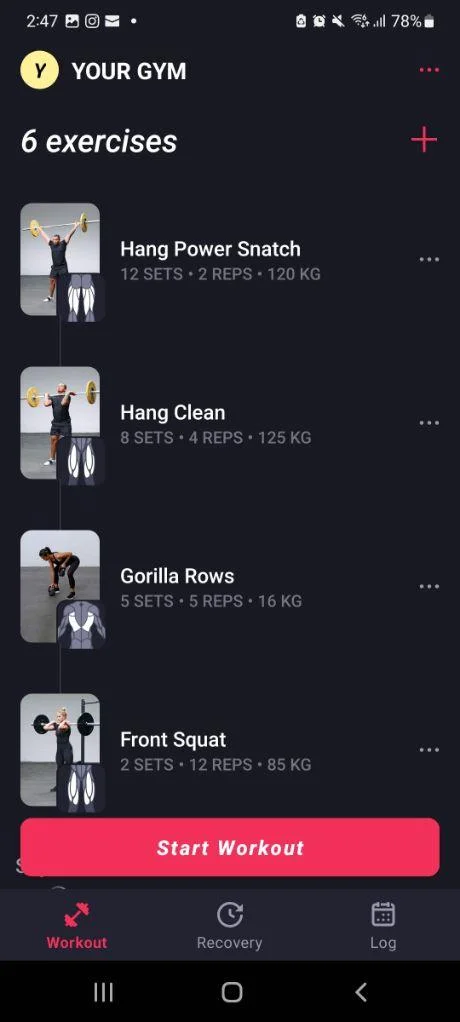
Why We Like the Fitbod App
Our tester, Caine Wilkes, OLY, CNC, USAW-L1, tested Fitbod and found the app was easy to use, offering plenty of variety. He found the onboarding quiz to be quick and simple, giving it 4 out of 5 stars for ease of use.
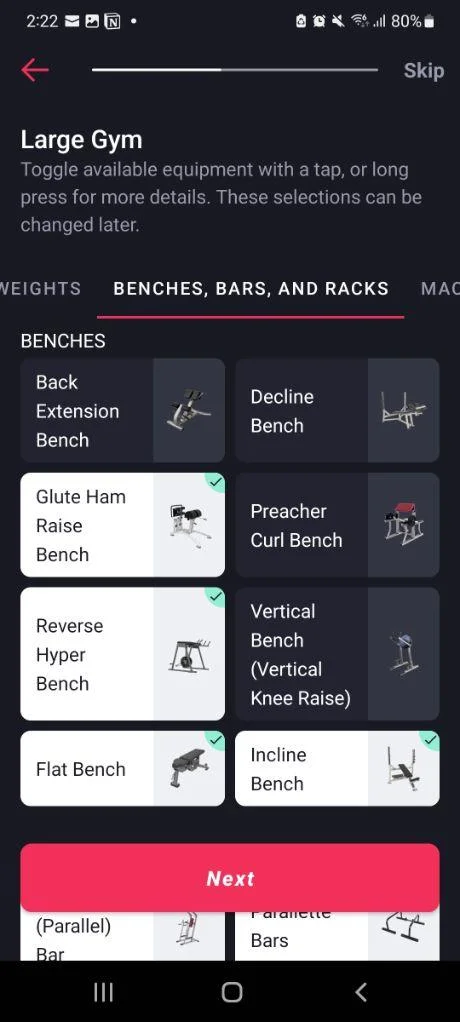
“It uses a quick questionnaire on your experience and goals,” Caine told me. “You can also add basic metrics and customize equipment available to help optimize the AI’s programming. I also enjoyed the quick tutorial on each new feature you looked at.”
We also appreciate the equipment demands, or lack thereof. While some strength-focused apps expect you to have access to at least the basics, like an Olympic barbell, dumbbells, and squat rack, Fitbod truly allows you to customize your workouts to any type of equipment access.
Caine gave the app 5 out of 5 stars for the equipment demands, saying, “You can select the equipment you have available, ranging from access to free weights and machines to just bodyweight exercises.”
As you train, Fitbod tracks your progress and even shows a heat map of your recent training, allowing you to see which muscles have been trained.
Using the app and logging my own workouts was easy. The questionnaire that helps program for you asks questions about your experience level, equipment available, and the type of training you are focusing on.
Caine Wilkes, OLY, CNC, USAW-L1
Alternatives
Fitbod is great if you need AI-generated workouts for a variety of strength training goals. However, if you’re training for a specific sport, you may find the programming somewhat problematic. Caine, an Olympian who competed at the Tokyo Games, found the programming wasn’t useful for Olympic lifting.
“The AI workouts that were generated for me seemed off,” he explained, giving the app 3 out of 5 stars for instruction. “Naturally, I chose Olympic lifting as my goal, but the weights and rep schemes seemed wildly off for a weightlifting program. I think a lot would be solved if you could put max lifts in there. Otherwise, you’re still guessing at weights and programming for yourself.”
He also docked a couple of points for progressive overload, giving Fitbod 3 out of 5 stars. He noted that while the workouts are likely beneficial for non-Olympic lifters, they didn’t appear to be part of a larger program, so users will need to track their progress and determine whether they’re getting stronger over time.
If you like the idea of AI-powered programming, but prefer something that’s a little more proven when it comes to strength sports, you may want to consider JuggernautAI, especially if you enjoy training the squat, bench, and deadlift.
Testing Breakdown
Fitbod scored well in most categories, but the free trial is limited to three workouts, and we’d like to see more emphasis on progressive overload.
Vs. The Average
Compared to most other apps, Fitbod is very reasonably priced, though the trial is a little short.
| Fitbod App | Average Workout App | |
| Price Per Month | $15.99 | $34 |
| Free Trial Period | 3 workouts | 7 days |
| Type of Training | Strength, powerlifting, Olympic lifting | Strength training, cardio, mobility |
| Type of Equipment Needed | Customized to your individual equipment access | Bodyweight, home gym, or commercial gym |
| Compatible With | iOS, Android | iOS, Android |
Best Workout App Instructors: iFIT
Updated by Jay Serafino
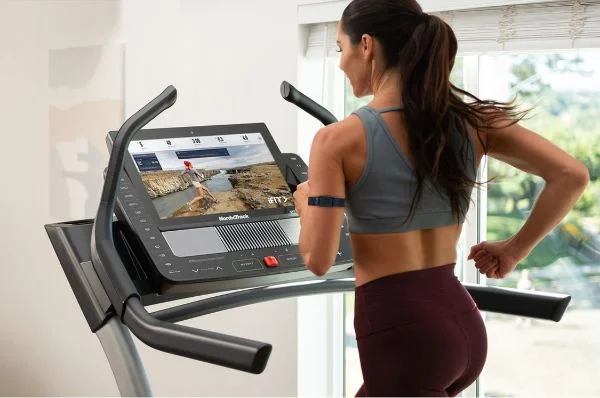



iFIT offers fitness lovers versatility with machine-based classes and classes that do not require anything more than a towel or mat. Anyone looking for a home-exercise program will be hard pressed to find a more technology forward, expansive and inclusive platform than iFIT.
At a Glance
- Access to more than 10,000 workouts
- Includes a roster of more than 180 personal trainers and iFIT coaches
- Syncs with NordicTrack and ProForm equipment
- Focuses primarily on cardio programming
For anyone in the market for a Peloton app alternative, iFIT should scratch the itch. This platform, which ranges from $15 to $39 per month, offers a library of 10,000-plus workouts streamed right to your phone/tablet or integrated cardio machine. The massive workout selection is led by more than 180 trainers, helping you find the right fit for your training style.
“I do think that iFIT has emerged as a true Peloton competitor,” our tester, Caroline Lubinsky, CF-L1, says, giving the app a 4.5 out of 5 for the instruction category. “I always did the outdoor runs/rides when I tested iFIT, so the person is working out right there with you. I thought they were great.”
Equipment Demands: 4/5
Value: 4/5
Ease of Use: 4.5/5
Why We Like iFIT
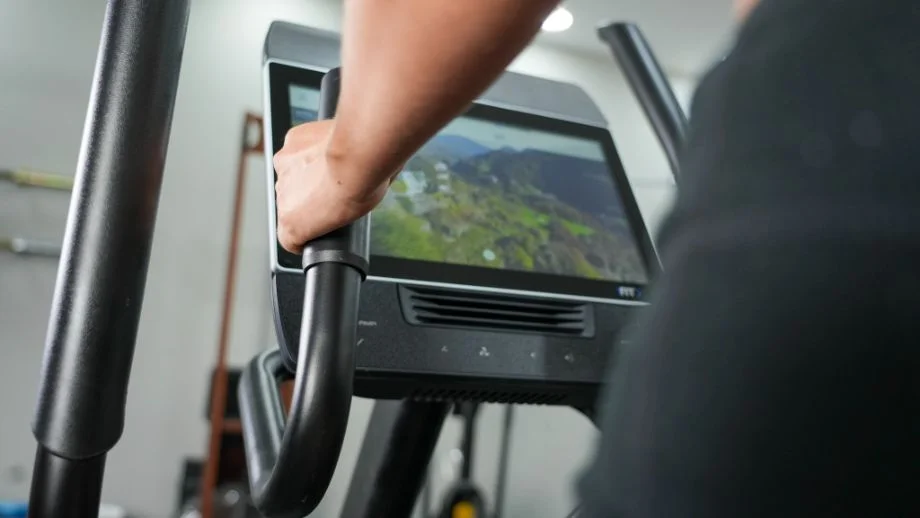
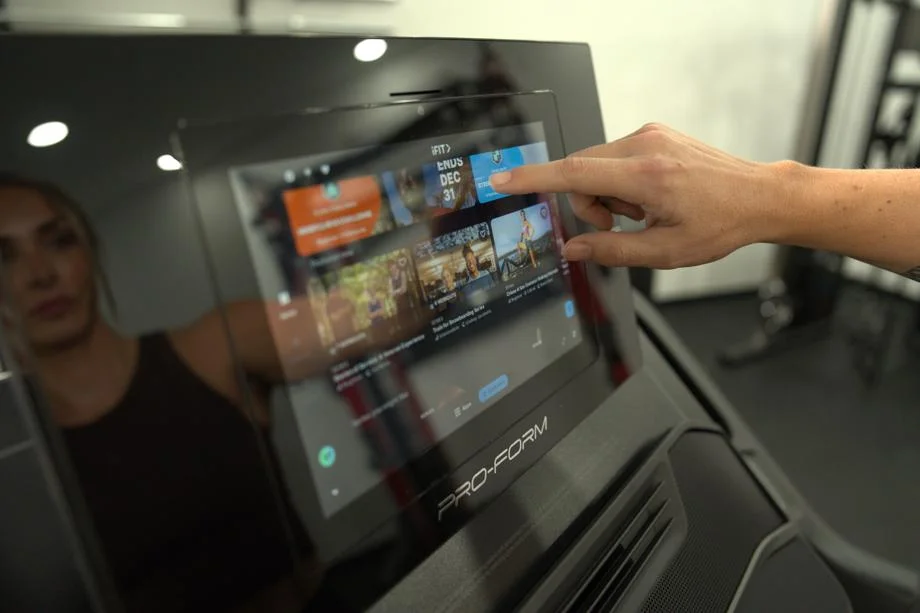
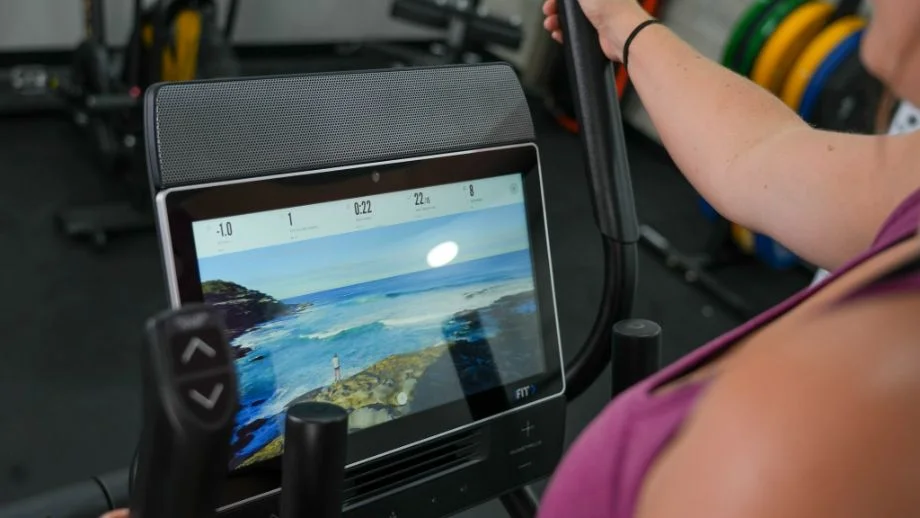
iFIT isn’t just the name of an app—it’s also the parent company that owns cardio machine brands NordicTrack, ProForm, and Freemotion. This means many of the bikes, treadmills, and rowers from said brands come with built-in iFIT integration, making it even easier to perform the thousands of available workouts. (Though it’s important to know that you still need to pay the monthly subscription fee to access the content.)
“I love browsing the library of classes you can take, which include treadmill, bike, rower, elliptical, yoga, strength, and mind options,” Caroline says, giving iFIT a 4.5 out of 5 for its ease of use. “There are options to browse by type of workouts, like active recovery, cross-training, strength, beginner, walk-run, hiking, mind, walking, and running.”
In terms of cost, there’s the $15 monthly iFIT Train plan and the $39 monthly iFIT Pro plan. The biggest difference here is that the Train tier lets you create your own workouts and is available on equipment touchscreens. Both, however, grant access to the full workout library. This helps the app earn a 4 out of 5 from our tester in the value category.
Another key feature of the app is the “Follow Trainer” function that automatically adjusts your machine’s speed, incline, and decline based on the trainer leading your class. So, if you’re performing an iFIT workout on a NordicTrack treadmill, your machine will react to the coach’s lead, providing an ever-changing cardio session to keep things fresh.
iFIT is a good value for the price. You get a lot of different types of classes, which can be great for a casual exerciser.
Caroline Lubinsky, CF-L1
Alternatives
One area where iFIT falls flat is in its accountability—or, lack thereof. While our tester didn’t find it too detrimental to the overall experience, she did specifically mention that the app might not be great for people who need an extra nudge to stay on track.
“The app is mostly self-guided, like any interactive programming that isn’t personally customized,” Caroline says, giving iFIT a 3.5 out of 5 for accountability. “However, you can do challenges, which help you hit milestones you’ve set or pre-set ones from iFIT.”
Another callout: We wish the app were better at clearly defining what equipment you need for the workouts. “Most of the classes require equipment, whether it is a cardio machine, weights, or a mat, but they aren’t great about telling you what you’ll need ahead of time before the class starts, which can lead to some scrambling,” Caroline told me. “But not all of them need equipment, though.”
If you want an app with more accountability features, Future connects you with a coach who will observe you and provide actual feedback.
Testing Breakdown
iFIT scored well in terms of value and ease of use, but its accountability rating could use some work. Here’s how it all breaks down:
Vs. The Average
iFIT’s cheaper tier is more affordable than the average workout app, but the app’s self-guided nature might not be a fit for everyone’s training style.
| iFIT | Average Workout App | |
| Price Per Month | $15 or $39 | $34 |
| Free Trial Period | 30 days | 7 days |
| Type of Training | Cycling, treadmill, HIIT, rowing, strength training, yoga, pilates, bodyweight | Strength training, cardio, mobility |
| Type of Equipment Needed | Compatible rowers, treadmills, ellipticals, spin bikes, fitness mirrors, cross-trainer machines, functional trainers | Bodyweight, home gym, or commercial gym |
| Compatible With | iOS, Android | iOS, Android |
Get more in-depth information in our full iFIT review.
Best Workout App for Beginners: Muscle Booster
Updated by Jay Serafino
This beginner-friendly workout app can be accommodating for a range of different skill sets and equipment setups. Plus, Muscle Booster promotes progressive overload effectively by having you master each prescribed exercise prior to moving onto more challenging movements or rep ranges.
At a Glance
- Customized workout plans that adapt to your desired goals and equipment
- Guided workouts help walk users through each individual exercise
- No free trial period for new users
- Simple 5-minute sign-up process
It’s not always easy for newcomers to embark upon a fitness plan, but Muscle Booster offers a streamlined process that learns your goals and crafts an easy-to-follow workout regimen to help you achieve them.
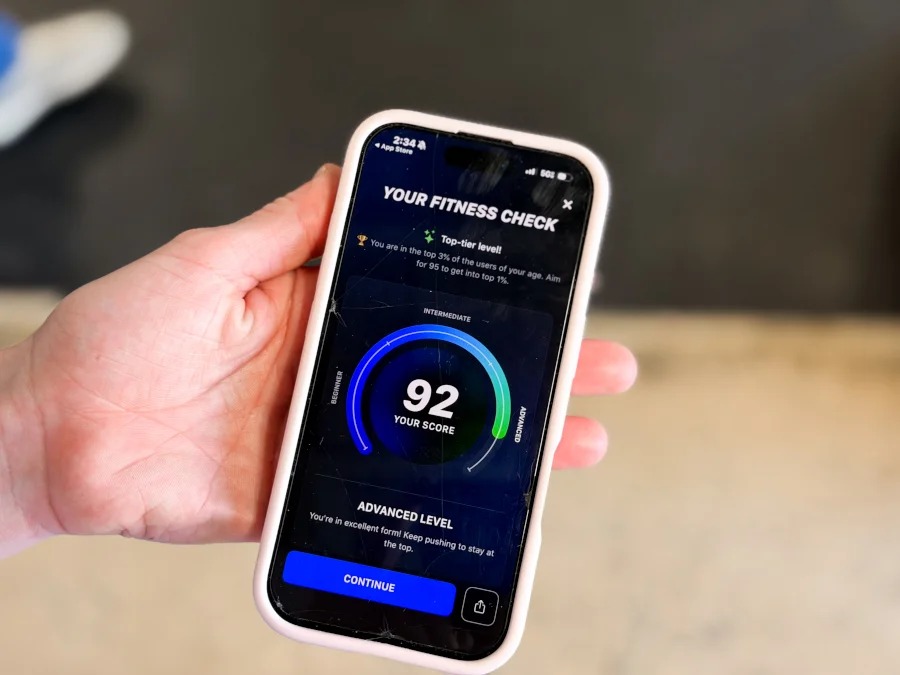
“The app has a lot of different functions,” our tester says, giving Muscle Booster a 5 out of 5 for ease of use. “It created a workout for me based on my location, what equipment I had available, the time of day, and my time commitment. After selecting the workout, the app gave me a time duration and workout selection.”
Interactive Features: 1/5
Accountability: 5/5
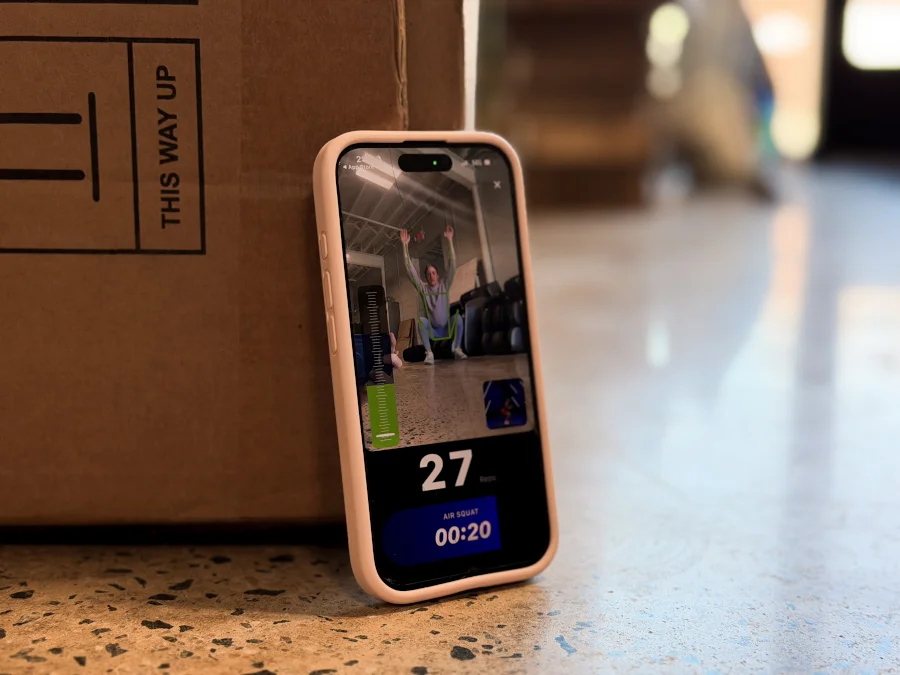
Progressive Overload: 5/5
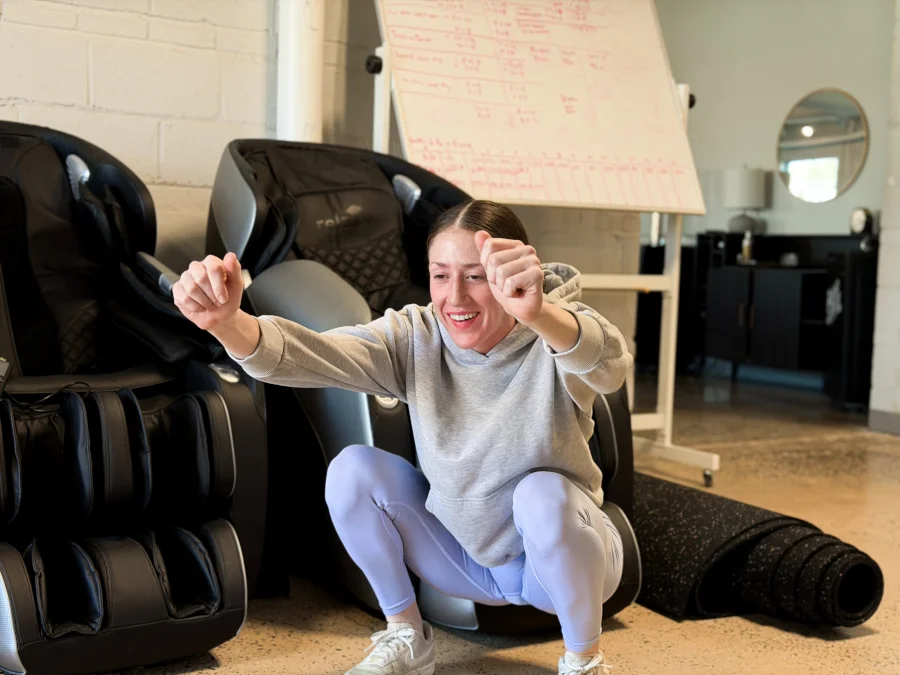
Why We Like Muscle Booster
Muscle Booster is beginner-friendly because it pays close attention to the user. During the sign-up process, you’ll answer a quick quiz that includes questions about your goals, activity level, equipment access, and more. Once you sign up for a paid subscription, you get access to personalized fitness plans to meet those goals. Paid plans are around $14.99 per month, but don’t be surprised if you get a discount as a first-time user.
“The app is very interactive and instructional when it comes to goals and structure,” our tester says, rating Muscle Booster a 5 out of 5 for its clear instructions. “It provides multiple options to swap an exercise, whether you are using gym equipment, minimal equipment, or bodyweight exercises.”
Muscle Booster also earned perfect marks in the accountability and progressive overload categories. In order to move on to new workouts and learn different exercises, you have to complete your previous workouts. Our tester appreciated this, as the app pushes you to master your current workout before moving on.
The app will not reward progress until you have logged your previous sessions, which allows for both accountability and progressive overload.
Our Expert Tester
Alternatives
While our tester enjoyed the ease with which Muscle Booster crafts a workout plan for beginners, the app didn’t hit every bullseye. For starters, there’s no coach (AI or human) with Muscle Booster. That gave the app a 1 out of 5 in the interactive features category.
Our tester also gave the app a 3 out of 5 for value, stating that it’s “very AI forward” and lacks the community aspect and competitive leaderboard you would find in other apps. Our tester notes that this is a great platform for independent users who enjoy training alone, but it might not work for everyone, especially those looking to interact with others on their fitness journey.
Looking for a workout app that integrates AI into program building? Consider TR[Ai]NER by Element 26, which offers customized training routines based on your equipment access, fitness goals, capabilities, and more.
Testing Breakdown
Muscle Booster has no shortage of perfect 5-out-of-5 scores from our tester, though its interactive features and overall value leave a little to be desired.
Editor’s Note: Muscle Booster does not offer a trial period, so we did not factor that rating into our overall score.
Vs. The Average
While Muscle Booster can be perfect for beginners and provides decent bang for your buck, its lack of a free trial can’t be overlooked.
| Muscle Booster | Average Workout App | |
| Price Per Month | $14.99 | $34 |
| Free Trial Period | None | 7 days |
| Type of Training | Strength training, bodyweight, cardio, calisthenics | Strength training, cardio, mobility |
| Type of Equipment Needed | Bodyweight, home gym, commercial gym | Bodyweight, home gym, or commercial gym |
| Compatible With | iOS, Android | iOS, Android |
Best Workout App for Powerlifting: JuggernautAI
Updated by: Matt Dustin, CSCS, PN1-NC

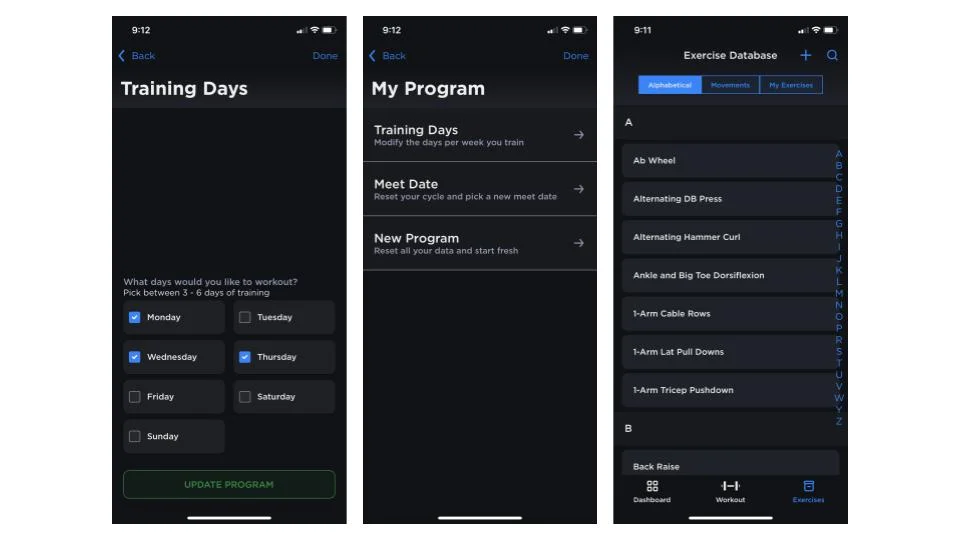
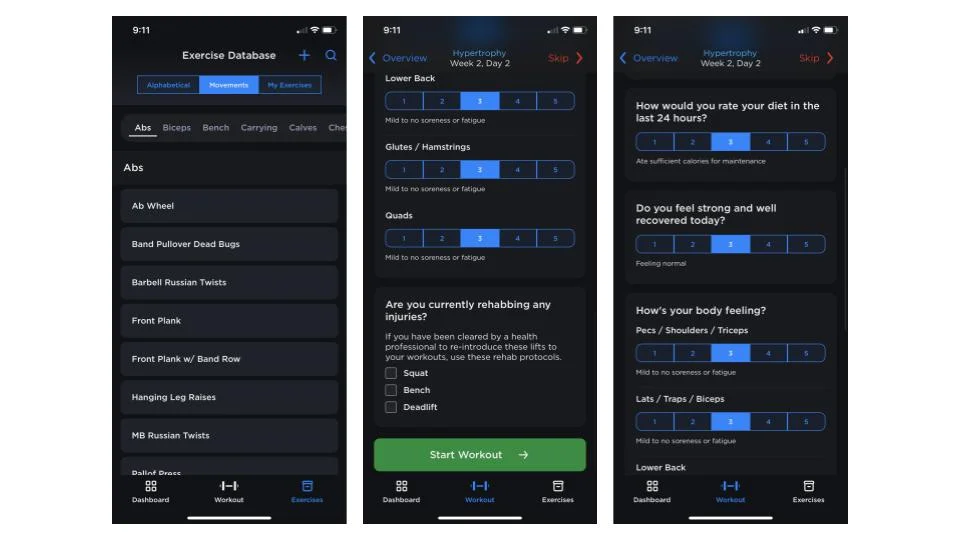
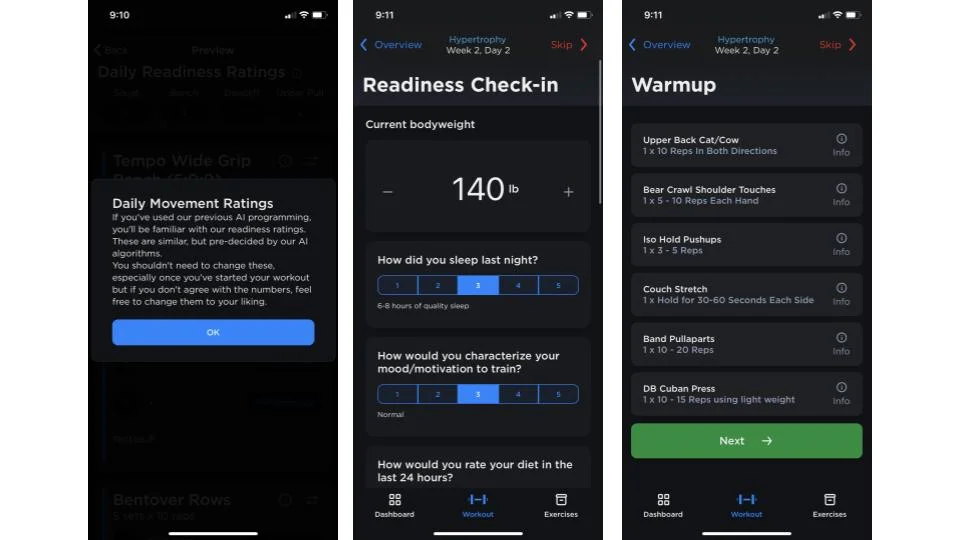

JuggernautAI compiles your information to create a personalized powerlifting and powerbuilding workout experience.
What our tester says:
“While artificial intelligence programs your workouts, it’s still completely based on the principles of progressive overload.”
At a Glance
- Programming that adapts to your progress
- Focused on powerlifting or powerbuilding
- Moderate monthly cost
- No options for cardio or non-strength goals
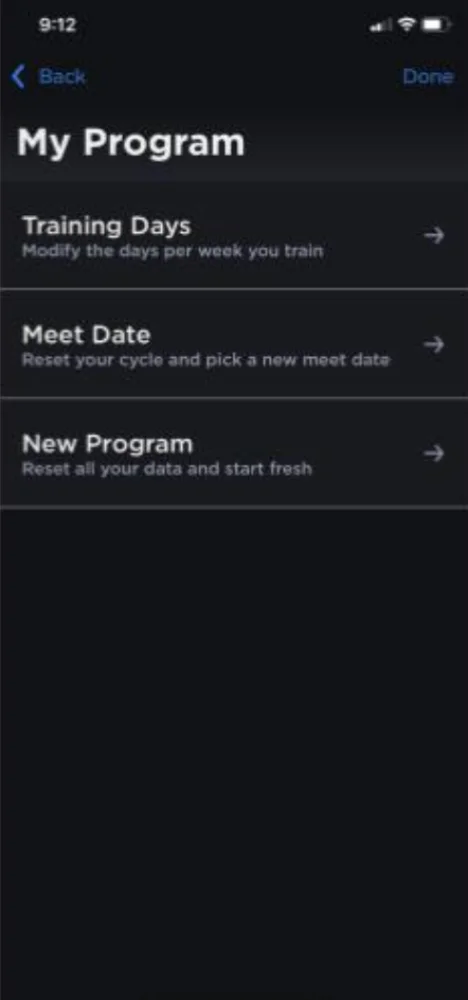
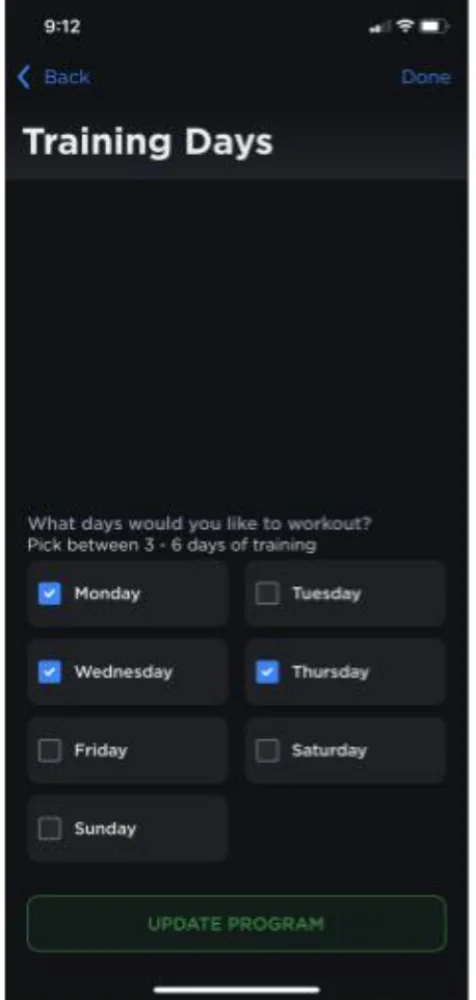
JuggernautAI is a powerlifting program generated by artificial intelligence. You won’t work with a coach or personal trainer, but rather input information about yourself (like your previous workout experience, personal records, your recovery habits, and weak points, to name a few) into the app and allow artificial intelligence to create a personalized powerlifting program based on your stats.
“The standout feature here is the AI, which is insanely smart and impressive,” says product tester Amanda Capritto. “Every day, the app asks you to score your motivation level to train, how well you slept/how tired you are, if you ate enough calories that day, and how sore/fatigued your body is feeling. The app then automatically adjusts your loads and rep scheme for the day based on what you log.”
This coaching algorithm is impressive, and JuggernautAI earns 5 out of 5 stars for progressive overload.
Progressive Overload: 5/5
Ease of Use: 4.5/5
Equipment Demands: 4/5
Why We Like JuggernautAI
JuggernautAI is not just designed with your stats in mind—it’s structured to help you move the needle on your strength. “While artificial intelligence programs your workouts, it’s completely based on the principles of progressive overload,” explains Amanda, who used JuggernautAI for over a year.
You’ll be challenged to lift heavier weights, increase range of motion, complete more sets, and add more repetitions.
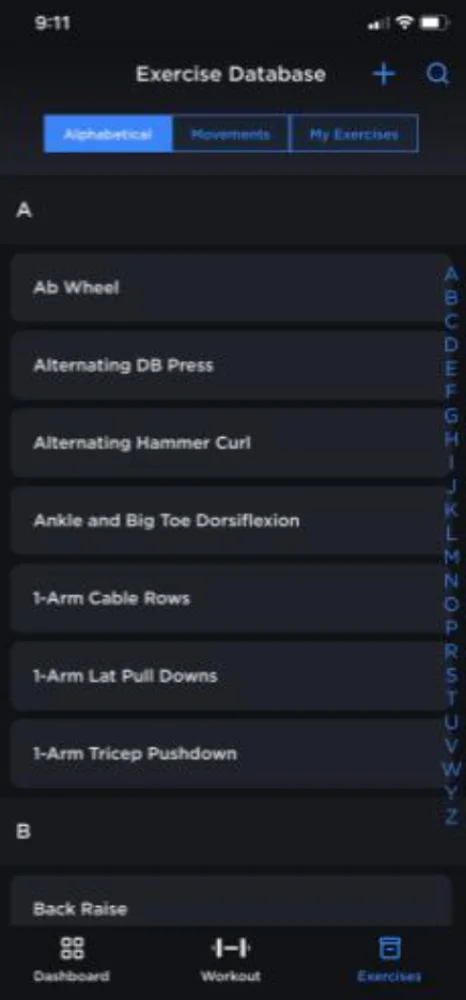
Because this is a powerlifting program, it may not be a surprise that you’ll need a squat rack, bench, barbell, and weight plates to complete your workouts. It will also be helpful to have access to dumbbells, kettlebells, and resistance bands for a handful of different exercises.
RELATED: Best Resistance Bands on Amazon
Although more equipment is needed than in other apps we reviewed, Amanda still gives JuggernautAI a 4-out-of-5-star rating for equipment demands. “You can swap in exercises each day or for an entire block based on what you have handy,” she explains.
The level of personalization, modification, versatility, and accountability you get for the price is, quite frankly, insane. There are a million and one fitness apps out there that hover around the same price point, but most don’t offer anything nearly as comprehensive as JuggernautAI.
Amanda Capritto, CPT, CES, CNC, CF-L1, CSNC
Alternatives
We’re huge fans of JuggernautAI’s programming and progressive-overload-focused approach, but there’s one big drawback.
The program is centered around getting stronger and improving the big three lifts (squat, bench, and deadlift). If you’re not interested in powerlifting (or powerbuilding—a combination of bodybuilding-style training and powerlifting), this likely won’t be the best workout app for you.
It’s a very impressive app, but only meant for a specific style of training, so we give it 3 out of 5 stars for the workout variety.
We also think the pricing could be better. JuggernautAI costs about as much as the average workout app, however you’re not working with a real coach, and there aren’t any workout options that focus on cardio, cycling, or other activities. The algorithm works well, but it’s not very versatile.
If you’re not a powerlifter looking to boost your big three lifts, you may want to consider an app service like the SHRED App, which offers workouts for a variety of fitness goals.
Testing Breakdown
This app received high scores in nearly every category, but it’s a little limited in workout variety and interactive features.
Vs. The Average
JuggernautAI costs slightly more than the average app, thought it offers a longer trial period than most so new users can experience the programming.
| JuggernautAI | Average Workout App | |
| Price Per Month | $35 | $34 |
| Free Trial Period | 14 days | 7 days |
| Type of Training | Powerlifting, powerbuilding | Strength training, cardio, mobility |
| Type of Equipment Needed | Commercial gym or home gym with squat rack, barbell, and weight plates | Bodyweight, home gym, or commercial gym |
| Compatible With | iOS, Android | iOS, Android |
To learn more, read our full JuggernautAI review.
Best Home Workout App: Ladder
Updated by: Matt Dustin, CSCS, PN1-NC


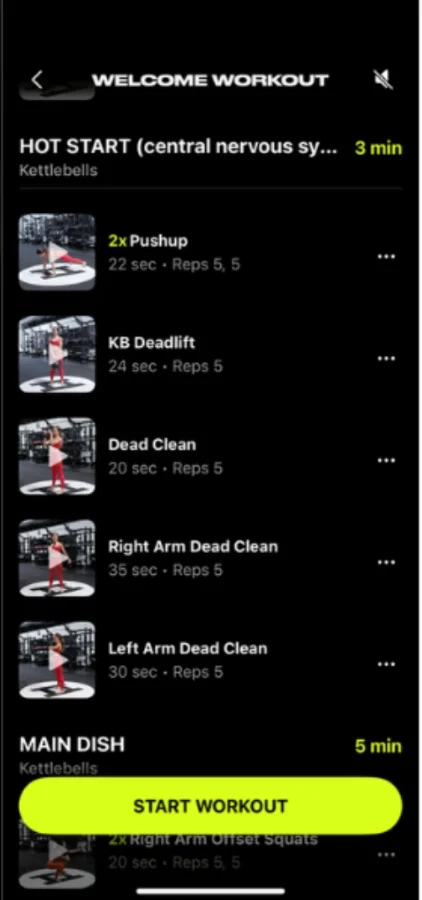
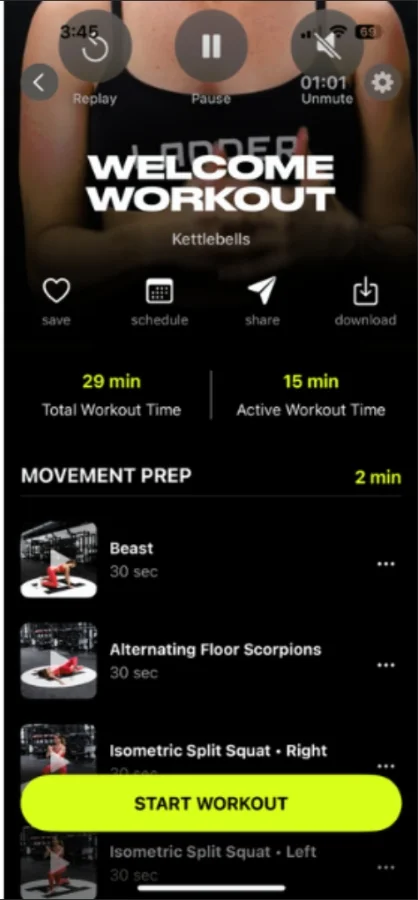
Ladder is a fitness app with daily strength training workouts. You’ll pick your preferred training style and stay in that track for 5 to 6 week blocks, which gradually get more challenging.
What our tester says:
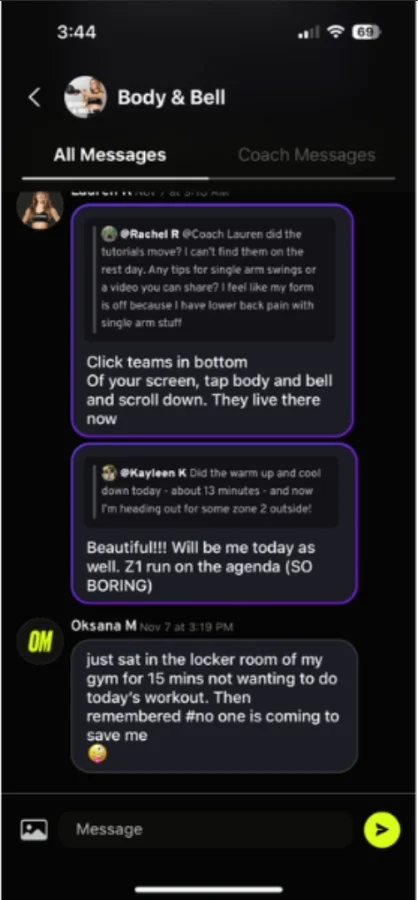
“I’ve personally tried many different workout apps over the years and this one has been the easiest to navigate and stick with because it takes the guesswork out of the equation.”
At a Glance
- Personalized, yet affordable workouts
- Emphasis on progressive overload
- Plans for a variety of goals
- Only available on iOS
If you’re looking for a bit of help with your home workouts, Ladder is a top choice. GGR Director of Content and certified personal trainer Nicole Davis has used Ladder for months now, and continues to do so. She remarks, “I’ve had my hands on tons of fitness stuff throughout the years, and I fully believe that if your goal is to get stronger, then Ladder has unbeatable value for you.”
It’s not free, but Ladder easily earns a 5 out of 5 for value. You receive a personalized plan that would costs hundreds of dollars elsewhere, and you don’t need to go to the gym to meet with a trainer, which is why we think it’s the best workout app for home use.
Progressive Overload: 5/5
App Setup: 5/5
Value: 5/5
Why We Like Ladder
One of the main reasons we love Ladder is the exceptional value it provides. Users receive a multi-week exercise program personalized for you, and it only costs $30 per month. Nicole says, “You’d pay hundreds to get an online plan like this from a qualified certified specialist.”
It’s also an intuitive app to use, as Nicole rates both the setup and ease of use a solid 5 out of 5.
Ladder is primarily a strength-training app with certain subcategories that delve into other interests and training modes: strength mixed with yoga or Pilates, HIIT, and endurance with power, for example.
You’ll need some basic resistance training equipment for the strength programs, although it’ll vary depending on the series you choose. But you shouldn’t need much more than the essentials: kettlebells, dumbbells, barbells, or resistance bands. Nicole rates the equipment demands a 4 out of 5.
Ladder is also heavily focused on progressive overload, which is the key to building strength and continuing to make progress once you’re no longer a beginner. This is one of Ladder’s strongest features, in our opinion, and the reason it earns 5 out of 5 stars for progressive overload..
Progressive overload is how Ladder shines. It’s not a random workout that you choose each day. Instead, you follow a series designed to help you gain strength in six weeks, followed by a deload week or two.
Nicole Davis, CPT, PN1-NC
Alternatives
We don’t have many complaints about Ladder, but there are two things worth calling out:
First, the app doesn’t have much variety once you dive into a program, but that’s also strength training. “That’s kind of the point, though,” Nicole says, rating the variety a 3 out of 5. “Strength training will involve a lot of the same movements and exercises, but you’ll challenge yourself by increasing the weights or reps each time.”
Secondly, and this is a big one—Ladder is only available on iOS. This means if you’re an Android user, you’ll be unable to use Ladder’s programming, which is a major flaw in terms of accommodations.
If you’re looking for another great app that works on both Android and iOS, with workouts for a variety of goals, we recommend the free Nike Training Club app.
Testing Breakdown
Ladder scored well in nearly every category, though it’s priced right around the average workout app, earning 3 out of 5 stars for its pricing.
Vs. The Average
Ladder costs a little bit less than the average workout app, while providing a fantastic workout experience. However, it’s one major flaw is the fact that it’s only available on iOS, so Android users can’t use the service.
| Ladder | Average Workout App | |
| Price Per Month | $29.99 (or $179.99 per year) | $34 |
| Free Trial Period | 7 days | 7 days |
| Type of Training | Strength training, with subcategories including strength x yoga, strength x pilates, HIIT, endurance+power | Strength training, cardio, mobility |
| Type of Equipment Needed | Program-dependent: Kettlebells, barbell, dumbbells, pull-up bar, treadmill, resistance bands, some machines | Bodyweight, home gym, or commercial gym |
| Compatible With | iOS | iOS, Android |
To read more, check out our comprehensive Ladder App review.
Other Workout Apps We Researched
We’ve tested 70 different workout apps at the time of publication, and continually test new apps as they’re released. Here are a few others we considered adding that didn’t quite make the cut for this guide:
- Freeletics: Our tester mentions one of her qualms with Freeletics is the fact that there is very little instruction provided. “There are animations that show the exercise, but there is no one explaining how to do it,” they note.
- JRNY: While we like this app for owners of Bowflex or Schwinn cardio equipment, the versatility is less substantial when training on other cardio machines. Read our full JRNY app review for all the details.
- MVT Fitness App: While we like the programming, the MVT app itself can be glitchy and a bit confusing, detracting from the overall experience. Read our full MVT Fitness app review for all our pros and cons.
- Strava: This app is very useful for activity tracking, but it isn’t the best place to go if you need workouts to follow. Read our Strava fitness app review for more.
- WODster: Amanda Capritto, CPT, CES, CNC, CF-L1, CSNC, used this CrossFit app and thought the user interface was difficult to navigate, saying, “You can filter by equipment, movement type, and type of workout (for time, for rounds, for load). Otherwise, it’s just a MASSIVE list of WODs in alphabetical order.”
- Train Hard: This app is an excellent choice for folks looking for CrossFit programming at home, but it’s not for the faint of heart with high-volume training and heart-pounding EMOMs and AMRAP sets. While this app doesn’t offer a free trial for you to test, we have all the details in our Train Hard app review.
- Reverse Health: Registered dietitian Bob Iafelice may have been impressed with Reverse Health’s array of recipes, but he ultimately couldn’t give the platform his stamp of approval. Our expert reviewer pointed out several problems with this workout app marketed toward menopausal adults, including fear-based marketing tactics, inaccurate macronutrient calculations, and unhealthy, unsustainable caloric recommendations.
How We Picked and Tested the Best Workout Apps
Our product testers were tasked with evaluating multiple fitness apps and rating them on a 1-to-5-star scale across a variety of categories. Our in-depth methodology covered categories ranging from overall value and ease of use to workout variety and equipment demands.
However, it’s worth noting that not all categories applied to every app we tested. For example, a running app won’t offer much training variety and doesn’t require equipment (aside from your best running shoes, of course).
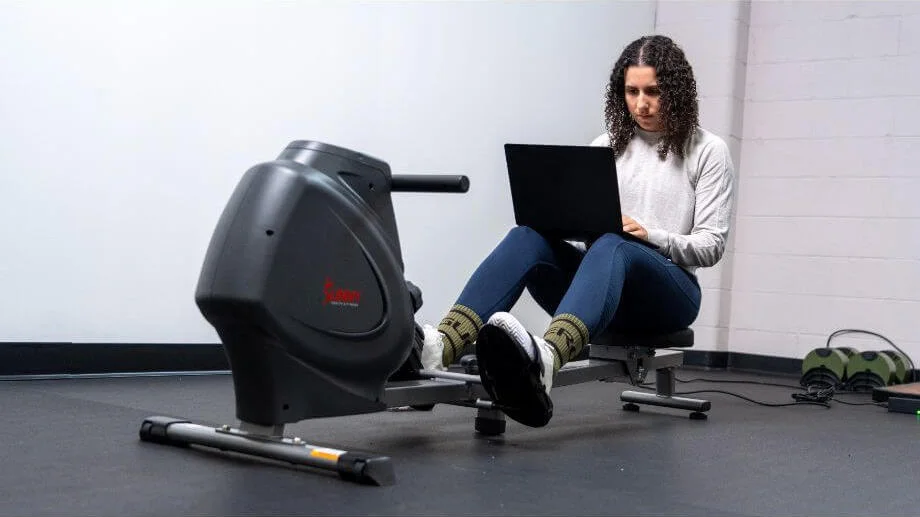
Our expert product testers tested all of the fitness apps for at least several workouts, while many were tested for a whole month or even longer, especially the apps we really loved using.
Trial Period
Nobody wants to pay for something they may not like, so fitness apps with free trials earn higher points than those without. In fact, apps with no trial periods earned a 1-star rating in this category. A 3-star rating meant the app offered a typical seven-day free trial.
To earn a 4- or 5-star rating, the trial needs to last for seven days (some apps offer 14 days) and either doesn’t require your credit card to sign up or sends a reminder that your trial is about to end.
Pricing and Value
For general programming, apps earned a 4- or 5-star rating when the monthly membership fee was under $15. For an app to earn a 1-star rating, the app costs $35 per month or more.
We recognize this scoring system isn’t perfect because personal training apps can cost much more to the tune of hundreds of dollars per month. That’s why we also provide a score on value. This can be a little subjective, but this score is based on whether we feel the cost justifies what you’re getting. To earn 3 out of 5 stars for value, we feel that what you get for the price is fair, while high scores are given to apps that provide exceptional value for the cost.
Progressive Overload
Workout plans that lacked a clear path to progression earned low 1-star scores from our team. For an app to earn higher, 4- or 5-star ratings, the workout program needed to clearly follow the principles of progressive overload.
This doesn’t necessarily mean you’ll lift heavier weights or run longer distances—a program with progressive overload can challenge you by way of variation via load, reps, rest time, volume, or range of motion. In fact, research shows1 that adding either weight or reps can work well to increase muscular adaptations to training.
Basically, we wanted evidence that the programs weren’t just random kitchen-sink workouts, which throw a random assortment of exercises at you each day, with no overarching plan or system in place.
App Setup and Ease of Use
Because the programs we tested are 100% online, it’s important that the platform is easy to use and doesn’t take away from the workout experience. For an app to earn a 1-star rating, the interface is confusing, there are no filters for specific needs, and it generally feels chaotic.
If the app is generally OK after a short learning curve, testers could give the app a middle-of-the-road 3-star rating. 5-star ratings were reserved for apps with a seamless user experience where workouts were easy to find, see, hear, follow along with, and track post-training.
Equipment Demands
Our team is all about home workouts and home gyms. If an app requires you to have access to a full gym or only has a small percentage of workouts that can be performed with minimal equipment, that was cause for a 1- or 2-star rating.
The best scores were given to apps that offered a large percentage of their workouts with minimal equipment, or ways to adjust your planned exercises to accommodate different equipment availability.
Accountability
Not every app will provide ongoing accountability to help you stay motivated, but we consider it a positive when we do see an app offering this feature.
To earn 3 out of 5 stars, an app should have programs you can join that give you a structured workout schedule, but they are not coached programs or group programs (you just follow it on your own terms). Maybe you get push notifications, or there’s a feature where you can integrate the workout app with your online calendar, but no human support or interaction.
RELATED: Best Fitness Trackers
Here’s a breakdown of the categories we tested for, and how we rated them.
Instruction
For this category, we aren’t just looking at the plan itself, but how much instruction the app provides. To earn 3 out of 5 stars, we want to see both visual and audio cues, though there may not be much guidance about how hard to push yourself or when to increase the weight you’re using.
Workout Variety
Once you’re past the beginner stage, you’ll probably need to repeat workouts many times, focusing on progressive overload, to continue to make progress. However, that doesn’t mean workouts should be boring, so we use this category to assess how much variety there is for users, both in terms of training styles (strength, cardio, etc…) and actual workouts.
To earn 3 out of 5 stars, there may be some repetition and many similar workout formats/types, but it’s tolerable, and our testers could see themselves using this app for quite some time.
Customer Experience
This was a general overview of the policies and customer service for each app. We looked at what information was available through the app (like an FAQ section), how easy it was to contact customer service, as well as the ease of canceling your subscription. We noted our experiences, as well as those of other customers who noted pros or cons in their respective customer reviews.
Benefits of Workout Apps
As a certified personal trainer myself, I know it’s not as easy as it sounds to hire a personal trainer and make it to in-person sessions on a weekly basis. Here are some of the most important benefits associated with using a workout app to guide your fitness journey.
Accountability
One of the biggest reasons clients come through the door looking for a personal trainer is accountability. Having time and money on the line is one of the more effective ways to keep yourself accountable. So, how do you stay accountable to an app?
Well, our product testers found that some of the best workout apps either sent push notifications to your phone about upcoming workouts or allowed you to schedule your workout as an appointment on your personal (or work) calendar. Some apps even have coaching check-ins or community boards for additional accountability.
RELATED: 8 Reasons an Online Personal Trainer Can Be Great for Beginners
Apps can “gamify” workouts, too, through checking in and earning achievements and badges for breaking milestones. A survey study from 20212 determined that apps with achievement-oriented motivations were one of the best ways to keep app users accountable and driven toward progress.
Cost-Effective
When I worked as a full-time personal trainer, the gym I worked at charged $70 for 60-minute one-on-one sessions. If you were to work with a personal trainer once a week, it would cost you $280 per month, or $3,360 per year.
While there are other ways to make in-person sessions less costly (like group classes or splitting the cost of private sessions with a friend), online coaching and workout apps are typically less expensive than in-person training and let you access your training resources daily.
Scheduling Flexibility
With online workout apps, you can get a workout at any time of day. You won’t have to worry about coordinating with a personal trainer or dashing out of work to catch your favorite class. With an app, you can complete your workouts any time of day—first thing in the morning or on your lunch break—it’s totally up to you.
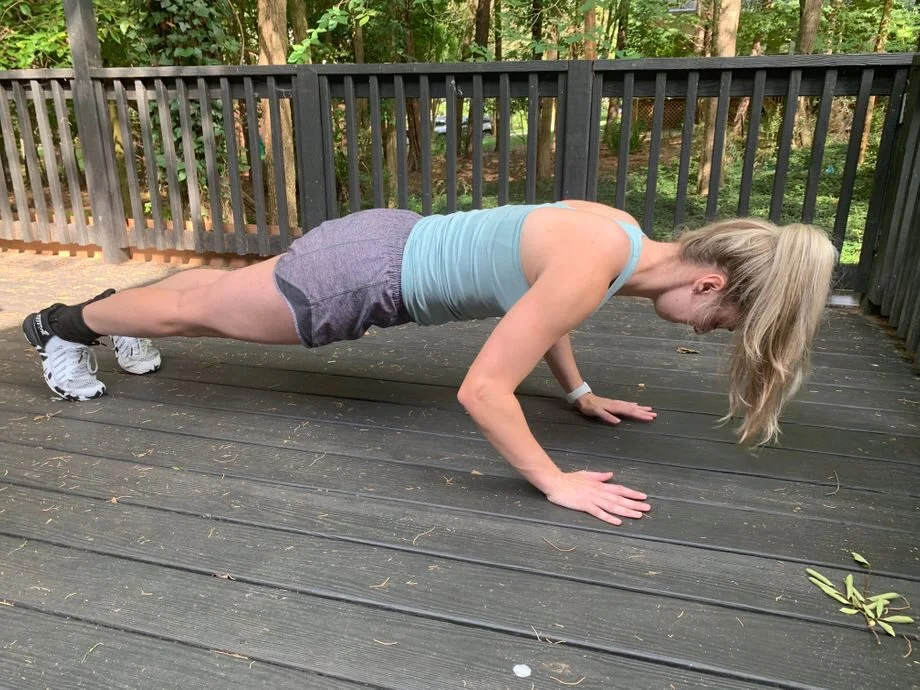
Personalization
Some programs are generic, and while they may help you address some of your fitness goals, they may not help you with all of your aspirations. By contrast, many workout apps connect you with professionals who can help guide you through and program a custom workout plan for your specific preferences.
Matt Dustin, CSCS, PN1-NC, says that personalized workout programs can be very beneficial, especially once you’re past the beginner stage.
“When you’re new to exercise, you can follow just about any plan and see results,” he explains. “However, as your fitness levels improve, you’ll likely learn your strengths, weaknesses, and areas you want to focus on. A personalized program tailored to your needs is one of the fastest ways to make progress in the gym.”
This level of customization and personal touch can enable you to stay focused on your goals, and you can rest assured that each workout you complete has been tailored to help you get closer to them.
Progress Tracking
Most people who regularly follow a strength training or running program are looking to make improvements over time, whether that’s hitting new PRs in the gym, building muscle, or shaving time off your next race.
Many workout apps track your progress over time, allowing you to see whether the plan you’re following is delivering results. According to GGR Senior Staff Writer Matt Dustin, CSCS, tracking your progress is the key to making long-term improvements.
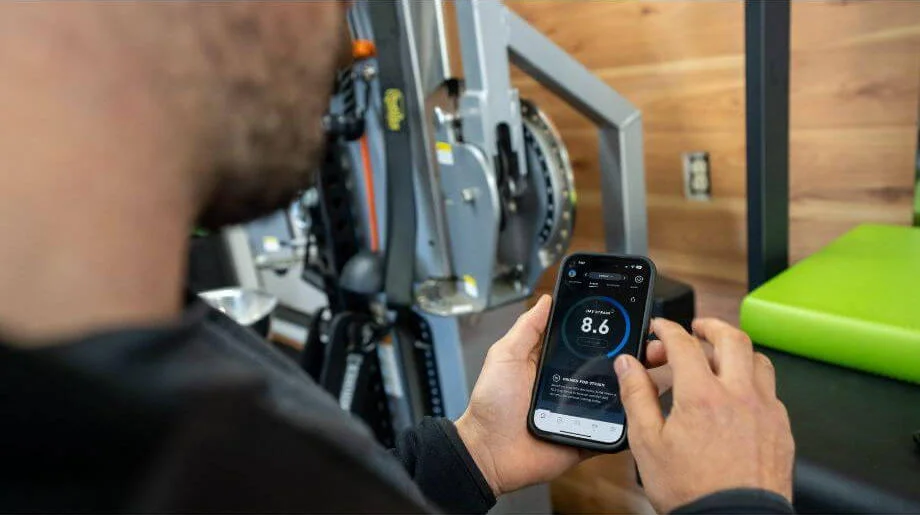
“Following random workouts or going by feel in the gym can be fun, but it’s not always productive,” Matt explains. “Many of us can’t remember what exactly we did in the gym last week, let alone a few months ago. A good app will track every set and rep, allowing you to see if you’re actually improving over time.”
A training program, on the other hand, is typically a list of exercises methodically selected by a personal trainer (or AI, in some cases) to target specific muscle groups. Typically, you can go at your own pace and won’t need to follow a live class or workout video. That said, the best workout apps will provide a short video or animation to demonstrate each movement properly.
Progressive Overload
A good app should encourage you to improve your performance over time, whether that’s adding more weight to the bar, doing a few more reps, or running a little longer. Progressive overload is a key part of making progress, especially when it comes to strength training, according to Chris Mohr, PhD, RD.
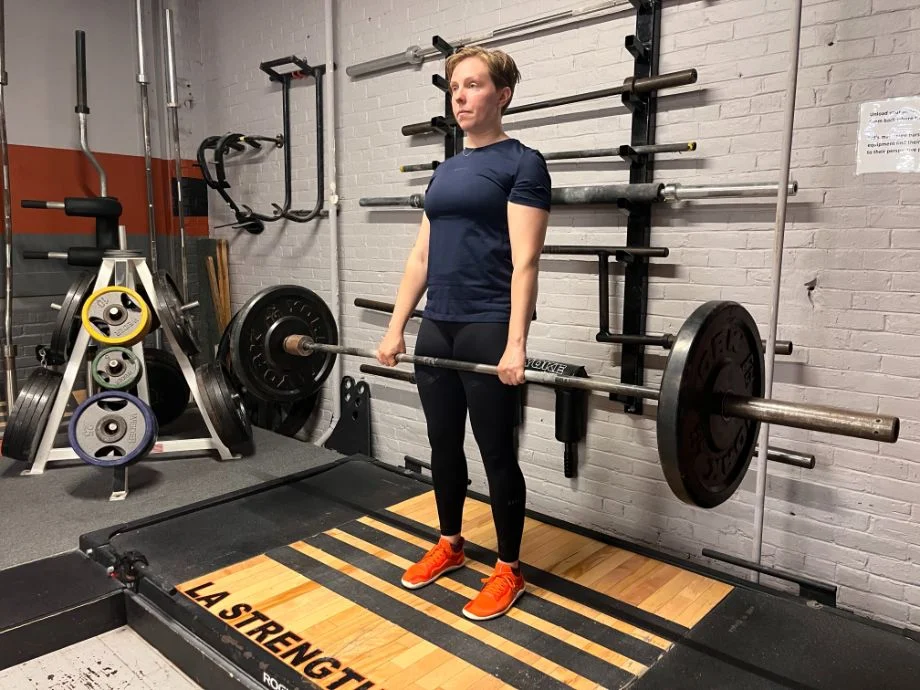
“For beginners, it’s smart to start with lighter weights and focus on mastering the correct form,” he explains. “As your strength improves, you can gradually increase the weight, and it’s important to push and challenge yourself, safely, as added resistance will offer bigger benefits.”
Equipment Requirements
If you’re going to be training in your garage gym, you’ll want to carefully consider what sort of home gym equipment may be required for the app you’re considering. Many apps have minimal requirements, and are designed to work with only your bodyweight and some light dumbbells.
Other apps, however, expect you to have access to a barbell, squat rack, and bench, at minimum, or even a fully-equipped commercial gym. Before committing to anything, make sure you have access to all of the equipment required for the app you wish to use.
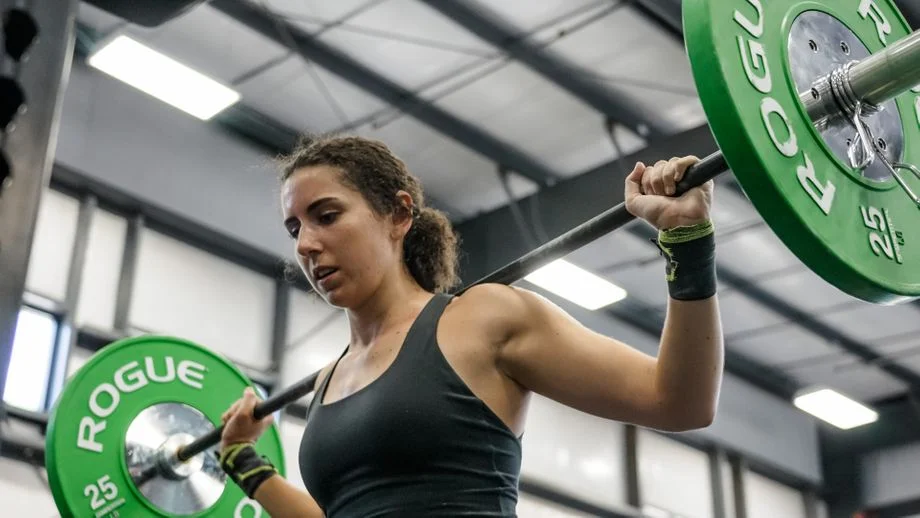
For cardio-focused apps like Peloton or Zwift, you may need special hardware to take full advantage of the offerings.
Cost
The price of an app is a strong deciding factor for many, especially since some apps can cost upwards of $200 per month, while others are free for life.
In our experience, the cost of an app doesn’t always reflect the value it provides, so don’t feel like you have to spend more than you’re comfortable with. Some of the higher-cost apps provide fantastic value, but we’ve also found plenty of affordable, or even free apps that we love and recommend.
Choose a workout app based on your needs and goals, not based on the pricing.
Coaching and Community Access
Some apps are meant for those who are entirely self-sufficient with no community or coach interaction, some offer fully customized coaching from a personal trainer, and many fall somewhere in the middle.
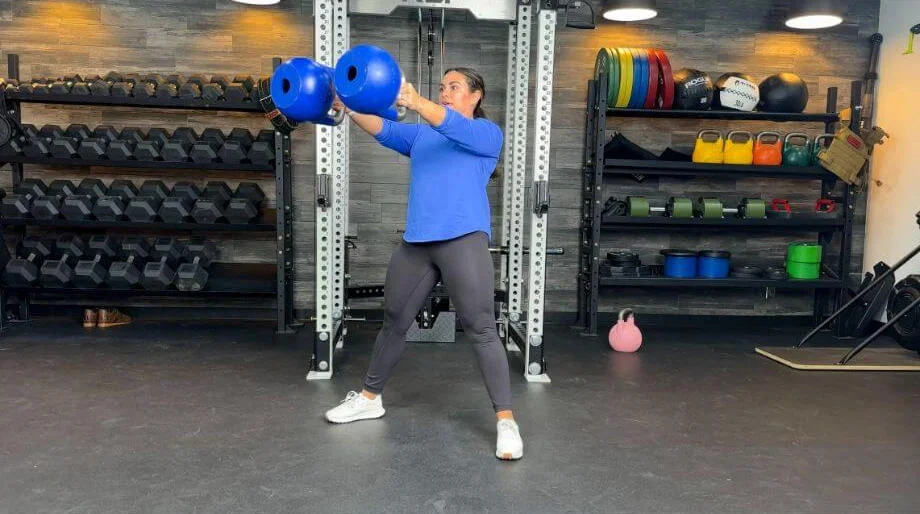
Before choosing an app, you should think about what you expect to get out of it. If you have no problem motivating yourself, you may do just fine with an app that provides pre-made programs to follow on your own. However, some users may be looking for ongoing support and accountability, so if that’s important to you, you’ll want to choose an app that can connect you with other humans, whether that’s an interactive community or personal coaching.
FAQs About the Best Workout Apps
What is the best workout app?
The best workout app for you will vary depending on your fitness goals, budget, preferred training method, and the level of coaching you desire. Some of our recommended apps include Boostcamp, SHRED, Future, Caliber, and iFIT.
Is there a 100% free workout app?
While some apps only have free trials, there are a few free workout apps. For example, Nike Training Club is completely free, offers workout databases, and lets you track your workouts. The Caliber app also offers a free version that can provide basic strength training guidance. Caliber’s free membership also lets you design your own programs (you’ll need to upgrade for personal coaching, however).
Do workout apps actually work?
Workout apps can provide you with expert guidance, either through professionally made programs and plans or through connecting you with a certified personal trainer or coach. While what a workout app does varies from product to product, they can help you track progress, keep you motivated, and connect you with like-minded individuals who can support you on your fitness journey.
References
- Plotkin, D., Coleman, M., Van Every, D., Maldonado, J., Oberlin, D., Israetel, M., Feather, J., Alto, A., Vigotsky, A. D., & Schoenfeld, B. J. (2022). Progressive overload without progressing load? The effects of load or repetition progression on muscular adaptations. PeerJ, 10, e14142. https://doi.org/10.7717/peerj.14142
- Yang, Y., & Koenigstorfer, J. (2021). Determinants of Fitness App Usage and Moderating Impacts of Education-, Motivation-, and Gamification-Related App Features on Physical Activity Intentions: Cross-sectional Survey Study. Journal of Medical Internet Research, 23(7), e26063. https://doi.org/10.2196/26063