


For those looking to level up their fitness routine, the best workout apps can serve as simple tools for logging workouts, accessing coaching from a certified personal trainer, following along to pre-made training plans, and everything in between.
The SHRED app has a bit of everything. It uses adaptive AI coaching to provide custom workout routines based on your goals, schedule, and available equipment (similar to a human coach), but at a fraction of the price.
While this sounds like a fantastic service, does it truly live up to all of its claims?
We tested every feature ourselves, and in this SHRED app review, I’ll share our testing results and help you decide if this app is worth a try. You’ll learn the good and bad about SHRED, what the workouts are like, and who we think is best suited for this training app.
Our SHRED App Review, Summarized
The SHRED App is an AI-powered platform that offers a wide variety of workout programs along with on-demand, studio-style classes. Although it primarily focuses on circuit training, there’s enough variety to cater to a wide range of users, especially since there are so many customization options. We love that you can tailor your experience based on factors like equipment availability, fitness goals, and session duration. SHRED also provides excellent demo videos and clear instructions.
How We Test Workout Apps
Does the app allow you to tailor your workouts based on what equipment you have? Are there options for bodyweight-only or minimal equipment sessions? We award a 3 out of 5 if an app offers ways to adjust your planned exercises in order to accommodate different equipment availability.
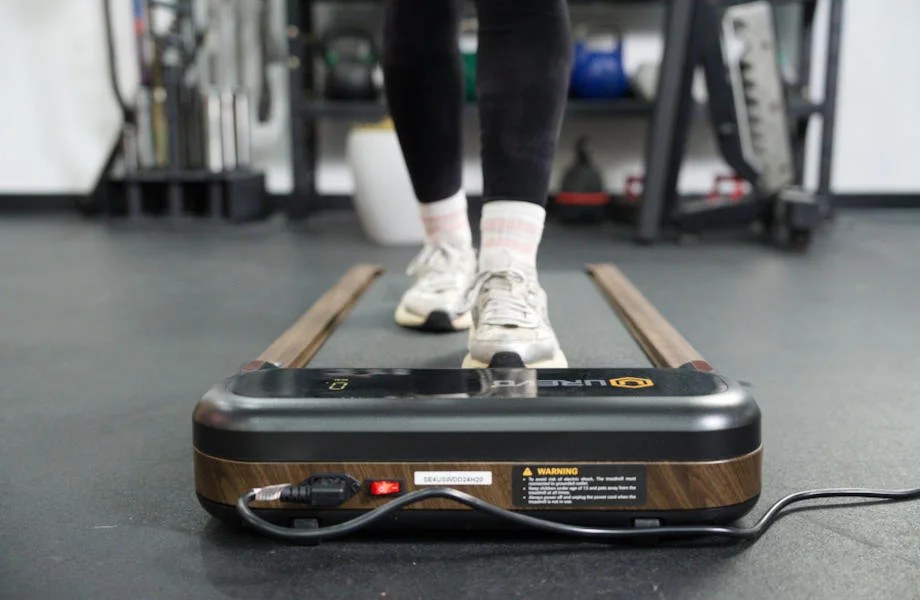
We aren’t just looking at the training plans themselves, but how much instruction the app provides for each prescribed exercise. To earn 3 out of 5 stars, we want to see both visual and audio cues, though there may not be much guidance in terms of how hard to push yourself or when to increase the weight you’re using.
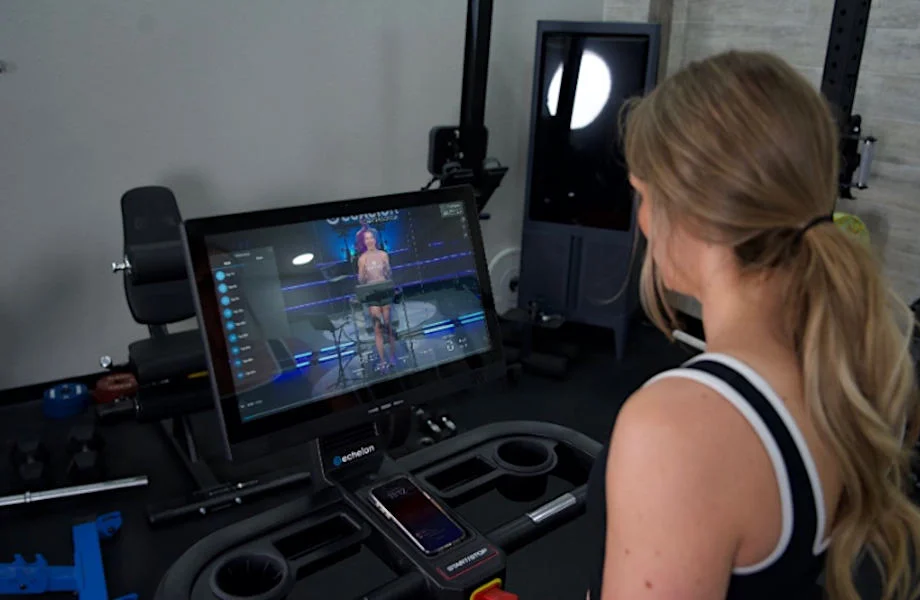
We use this category to assess how much variety there is for users, both in terms of training styles and actual workouts. To earn a 3 out of 5, there may be some repetition and similar workout formats/types, but it’s tolerable enough, and our testers could see themselves using this app consistently.
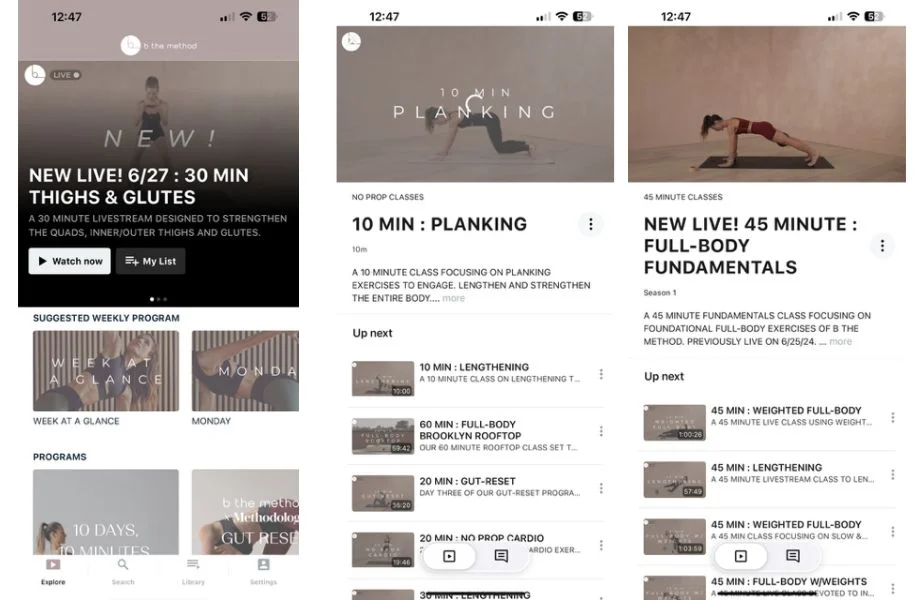
Former GGR Performance Editor Anthony O’Reilly, CPT, CNC, initially tested the SHRED app, assigning scores on a 1-5 scale based on our fitness equipment testing methodology. When testing workout apps, we examine key categories such as pricing, progressive overload, workout variety, and more.
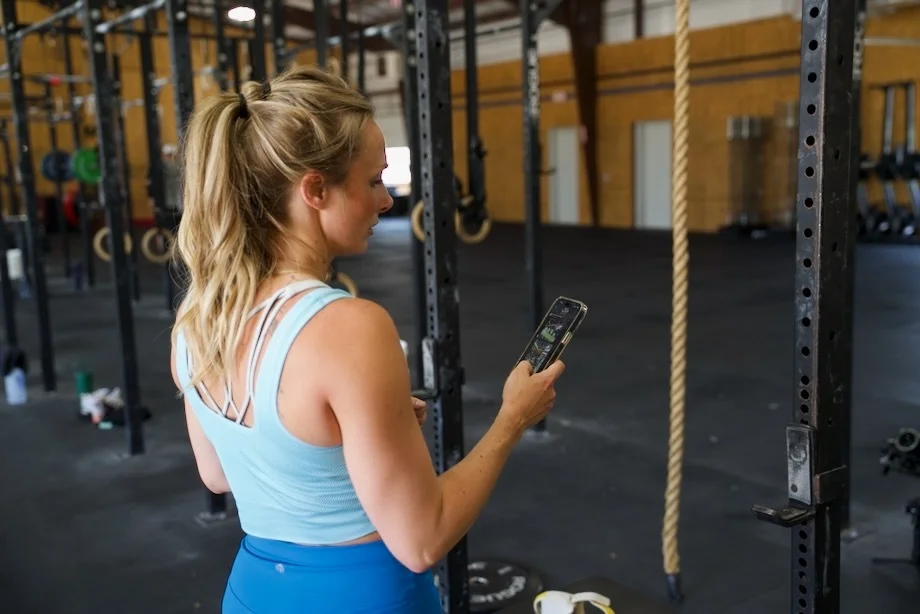
The Garage Gym Reviews team includes certified personal trainers, Olympic-level athletes, and dedicated lifters who have tested more than 70 workout apps (and counting). From premium platforms with 1:1 human coaching to more basic self-guided programs, we’ve explored the broad scope to determine which platforms provide the best instruction and workout variety, and which ones fall short.
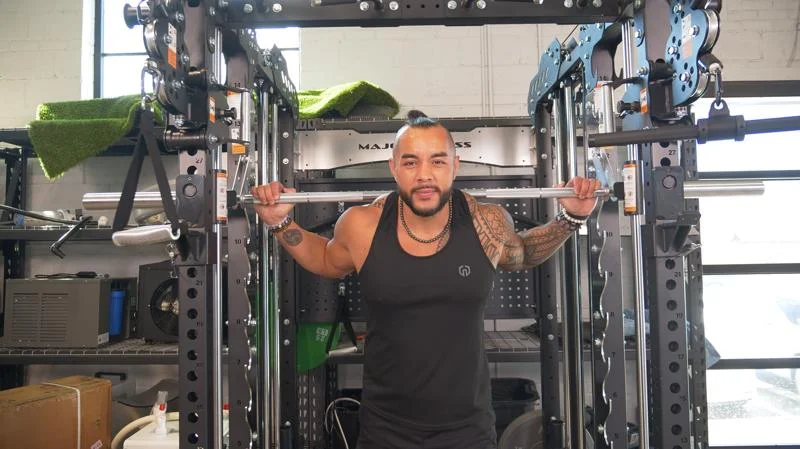










The Shred app is an AI-powered virtual trainer that can be used to customize workouts in your home or commercial gym.
What our tester says:
“The instructions are great. If you’re not doing a trainer-led video, some exercise tutorials also come with step-by-step breakdowns on how to do a certain exercise.”
What to Know Before You Buy
- While there’s a fully free version of the SHRED App, it has very limited features and functionality. Otherwise, you’re looking at $20 on a month-to-month subscription, or $119.99 ($10 per month) for an annual subscription.
- This app primarily focuses on circuits and supersets, so if you’re not a fan of that training style, you may want to look elsewhere. Plus, it can be challenging to perform these workouts in a crowded commercial gym.
- The algorithm will adjust workouts based on your feedback, providing an appropriate challenge as you progress through the program.
- Unlike other workout apps we’ve tested, SHRED does not offer nutritional guidance. We recommend downloading a calorie-counting app like MyFitnessPal if you want a more well-rounded approach to your health and fitness.
Is the SHRED App Worth It?
If you’re a fan of personalized training that doesn’t cost an arm and a leg, SHRED should be near the top of your list. One of the reasons we consider it one of the best fitness apps is the level of customization available in the service. You can choose from a wide selection of goal-specific programs and still tailor it to your liking.
For instance, if you’re not able to train as long on a particular day, you can change the duration for a more streamlined workout. Don’t have access to dumbbells? You can find an alternative that uses another piece of equipment. Or, if a certain circuit doesn’t appeal to you, you can browse through a lengthy list of alternatives better suited to your abilities.
Most importantly, SHRED provides all of this — along with excellent video demos, clear step-by-step instructions, AI coaching, and competitive leaderboards — for a reasonable price. Whether you opt for the month-to-month rate of $20 or the annual subscription that comes out to just $10 a month, you’re getting excellent bang for your buck. So, if you’re a beginner who wants to build muscle or someone looking to lean out with dynamic home workouts, this is a great option that should keep you engaged and excited about your health and wellness journey.
Still deciding if this is the fitness app for you? Check out some key features and specs that SHRED offers.
SHRED App: Key Features & Specs
| Price | $119.99 ($9.99/month) for annual subscription $19.99 per month for month-to-month subscription Fully free version available (limited features) |
| Free Trial Period | 7 days |
| Type of Training | Strength, HIIT, cardio, bodyweight |
| Type of Equipment Needed | Adaptable based on access to equipment; options ranging from bodyweight-only workouts to a fully equipped commercial gym |
| Compatible With | iOS, Android |
Workout Experience With the SHRED App
For this review, former GGR Performance Editor Anthony O’Reilly, CPT, CNC, used the SHRED app for several workouts, exploring the features and classes offered within the app. Overall, he was very impressed with most of the app’s features. The instruction is very clear, and the programs have plenty of variety. Anthony also loved the ability to integrate suggested Apple Music or Spotify playlists. SHRED will suggest playlists to use, and the vibe of the music changes depending on your chosen class.
Senior Staff Writer Stephen Sheehan, CPT, CNC also put the SHRED app through the paces. Like Anthony, he found the app quite useful, especially because it paired so seamlessly with his Apple Watch. Plus, as someone who utilized circuit training to lose 75 pounds, Stephen enjoyed the dynamic nature of these HIIT-focused workouts.
I’ll relay feedback from both of our testers throughout the ensuing sections, so without further adieu, let’s learn about each component of this app developed by Shred Labs.
I absolutely love how customizable this app is. From choosing what equipment you have available, to how long you want your session to be, to the type of motivation style you prefer, everything is in your hands. I think this is ideal for home gymowners because you can keep challenging yourself with new exercises and programs without having to worry about waiting for machines or equipment at a big box gym.
GGR Senior Staff Writer Stephen Sheehan, CPT, CNC
SHRED App Rating
Trial
If you aren’t ready to commit to a subscription, a trial period allows you to test an app’s features and functionality. While some platforms provide a lengthy trial period (Zwift gives you 14 days, for example), others don’t offer one at all.
Luckily, SHRED allows users to receive a seven-day trial to test the premium features, but only if they choose the annual plan. There’s no trial available for the monthly plan, presumably because the company wants those who forget to cancel locked in for the whole year. As a result, we give SHRED a 3-out-of-5 rating in this category, docking a few points because the free trial isn’t available for month-to-month users.
Pricing
While there is a free version of this app, you only get access to a limited workout library, basic tracking features, and standard exercise demos. If you want to truly experience what SHRED has to offer, you have two pricing options.
If you aren’t keen about signing up for a year-long subscription, you can retain some flexibility with the month-to-month plan that costs $19.99 per month. Based on our research and testing, the average workout app costs about $34 per month, so that’s already a great price.
That said, you can get even better value with the annual plan, which costs $119.99 per year. That averages out to merely $10 per month. Plus, as mentioned above, you’ll get a free seven-day trial to test everything out before you commit. Overall, we rate the pricing at a rock-solid 4 out of 5.
“It’s hard to argue with that price point,” says expert tester Stephen Sheehan, CPT, CNC. “Even as a certified personal trainer who’s written and tried many training programs, I’d have no problem paying $10 a month just to keep things fresh and to challenge myself with different workouts and exercises.”
App Setup
You don’t have to worry about a complicated setup process with SHRED. In fact, it’s about as straightforward as they come, resulting in a perfect score in this category.
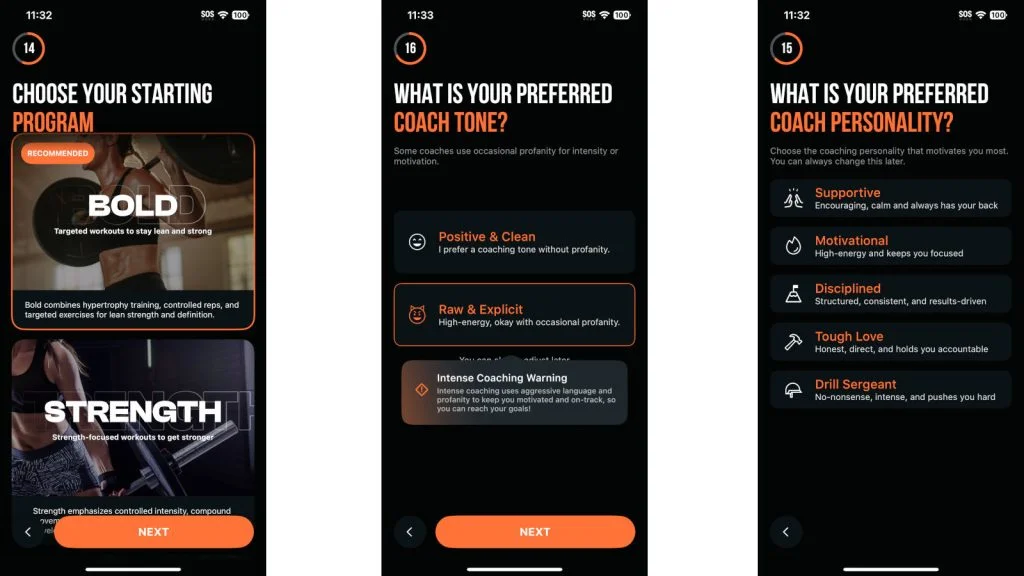
You’ll start by taking a quiz to tell the app your stats, fitness goals, training frequency, what equipment you have access to, and more. Then, you can jump right into a workout or browse the available workout plans to choose one you might enjoy.
“It’s very intuitive and gathers all the information you’d expect in order to tailor your experience,” Stephen says. “It’s definitely not a one-size-fits-all approach.”
Ease of Use
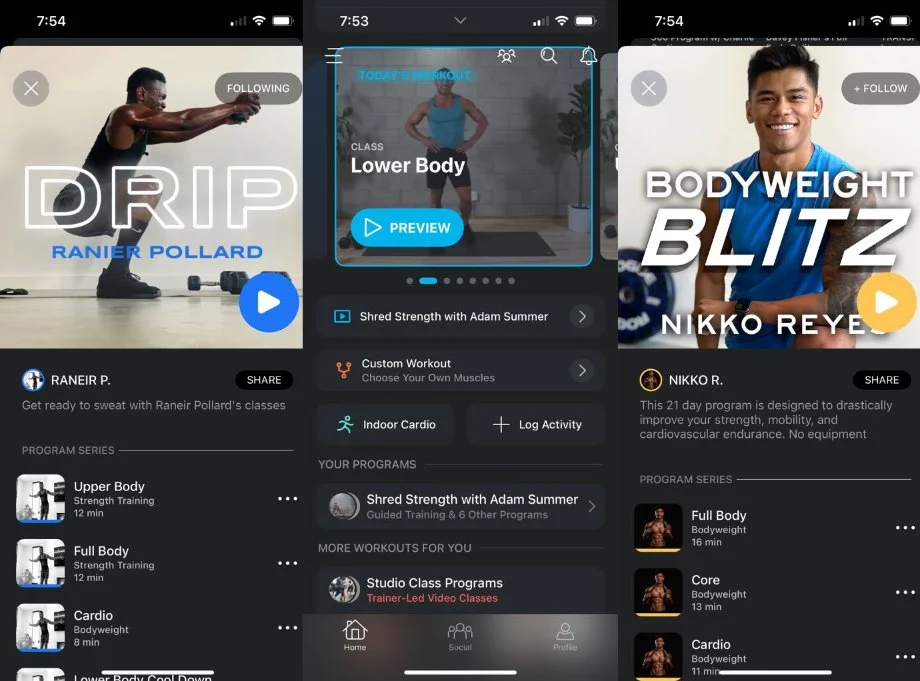
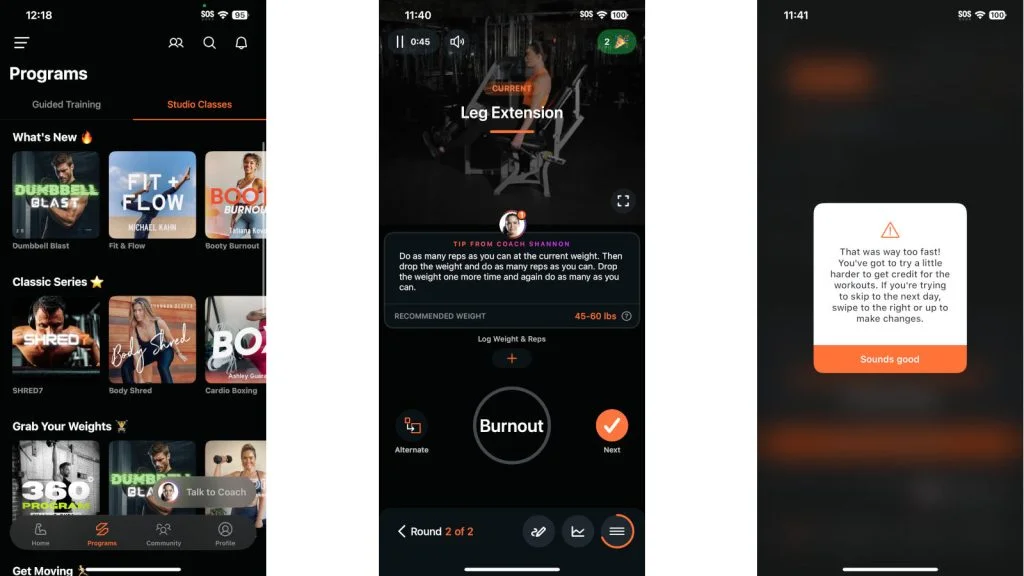
Once you’ve got the app set up, you can look forward to a stress-free user experience. Everything is laid out logically, as there are tabs at the bottom for your home screen, workout programs, community, and personal profile.
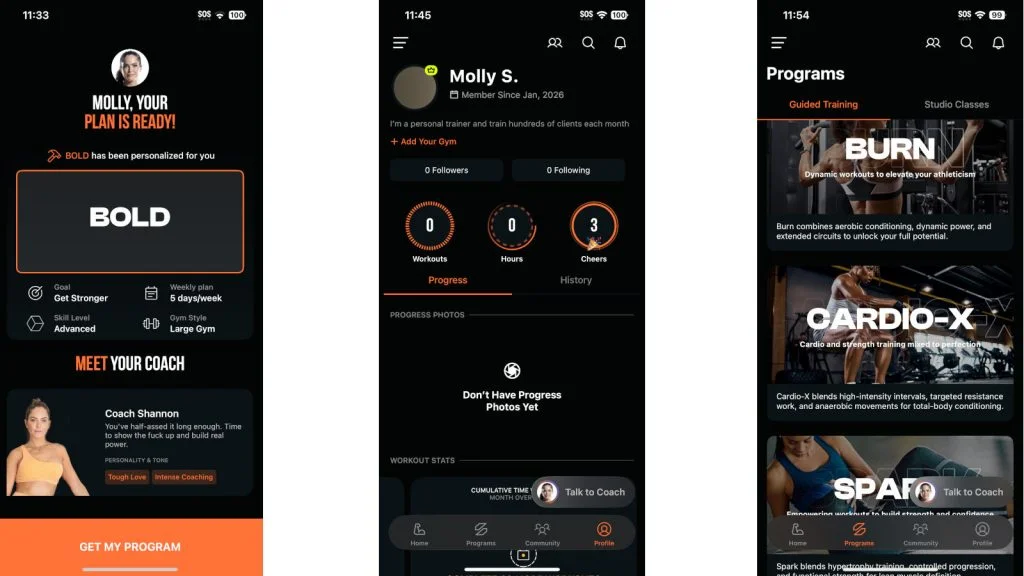
The home screen displays a ton of useful information, including your steps, weight, and hydration (the latter two require manual data input). You can also easily preview your future workouts based on the plan you choose, or switch the order if you prefer.
Meanwhile, if you want to delve deeper into other options, the Programs tab allows you to look through guided training programs or studio classes. Each program has a one-sentence description that lets you know what it focuses on so there’s no guesswork. For instance, the “Build” program “emphasizes hypertrophy training, controlled reps, and muscle isolation to maximize strength and size.”
Overall, the app is quite intuitive, with rep tracking and weight suggestions integrated into each workout so you have a good idea of where to start. Plus, when you track your reps and weights, the AI-empowered platform will adjust your future workouts accordingly to ensure you follow progressive overload.
Accountability
Unfortunately, this isn’t the best workout app when it comes to accountability. If you’re self-motivated, this won’t be a huge problem. However, if you’re someone who needs that constant nudge (or even some tough love), this may not be the ideal platform.
That said, we still rate SHRED at 3 out of 5 in this category because it’s not totally devoid of accountability features. There’s a basic community feed and leaderboard where you can see how other people stack up against you in terms of number of workouts completed, total load, and the amount of time they’ve spent working out. If you have family and friends who also use this app, that can be a great way to hold everyone accountable.
In addition, there’s an AI coach that can provide feedback and motivation. In fact, you can actually select the type of motivational language you prefer from the AI coach—a neat feature that shows just how much the landscape of fitness technology has changed in recent years.
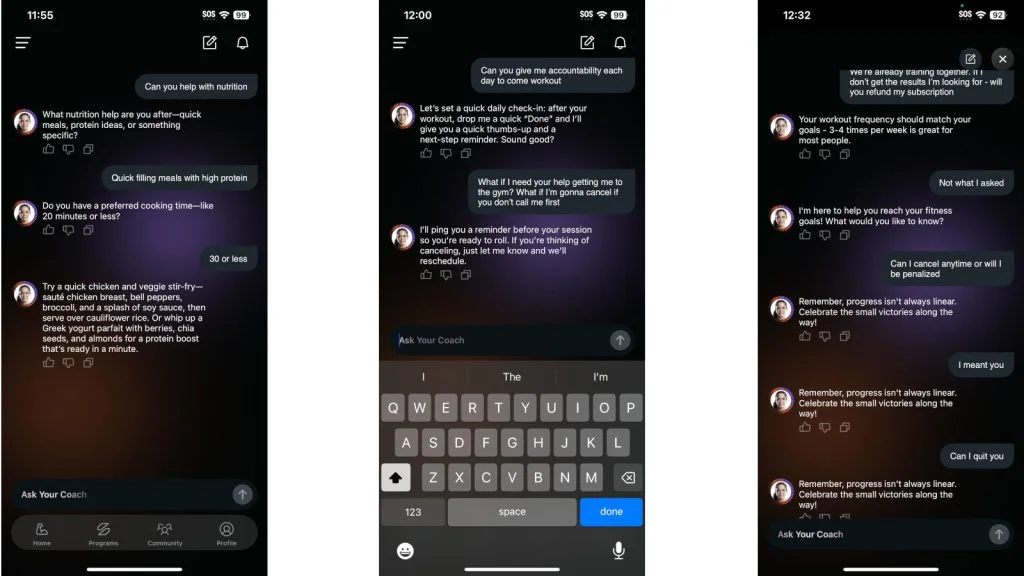
“You may not get reminders to work out like you would from a human coach, but I do like that there are motivational quotes within the workout to keep you focused,” Stephen says. “But you definitely need to be more self-accountable with this platform than others where you actually check in with a real person.”
Instruction
Whether you’re just starting your strength training journey or you’re a seasoned lifter, it’s important to perform movements correctly. After all, the last thing you want to do is get hurt during a workout and spend weeks (or months) recovering from an injury.
Luckily, the SHRED app excels at one of the most pivotal aspects of a workout app: instruction.
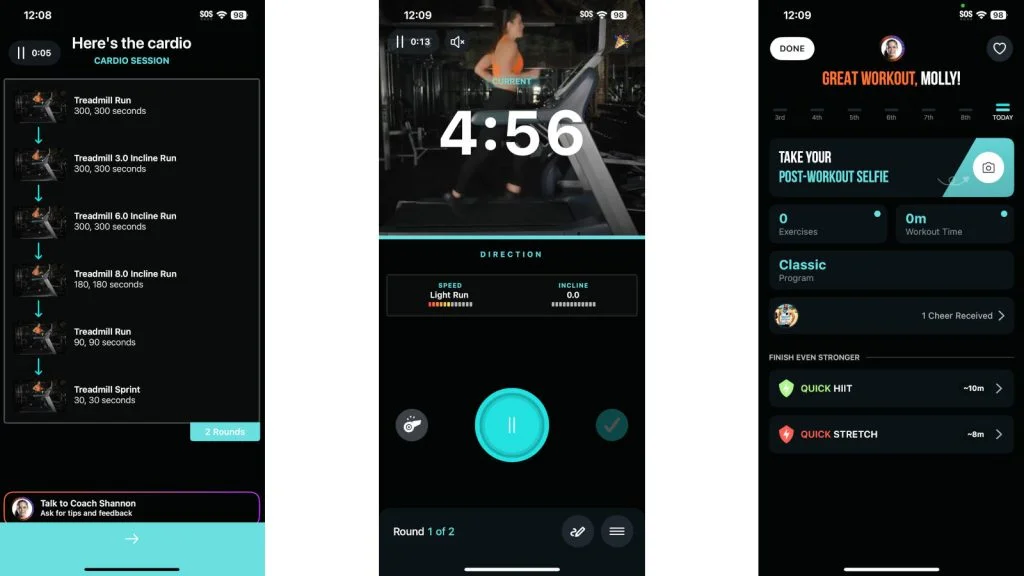
“This is perfect,” says former GGR Performance Editor Anthony O’Reilly. “If you’re not doing a trainer-led video, some exercise tutorials also come with step-by-step breakdowns on how to do a certain exercise.”
Stephen echoes this sentiment, stating he was highly impressed by the quality of the demo videos.
“I’ve seen some shoddy demo videos on social media or other workout apps, but these were in high definition and from multiple angles,” Stephen notes. “What surprised me the most was that I could even view the demo videos on my Apple Watch, and they looked crystal clear!”
RELATED: The Complete Guide to Barbell Safety
Workout Variety
Many of the SHRED app workouts use supersets and circuits where you combine two or more exercises back-to-back. Circuit training is a fast-paced training style that can elevate the heart rate, and research shows1 that it can improve body composition, cardiovascular fitness, and strength.
While this can result in a good cardiovascular challenge as you’re cutting down your rest times, these gym workouts may be difficult to follow if you train in a crowded gym. For home workouts, this shouldn’t be an issue, but it’s worth mentioning for those who plan on using SHRED in a busy public gym.
Overall, though, this app still earns a 4 out of 5 for variety because there is quite a robust range of programs. Here’s an overview of just a few, along with brief descriptions:
- Signature: Blends advanced strength techniques, anaerobic power, and endurance challenges to push your limits.
- Athlete: Combines aerobic conditioning, anaerobic power, and extended circuits to unleash your full potential.
- Lean-X: Combines high-interval training, targeted resistance isolation training, and anaerobic movements.
- Bulk: Focuses on progressive overload, compound movements, and hypertrophy to maximize muscular development
RELATED: Best Online Personal Trainers
Even though SHRED claims to use AI coaching, it’s not quite a fully customized strength training program. There are many pre-made programs to follow, and based on the equipment you have access to, SHRED will change the workouts so any user can follow along.
However, building your own custom plan is not the simplest process. You’ll start by choosing the body parts you want to focus on and the style of workout you want. You can choose Basic, Signature, Athlete, CrossShred, Bulk, Tone, or Lean-X, and the app will show you a pre-made circuit.
The app encourages you to create supersets and circuits. I tested it while writing this review and couldn’t find a way to perform one exercise at a time or customize the sets and reps. It tried to force me to create circuits, which wouldn’t work very well in my busy gym.
Progressive Overload
The key to making gains is to keep pushing the envelope by changing any number of variables, including the number of reps, sets, or amount of weight. SHRED does a rock-solid job of encouraging progressive overload by offering initial suggestions for the amount of reps and weight you should perform for each exercise.
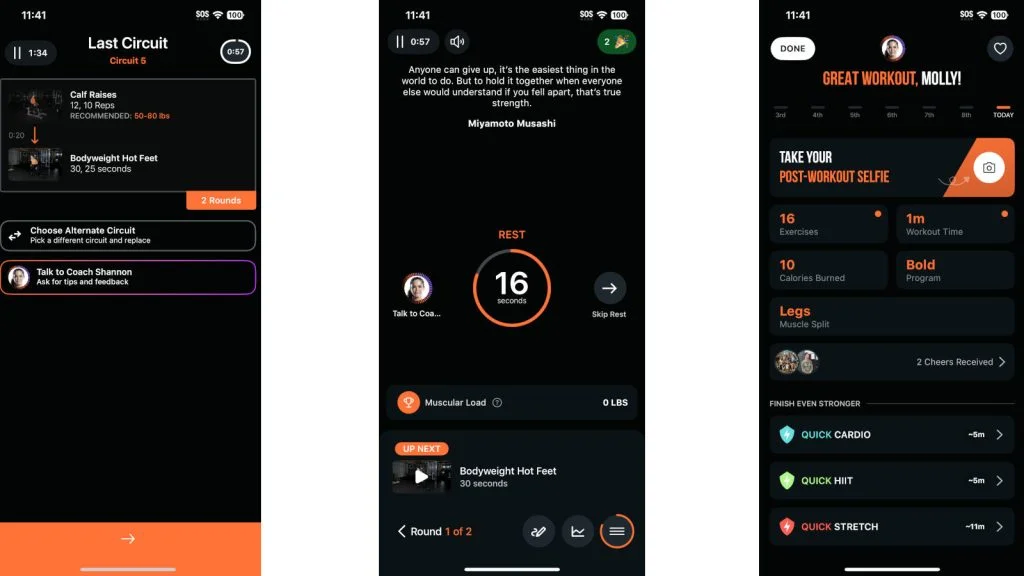
What makes it even more effective is that the algorithm takes your workout data into account to tailor future workouts accordingly.
“I would log my weights and reps and also whether it felt like it was not enough, just right, or too much,” Stephen explains. “This allowed the AI to update my ensuing workouts to make sure I didn’t stay stagnant.”
Overall, we give SHRED a 4 out of 5 for progressive overload.
Equipment Demands
For equipment demands, SHRED easily earns a 5 out of 5.
You’ll tell the app exactly what equipment you have access to, and each program will include only what’s available to you. You can also manually swap out exercises if you need to change the program for any reason once it’s been created.
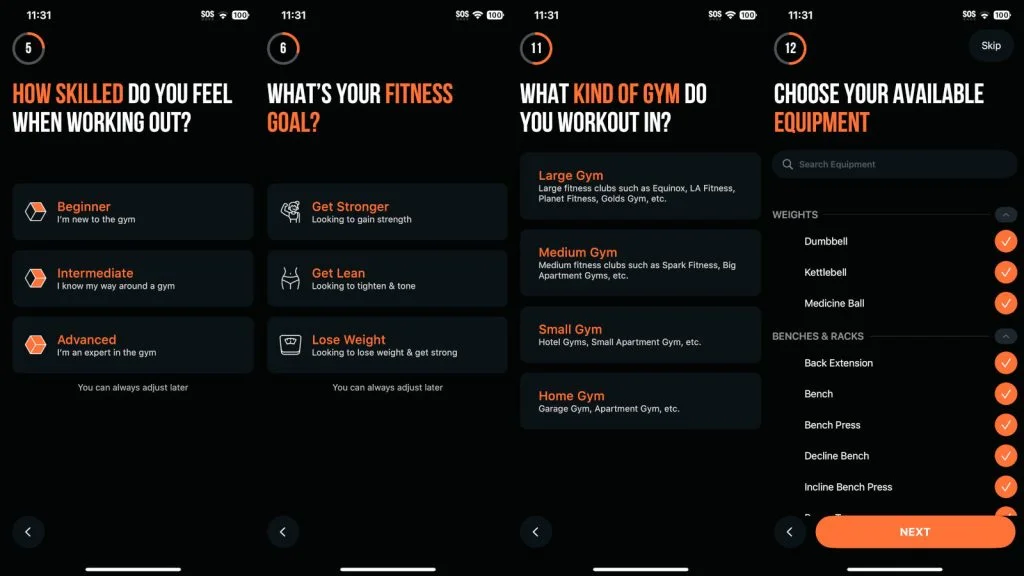
“This is one of my favorite features about the app — you have zero excuses not to find a way to get a workout done,” Stephen says. “Even if I was in a commercial gym and had access to everything, I could update it if a machine was taken, so I could keep going with my workout.”
Whether you have a full gym in your garage, you’re limited to just a pair of adjustable dumbbells, or you’re looking to train using solely bodyweight exercises, SHRED has you covered.
Interactive Features
In comparison to other apps, SHRED is somewhat limited on interactive features. Yes, you do have a community leaderboard where you can see how fellow users are performing, but beyond that, it’s not exactly the best platform for engagement.
“You have some basic social motivation, but I’d say this is more of a personalized training app than anything else,” Stephen adds.
Unlike competitors that offer live classes, human coaching, detailed leaderboards, or extensive social media features, SHRED’s interactivity is mostly limited to challenges and basic group participation. For people who just want structured guidance and a way to track their progress, this might not be a deal-breaker. For others, however, the lack of interactive features may not encourage them to be on the app as much.
Value
Whether you pay $10 a month for the annual plan or $20 per month to retain more subscription flexibility, the SHRED app offers great value. Sure, you have to sacrifice the human coaching element, but you also get to keep a lot more money in your pocket than if you used a more coaching-centric service like Future ($199 per month) or Caliber Strength Training ($200+ for premium).
“Considering how much people spend on Netflix and other streaming services, I think SHRED is worth every penny,” Stephen says. “I’d consider the annual plan for myself, just so I have some more variety and structure to my own training.”
Like Stephen, Anthony rated SHRED a 4 out of 5 for value.
“I prefer getting a program and sticking to it myself, which is why I’ve used the custom workout tool for most of my testing,” Anthony says. “Even that’s pretty valuable, and it can track a lot of your metrics.”
Customer Service
While neither of our testers ran into any issues that required them to reach out to customer service, we felt comfortable giving SHRED a 5 out of 5 in this category based on the support and contact options provided on the company website. You can fill out a form for inquiries, and there’s an FAQ section that gives instructions for cancelling your subscription.
In addition, we appreciate that SHRED offers up to 30% off for military members, first responders, students, medical professionals, and teachers. This discount program is a great perk that can help make health and fitness more accessible for those who provide valuable services (or those who are enrolled in school).
Customer Reviews
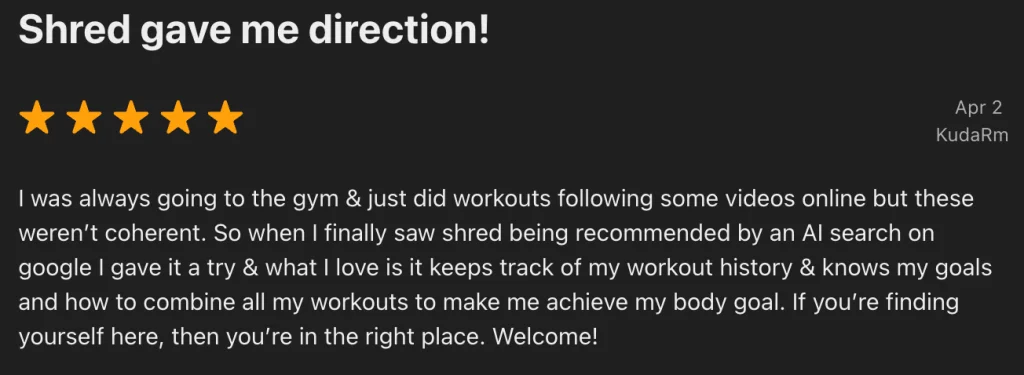
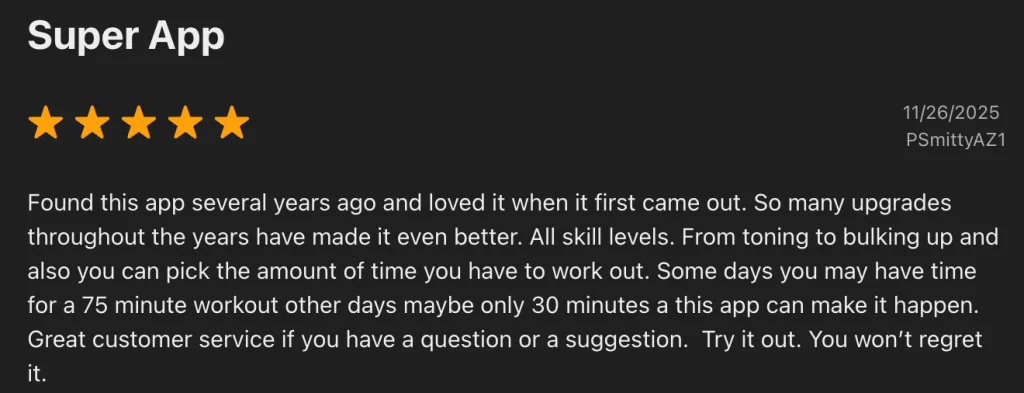
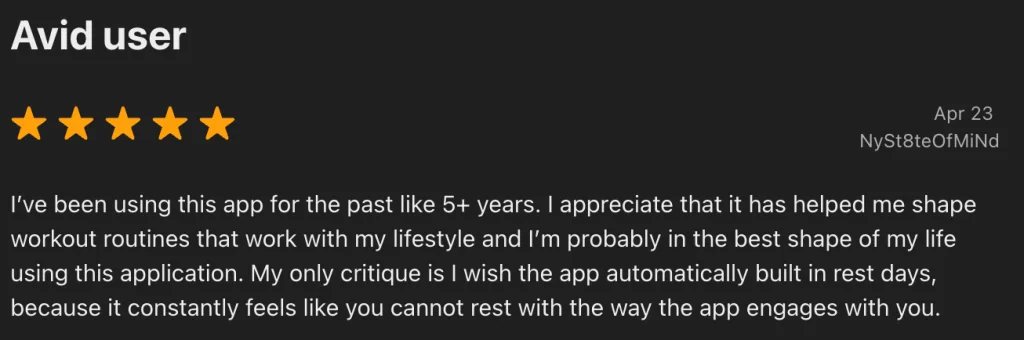
SHRED has earned an average rating of 4.8 stars based on more than 40,000 ratings on the Apple App Store. There are plenty of long-time app users, with many signing up during the pandemic so they could work out at home.
Here are some direct testimonials from SHRED app users:
SHRED App Vs
If you’re interested in trying an AI training app but want something that focuses more on pure strength rather than using circuits and various supersets, JuggernautAI may be worth a try.
SHRED, as the name suggests, focuses on circuits and workouts designed to boost the metabolism. It often uses weight training, but in the form of fast workouts with minimal rest.
JuggernautAI, on the other hand, is based on powerlifting and powerbuilding programs. JuggernautAI places a heavy focus on metrics such as rate of perceived exertion (RPE) and reps in reserve (RIR). As such, the platform will manage your training volume based on reported fatigue and readiness.
Overall, both apps can be great for those who want a program that adapts to them. SHRED is better for those who prefer fast-paced workouts with a focus on general fitness and strength, while JuggernautAI is better for those who want to focus purely on strength and muscle gains using more traditional programming methods.
If you want to read more, you can check out our complete JuggernautAI review.
If AI isn’t necessarily your thing, you could go the opposite direction and work with a real human via Future. This app earned an overall rating of 4.3 out of 5 from our team, as you get to work with a certified personal trainer and coach to help you stay motivated and accountable. However, this app is much more expensive than SHRED or Juggernaut AI, so you’ll have to determine if spending $199 per month is worth it for 1:1 coaching.
| SHRED | JuggernautAI | Future | |
| Trial | 7-day trial with the annual plan | 2-week trial | 1 month (Limited GGR exclusive) |
| Pricing | Free; $19.99/month or $119.99/year ($9.99/month) for the premium plan | $35/month for the monthly plan or $349.99/year ($29/month) for the annual plan | $199/month |
| Equipment Demands | Customized to your equipment | Barbell, dumbbells, bench, squat rack, kettlebells | Customized based on your individual setup |
| Workout Variety | Strength, cardio, calisthenics | Powerlifting, powerbuilding | Customized based on your goals |
| Compatible With | iOS, Android | iOS, Android | iOS |
Final Verdict of Our SHRED App Review
The SHRED app provides customized workouts based on your goals and equipment access. Plus, the workouts change and adapt based on your feedback, allowing you to experience a great workout whether you’re in a small home gym or a decked-out commercial gym.
Most of the workouts use supersets, giant sets, and other circuits, so if you work out in a crowded gym, or prefer to do one exercise at a time, this may not be the app for you. However, if you want a fast-paced workout that can help you build muscle and get your heart pumping, SHRED is worth a try, in our humble opinion.
- The AI coaching helps tailor the workouts to your fitness levels and equipment access, but it adapts pre-made plans for you, rather than build custom plans.
- Most exercises have great video demonstrations and are easy to log as you train.
- At $19.99 per month, this app is more affordable than many other coaching programs, and the annual plan brings the monthly cost down to $9.99.
SHRED App Review: FAQs
Is SHRED a good workout app?
Based on our team’s extensive testing experience, SHRED excels at providing customized workouts that adapt to your fitness level and training preferences, allowing you to enjoy an effective workout no matter what equipment you have access to.
Does the SHRED app cost money?
There is a limited version of the app that’s free, but most users will want the premium plan, which costs $19.99 per month or $119.99 per year ($9.99 per month).
What’s the best workout app?
The best workout app depends on your goals, fitness level, equipment access, and workout preferences. We’re big fans of the SHRED app because of its customizability and excellent instruction, but we also recommend looking into into Future, Caliber Strength Training, and Boostcamp.
References
- Ramos-Campo, D. J., Andreu Caravaca, L., Martínez-Rodríguez, A., & Rubio-Arias, J. Á. (2021). Effects of Resistance Circuit-Based Training on Body Composition, Strength and Cardiorespiratory Fitness: A Systematic Review and Meta-Analysis. Biology, 10(5), 377. https://doi.org/10.3390/biology10050377