

Best Black Friday Fitness Equipment Deals See Deals
Best Black Friday Treadmill Deals See Deals
Best Black Friday Rowing Machine Deals See Deals
  • Best-in-Class Equipment
    • See All Roundups
    • Best Adjustable Dumbbells
    • Best Budget Home Gym Equipment
    • Best Cross-Training Shoes
    • Best Dumbbells
    • Best Exercise Bikes
    • Best Home Gym Machines
    • Best Kettlebells
    • Best Olympic Barbells
    • Best Rowing Machines
    • Best Squat Racks
    • Best Supplements
      • Best BCAA
      • Best Creatine
      • Best Greens Powder
      • Best Pre-Workout
      • Best Protein Powder
    • Best Treadmills
    • Best Weighted Vests
    • Best Weightlifting Shoes
    • Best Weight Benches
  • Reviews
    • See All Reviews
    • Barbells
    • Bodyweight
    • Certification Courses
    • Conditioning
    • Gym Accessories
    • Nutrition
    • Recovery
    • Rigs and Racks
    • Shoes
    • Strength Equipment
    • Support Gear
    • Technology
    • Training Programs
    • Weight Plates
  • Comparisons
    • See All Comparisons
    • Best Peloton Alternatives
    • Home Gym vs Gym Membership
    • Peloton Bike vs Bike Plus
    • PowerBlock vs Bowflex
    • Rogue Echo Bike vs Assault Air Bike
    • Rogue Ohio Power Bar vs Texas Power Bar
    • Tonal vs Tempo
  • Black Friday Deals
    • See All Black Friday Deals
    • Best Black Friday Supplement Sales (2025)
    • Peloton Black Friday Deals (2025)
    • Best Black Friday Sauna Deals (2025)
    • Best Black Friday Treadmill Deals (2025)
    • Best Black Friday Rowing Machine Deals (2025)
    • Best Black Friday Dumbbell Deals (2025)
    • Best Black Friday Elliptical Deals (2025)
    • Best Black Friday Exercise Bike Deals (2025)
    • The Best Massage Gun Black Friday Deals (2025)
    • Best Black Friday Deals for Runners (2025)
  • Coupons
    • Holiday Sales
    • Military Discounts
    • See All Coupons
      • Bells of Steel Coupons
      • REP Fitness Coupons
      • Rogue Fitness Coupons
      • Titan Fitness Coupons
      • Concept2 Coupons
      • Plunge Coupons
  • Equipment
    • Browse Gym Equipment
    • See All Equipment
    • Apparel
      • Shoes
        • Running Shoes
        • Training Shoes
        • Weightlifting Shoes
    • Strength Equipment
      • Barbells
      • Benches
      • Dumbbells
      • Glute Ham Developers (GHD)
      • Kettlebells
      • Rigs and Racks
      • Strength Machines
      • Weight Plates
    • Conditioning
      • Core and Stability
      • Endurance
        • Air Bikes
        • Ellipticals
        • Exercise Bikes
        • Rowing Machines
        • Treadmills
      • Jump Ropes
      • Strength Conditioning
    • Bodyweight
      • Climbing Ropes
      • Grip
      • Gymnastics
      • Pull-Up Systems
      • Training Equipment
    • Support Gear
      • Belts
      • Hand Protection
      • Mobility & Recovery
      • Straps & Wraps
      • Training Apparel
    • Gym Accessories
      • Flooring
      • Storage
    • Supplements
    • Technology
    • Training Programs
  • Home Gym Resources
    • See All Home Gym Resources
    • Calculators
    • DIY Guides
    • Equipment Guides
    • Gym Tours
    • Spotlight
    • Workout Guides
  • About Us
    • Meet Our Experts
    • GGR Fitness Equipment Testing Methodology
      • How We Test Ellipticals
      • How We Test Smart Home Gym Equipment
      • How We Test Smith Machines
      • How We Test Dumbbells and Adjustable Dumbbells
      • How We Test Barbells
      • How We Test Weight Benches
      • How We Test Treadmills
      • How We Test Saunas
      • How We Test Kettlebells and Adjustable Kettlebells 
      • How We Test Exercise Bikes
      • How We Test Cold Plunges
      • How We Test Massage Chairs 
      • How We Test Functional Trainers
    • GGR Supplement Testing Methodology
      • How We Test Pre-Workout Supplements
      • How We Test Creatine
  • Facebook
  • Instagram
  • YouTube

Search

Sign Up

Log In

  • Best-in-Class Equipment
    • See All Roundups
    • Best Adjustable Dumbbells
    • Best Budget Home Gym Equipment
    • Best Cross-Training Shoes
    • Best Dumbbells
    • Best Exercise Bikes
    • Best Home Gym Machines
    • Best Kettlebells
    • Best Olympic Barbells
    • Best Rowing Machines
    • Best Squat Racks
    • Best Supplements
      • Best BCAA
      • Best Creatine
      • Best Greens Powder
      • Best Pre-Workout
      • Best Protein Powder
    • Best Treadmills
    • Best Weighted Vests
    • Best Weightlifting Shoes
    • Best Weight Benches
  • Reviews
    • See All Reviews
    • Barbells
    • Bodyweight
    • Certification Courses
    • Conditioning
    • Gym Accessories
    • Nutrition
    • Recovery
    • Rigs and Racks
    • Shoes
    • Strength Equipment
    • Support Gear
    • Technology
    • Training Programs
    • Weight Plates
  • Comparisons
    • See All Comparisons
    • Best Peloton Alternatives
    • Home Gym vs Gym Membership
    • Peloton Bike vs Bike Plus
    • PowerBlock vs Bowflex
    • Rogue Echo Bike vs Assault Air Bike
    • Rogue Ohio Power Bar vs Texas Power Bar
    • Tonal vs Tempo
  • Black Friday Deals
    • See All Black Friday Deals
    • Best Black Friday Supplement Sales (2025)
    • Peloton Black Friday Deals (2025)
    • Best Black Friday Sauna Deals (2025)
    • Best Black Friday Treadmill Deals (2025)
    • Best Black Friday Rowing Machine Deals (2025)
    • Best Black Friday Dumbbell Deals (2025)
    • Best Black Friday Elliptical Deals (2025)
    • Best Black Friday Exercise Bike Deals (2025)
    • The Best Massage Gun Black Friday Deals (2025)
    • Best Black Friday Deals for Runners (2025)
  • Coupons
    • Holiday Sales
    • Military Discounts
    • See All Coupons
      • Bells of Steel Coupons
      • REP Fitness Coupons
      • Rogue Fitness Coupons
      • Titan Fitness Coupons
      • Concept2 Coupons
      • Plunge Coupons
  • Equipment
    • Browse Gym Equipment
    • See All Equipment
    • Apparel
      • Shoes
        • Running Shoes
        • Training Shoes
        • Weightlifting Shoes
    • Strength Equipment
      • Barbells
      • Benches
      • Dumbbells
      • Glute Ham Developers (GHD)
      • Kettlebells
      • Rigs and Racks
      • Strength Machines
      • Weight Plates
    • Conditioning
      • Core and Stability
      • Endurance
        • Air Bikes
        • Ellipticals
        • Exercise Bikes
        • Rowing Machines
        • Treadmills
      • Jump Ropes
      • Strength Conditioning
    • Bodyweight
      • Climbing Ropes
      • Grip
      • Gymnastics
      • Pull-Up Systems
      • Training Equipment
    • Support Gear
      • Belts
      • Hand Protection
      • Mobility & Recovery
      • Straps & Wraps
      • Training Apparel
    • Gym Accessories
      • Flooring
      • Storage
    • Supplements
    • Technology
    • Training Programs
  • Home Gym Resources
    • See All Home Gym Resources
    • Calculators
    • DIY Guides
    • Equipment Guides
    • Gym Tours
    • Spotlight
    • Workout Guides
  • About Us
    • Meet Our Experts
    • GGR Fitness Equipment Testing Methodology
      • How We Test Ellipticals
      • How We Test Smart Home Gym Equipment
      • How We Test Smith Machines
      • How We Test Dumbbells and Adjustable Dumbbells
      • How We Test Barbells
      • How We Test Weight Benches
      • How We Test Treadmills
      • How We Test Saunas
      • How We Test Kettlebells and Adjustable Kettlebells 
      • How We Test Exercise Bikes
      • How We Test Cold Plunges
      • How We Test Massage Chairs 
      • How We Test Functional Trainers
    • GGR Supplement Testing Methodology
      • How We Test Pre-Workout Supplements
      • How We Test Creatine

Home » Roundup » Programs on a Budget: The 11 Best Free Workout Apps (2025)

Best of Roundups

Programs on a Budget: The 11 Best Free Workout Apps (2025)

8658
Written by Caine Wilkes, OLY, CNC, USAW-L1
8658
Caine Wilkes, OLY, CNC, USAW-L1

Caine is an Olympian, placing 9th in weightlifting at the 2020 Tokyo Olympics. Having competed in Olympic weightlifting for over two decades, Caine has amassed several national and international titles over the years, including being a three-time Pan American Champion. A former gym owner, he also has more than 15 years of experience coaching other athletes in weightlifting, CrossFit, and functional fitness.

View Profile
Updated on September 8, 2025
Expert-Verified by Nicole Davis, CPT, PN1-NC
8548
Nicole Davis, CPT, PN1-NC

Nicole is director of content at GGR. She’s been a journalist for the last 14 years and a CPT/group fitness instructor for the last 11 years. She grew up playing tennis, became an avid runner in college, competed in a bikini competition in her mid-twenties, and even completed a triathlon. Her workout of choice nowadays is strength training, plus logging her daily steps. After her first daughter was born six years ago, she became especially passionate about prenatal and postnatal fitness, teaching stroller bootcamp classes and working with expecting moms as clients. Post-journalism school, Nicole worked in print media as a magazine editor for eight years, then went freelance for a while, writing for fitness websites and manufacturers in the industry. Now, as director of content at GGR, she brings her expertise in fitness to writing and editing honest reviews on everything you might need for your home gym.

View Profile
Expert Contributor Matt Dustin, CSCS, PN1-NC
8854
Matt Dustin, CSCS, PN1-NC

Matt is a writer and fitness coach who’s been working in the fitness industry for 13 years. After graduating with a degree in Exercise Science and completing an internship at the Under Armour Sports Performance Center, he spent 6 years working as a personal trainer, where he worked with athletes, fat loss clients, and injury rehab clients before transitioning to online coaching.

Before joining the GGR team, Matt was a freelance health and fitness writer for 11 years, writing for dozens of fitness websites, influencers, and wellness brands. He’s also the author of three nutrition books published through Simon & Schuster.

He currently lives in Las Vegas, NV, and enjoys working out, reading, writing, watching sports, and Brazilian jiu-jitsu.

View Profile
Expert Contributor Amanda Capritto, CPT, CES, CNC, CF-L1, CSNC
8023
Amanda Capritto, CPT, CES, CNC, CF-L1, CSNC

Amanda is a content writer and journalist with extensive experience in the health, fitness, lifestyle, and nutrition niches. Before joining Garage Gym Reviews, she worked as an independent writer for various brands and outlets.

Her work has appeared in national and global digital publications, including Health.com and Shape.com (Meredith Corporation), CNET (Red Ventures, formerly ViacomCBS), LIVESTRONG (Leaf Group), Verywell Fit and The Balance (DotDash), SlickDeals (Goldman Sachs/Hearst), Health Journal, and more.

Now, Amanda brings her expertise in fitness to the GGR team by testing equipment and writing authentic, honest reviews on everything you might need to stock your home gym.

View Profile

We test and review fitness products based on an independent, multi-point methodology. If you use our links to purchase something, we may earn a commission. Read our disclosures

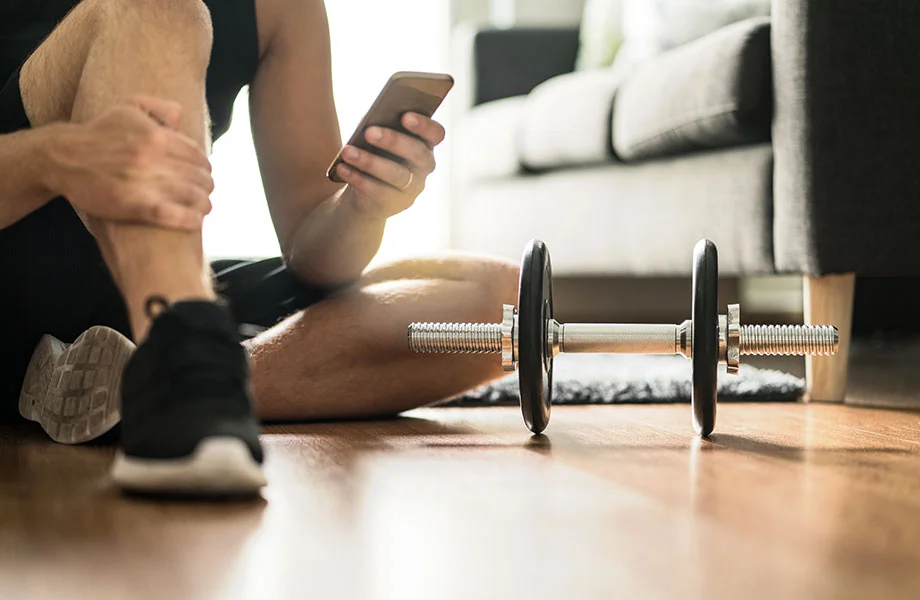
A man is on a smartphone using a fitness app in front of a dumbbell

Looking for the best workout apps can be tough, especially if you’re looking for a free app. One of the most frustrating things about browsing an app store on your Android device or iPhone is that almost every workout app says they’re free, but with in-app purchases. Once you install the app, however, you realize that the in-app purchase is to unlock full use of the workout app. 

Other times, the free version is so limited that it almost forces you to pay for the premium deal. It may make you think that there aren’t any truly free workout apps available. But, I’m here to say that’s not the case. 

The Garage Gym Reviews team of expert testers and reviewers has tested over 50 of the best online personal trainers and other fitness apps, and we’ve determined the ones that have a dedicated free version that can still bring value to the table. We used our in-depth fitness equipment testing methodology to asses, score, and review a variety of factors. Some of our testing categories include:

  • Ease of use: Does the user interface make it easy to find workouts based on your preferences?
  • Instruction: How are the workouts presented and are they easy to follow?
  • Workout variety: Does the app provide a variety of workout modes and levels of intensity?
  • Equipment demands: What type of equipment will you need for most workouts?

Our top picks range in modes of training and fitness levels, so you’ll want to read on for our selection of the best free workout apps.

The 11 Best Free Workout Apps  

  • Best Free Workout App Overall: Caliber
  • Best Free Workout App for Strength Training: Home Gym Club Training
  • Best Free Workout App for Variety: Nike Training Club
  • Best Free Workout App for Runners: Map My Fitness
  • Best Free Workout App for Gym-Goers: Jefit
  • Best Free Workout App for Guided Workouts: ClassPass
  • Best Free Workout App for CrossFit: SmartWOD
  • Best Free Workout App for Cyclists: Strava
  • Best Free Workout App for Beginners: FitOn
  • Best Free Workout App for Community: Hevy
  • Best Free Outdoor Workout App: AllTrails

Best Free Workout App Overall: Caliber

Good for: Anyone wanting a robust workout library for free, with the option to upgrade anytime

Best Free Workout App Overall
GGR Score
We test and review fitness products based on an independent, multi-point methodology.
4.68
caliber-app-logo
Caliber Strength Training
Multiple plans
iOS and Android
Workout variety
Free-forever version of the app
1-on-1 coaching available
Nutrition plans available
Check Price
Read Full Review

Product Overview

Who It's For

Pros & Cons

Specs

Bottom Line

Compatible With
iOS and Android
Workout Types
Strength training
Equipment Demands
Bodyweight, home gym, and commercial gym options
Free Trial
Free-forever version of the app
Beginners
The app is great for beginners looking for guidance on starting a strength training routine
Limited Equipment
You can customize these workouts and programs based entirely on how much or how little equipment you have in your space
Wanting Motivation
With group classes and 1:1 coaching available, you’ll be able to find the level of accountability you want or need
Pros
Scientifically-based training plans
Library of curated workout plans in free version
Individualized coaching with paid subscriptions is very thorough
Easy to use
Cons
Nutrition plans only available with paid versions
1:1 coaching is expensive at $200 per month
Type of Training
Strength training, cardio
Price Per Month
Free version; $19 (Pro); $200+ (Premium)
Trial Period
Free-forever version
Plans Available
Free, Pro, Premium

Caliber Strength Training is a fitness coaching program grounded in scientific principles designed to increase strength and improve body composition. The app offers both group and individual training plans which are written and modified by a certified coach based on progress.

What our tester says:

“My coach gives me goals to hit each week regarding weights and reps to ensure I’m progressively overloading. There’s also a feature in the app that lets you record right from within the app, then your trainer can send feedback ASAP on how to correct if needed.”

In making our list of the best workout apps, Caliber topped our list for its expansive features for group training and one-on-one training; however, its free version is still quite extensive and backed by research, making it our top pick for best free workout app as well.

With the free version, you can log your own workouts, or let the Caliber algorithm create a custom workout program for you, based on a quick assessment while setting up the app. The app is free of ads and contains a library of over 500 exercises. Caliber also records and charts strength progress and body metrics—body weight, waist size, and body fat percentage.

RELATED: Best Online Workout Programs

Each exercise has an extensive overview of the movement, including a video, complete step-by-step instructions, a muscle map displaying the body parts most involved, and even key points and takeaways on form. That’s a lot of information for each exercise, leading us to rate the instruction a 5 out of 5.

screenshots of caliber app

The free version also has good supportive features, as Caliber has groups you can join for common interests. Our tester, GGR writer Amanda Capritto says about the groups, “I joined groups for mountain biking, camping and hiking, cycling, running, and swimming. Each group has its own little social feed where you can post things and interact with others.” Amanda gave the interactive features a 5 out of 5, although she adds, “There’s not a ton of engagement in these groups, but maybe they will grow as Caliber grows.”

One callout that Amanda has is that Caliber lacks integration with common fitness trackers. “I wish the app integrated with Garmin or other fitness trackers instead of only Apple Watch. I have to manually input my walks and  runs into the app after I’ve already logged them on my watch.” The rest of the app works well enough, so Amanda rated the ease of use a 4 out of 5. 

For more, check out our full Caliber App review.

Type of trainingStrength training
Available onAndroid and iOS
Premium version?Yes, starting at $19 for group coaching
Read More

Best Free Workout App for Strength Training: Home Gym Club Training

Good for: Those looking for free workouts focused on strength training

Best Free Workout App for Strength Training
Home Gym Club Training
Multiple programs
iOS and Android
Workout variety
7-day trial of PRO version
Free and paid programs available
Check Price

Product Overview

Who It's For

Pros & Cons

Specs

Bottom Line

Compatible With
iOS and Android
Workout Types
Strength training, bodybuilding, weightlifting, powerlifting, bodyweight exercises
Equipment Demands
Full gym, garage gym, dumbbell-only, and at-home options available
Free Trial
Free-forever version of the app
Advanced Lifters
Advanced lifters who aren’t looking for a ton of instruction will have access to over 1,000 fitness programs that they can go through on their own
Limited Equipment
With dumbbell-only and bodyweight workouts available, you can do these programs with minimal equipment
Budget Shoppers
Many programs are available for free, saving you money in the long run
Pros
Over 1,000 workout programs
Intuitive, easy-to-use app
Can easily preview and read reviews of each program
Cons
Some programs are locked behind the PRO version
Can't track workouts on the desktop, only through the phone app
Type of Training
Strength training, bodybuilding, weightlifting, powerlifting, bodyweight exercises
Price Per Month
Free version; $14.99/month or $39.99/year for PRO version
Trial Period
Free-forever version, 7-day trial of PRO version
Plans Available
Free, PRO

Home Gym Club Training is a collaboration between Garage Gym Reviews and Boostcamp, providing over 1,000 training programs that you can track from your phone, including exclusive workouts created by the GGR team.

What our tester says:

“The app has videos and detailed instructions of each exercise, but it won’t be at the level of having a coach or group trainer leading a class.”

While many free workout apps allow you to create your own training programs or follow pre-made plans, Home Gym Club Training has one of the largest workout libraries we’ve seen, with nearly all programs focused on strength training.

Home Gym Club Training is a collaboration between Garage Gym Reviews and Boostcamp and provides over 1,000 workout plans through the Boostcamp app, including two exclusive workouts created by the GGR team.

You’ll also find plans for bodybuilding, powerlifting, Olympic lifting, athletic training, bodyweight training, and more.

While there is a paid plan available, the free plan provides plenty for most users, earning a 5 out of 5 for value. The only thing you’ll be missing is some of the Pro plans, as well as advanced training stats and analytics.

With Home Gym Club Training, you’ll be able to access over a thousand strength-training programs, including over 100 programs created by certified expert coaches. This is the only place to access Foundations of Strength, a free program created by Team GGR, and Full Body Pump, a pro plan led by Lindsay Scheele, CPT, the lead reviewer at Garage Gym Reviews Everything.

There are a few mobility plans in there, but nearly all of the programs are focused on strength training, using your body weight, dumbbells, garage gym, full gym, or any other type of equipment you have access to. When choosing a plan, you can easily filter the programs based on your training goals, experience level, desired number of days per week, and equipment access.

GGR staff writer Matt Dustin, CSCS, PN-1, has used this app for over six months and loves the tracking, ease of use, and ability to build your own custom training plan if you want.

“I love tracking my workouts with this app,” Matt said. “It remembers the weight you used last time, tracks your PRs, and the analytics tab shows plenty of useful information, including your total number of workouts, how many training sessions you’ve done, and a muscle tracker to show how much training volume each muscle is getting.”

Matt gives the app setup and ease of use 5 out of 5.

If you’re looking for a free workout app that’s focused on strength training, Home Gym Training Club is your best option.

Type of trainingStrength, bodybuilding, powerlifting, athletic training
Available onAndroid and iOS
Premium version?Yes, Boostcamp Pro subscription is $14.99/month or $79.99/year
Read More

Best Free Workout App for Variety: Nike Training Club

Good for: Fitness lovers with a variety of goals wanting expert instructors

Best Free Workout App for Variety
GGR Score
We test and review fitness products based on an independent, multi-point methodology.
4.16
Nike Training Club
Workout library
10 workout categories
Minimal equipment
Exercise demos
Completely free app
Choose between one-off workouts and full programs
Up to 40% Off Select Styles See Details
Check Price
Read Full Review

Product Overview

Who It's For

Pros & Cons

Specs

Bottom Line

Compatible With
iOS, Android
Workout Types
Strength training, yoga, Pilates, mobility
Equipment Demands
Bodyweight and minimal home gym setup
Free Trial
Always free
Limited Equipment
Equipment demands are minimal at most, with many bodyweight options, so you won’t need tons of equipment for these workouts
Budget Shoppers
This workout is completely free, which can fit any budget
Beginner & Advanced
With a massive library of exercises, programs, and demos, beginners and advanced athletes alike will find suitable workouts
Pros
Completely free to use
More than 10 workout categories
Most workouts taught my certified trainers and instructors
Cons
Audio controls can be finicky
Sometimes hard to see on-screen metrics like reps and time
Type of Training
Strength training, yoga, Pilates, mobility
Price Per Month
Free
Trial Period
Always free
Plans Available
N/A

Nike Training Club is a free fitness app with a robust workout library that includes one-off workouts as well as periodized programs led by certified instructors.

What our tester says:

“The NTC app has on-demand and live classes as well as periodized programming for a variety of goals and workout types. All of the instructors are certified and most are specialists. You don’t see this kind of value in a free app almost ever.”

Unlike most apps on this list, Nike Training Club doesn’t have a free and premium version; it’s just free. During the pandemic in 2020, Nike decided to make their app completely free, including specialist tips on nutrition, recovery, and weight loss, providing huge value in a free app for all people on their fitness journey. 

Our product tester, GGR writer and certified personal trainer Amanda Capritto, rates the value a 5 out of 5, saying, “Nike Training Club has on-demand and live classes as well as periodized programming for a variety of goals and workout types, and all of the instructors are certified, most are specialists.” She adds, “You don’t see this kind of value in a free app almost ever.”

Screenshots of the Nike Training Club app

The app features a variety of workouts—hundreds in different formats, from written workouts to perform at your own pace, to on-demand and live fitness classes with excellent instruction that Amanda rates a 4 out of 5. Workouts cover different modalities, from strength training, HIIT, and cardio, to yoga, pilates, and mobility exercises. Equipment is needed for most workouts, but Amanda says you can filter your search for workouts by the type of gym equipment needed.

If you’re looking for accountability, however, this may not be the best app for you. Amanda rates the accountability a 3.5 out of 5, as the shoe and apparel company’s app provides basic notifications and challenges. She adds, “In terms of accountability, this is your basic fitness app. You can download it on your phone, but no one is gonna make you use it.”

RELATED: Best Cross-Training Shoes

Type of trainingStrength training, yoga, pilates, mobility
Available onAndroid and iOS
Premium version?No, always free
Read More

Best Free Workout App for Runners: Map My Fitness

Good for: Runners wanting a streamlined running experience with a great interface and instruction

Best Free Workout App for Runners
GGR Score
We test and review fitness products based on an independent, multi-point methodology.
4.56
Map My Fitness App
Map My Fitness by Under Armour
GPS
Route-tracking
Large community
Free-forever version available
Select from over 600 workout activities
Monthly or annual subscription options
Free shipping on orders over $50 See Details
Check Price
Read Full Review

Product Overview

Who It's For

Pros & Cons

Specs

Bottom Line

GPS Tracking
Logs distances, routes, pace, and more in real time
Route Library
Browse and save running routes shared by other users
Community Support
Connect with friends for motivation, or perform leaderboard challenges
Gear Integration
Syncs with most fitness wearables like Garmin and FitBit
Distance Runners
Ideal for athletes training for marathons or distance events
Road Runners
Great for people tracking mileage on streets and sidewalks
Data-Driven Athletes
Useful for those who want to analyze split times and pacing
Pros
GPS integration
Great community aspect
Lots of options with free version
Integrates with most fitness trackers
Cons
Some features are locked behind MVP subscription
Not ideal for strength-focused workouts
Type of Training
Cardio, running
Price Per Month
Free; $5.99/month or $29.99/year for MVP subscription
Trial Period
Free-forever version available
Plans Available
Free, monthly, or annually
Map My Fitness is a well-established and widely-used fitness tool that allows you to choose from a huge variety of workouts with some really notable features. Whether you're working out in a gym or looking for a route to run, Map My Fitness has got you covered.

Also known as Map My Run, the best free workout app for runners goes to Map My Fitness, with its expansive GPS tracking and other free features. And while we’re here talking about free features, our tester, Amanda Capritto, CPT, CNC, CES, CF-L1, says the monthly subscription can be worth it, with analyses for heart rate, power output, running cadence, and more—all for under $6 a month. “You’re really getting a lot for the price,” Amanda says, rating the level of instruction a 5 out of 5.

Provided by Under Armour, Map My Fitness is easy to set up and sync with other apps and devices, like Garmin, Apple Health, UA connected footwear, MyFitnessPal, and others. The interface is clean and easy to navigate as well, leading Amanda to rate both the setup and ease of use a 5 out of 5.

MapMyFitness app screenshot

As for accountability and interactive features, there aren’t a lot in this running app. Push notifications are present, and you can create and join plans to help with holding yourself accountable—but that’s only present in the premium version. There is basic community interaction through a community feed, but if you’re looking for a lot of support in your fitness journey, you may want to look for a different running app.

Amanda rates the quality of the instruction 5-out-of-5-stars.

“For a running app, it’s really good,” Amanda says. “You obviously aren’t getting on-screen instruction like you do with a strength training app, because it isn’t applicable, but the premium version gives you heart rate analyses, custom interval workouts that you can create, custom split data, audio coaching, power analysis, cadence analysis, workout export options and more.”

The GPS support seems to work well enough, as Amanda tested its accuracy with other GPS trackers she uses, and it was comparable to those apps and trackers. She gave it a 3-out-of-5 rating, as it still wasn’t always accurate, getting within about a tenth of a mile for accuracy.

Type of trainingRunning
Available onAndroid and iOS
Premium version?Yes, for $5.99/month or $29.99/year
Read More

Best Free Workout App for Gym-Goers: Jefit

Good for: Those wanting a variety of strength and high-intensity workouts with quality instruction

Best Free Workout App for Gym-Goers
GGR Score
We test and review fitness products based on an independent, multi-point methodology.
3.9
Jefit
Exercise library
Progress tracking
Personalized workouts
7-day free trial of Elite subscription
Thousands of plans designed by experts
Monthly and annual subscription plans available
Check Price

Product Overview

Who It's For

Pros & Cons

Specs

Bottom Line

Exercise Library
Features over 1,400 strength exercises with demos and tips
Workout Logs
Tracks sets, reps, and rest periods for each workout
Progress Charts
Offers visual insights into strength and fitness metrics and progress
Plan Builder
Customize weekly routines suited to your gym equipment and preferred exercises
Gym Enthuiasts
Best for people following strength or resistance training
Data Trackers
Appeals to those who love numbers and seeing their progress charted
Budget Shoppers
Free version of the app still has a lot to offer
Pros
Extensive free version
Workouts made by professional coaches
Monitors progress
Syncs with Apple watch
Cons
Free version has a lot of ads
Not many cardio options
Type of Training
Strength training, HIIT, cardio
Price Per Month
Free; $12.99/month or $69.99/year for Elite subscription
Trial Period
7 days
Plans Available
Free, monthly, or annually
JeFit is a free workout tracking platform with professionally designed workout routines plans and progress monitoring tools. There is an elite membership for those looking for an ad-free experience.

For the gym-goer—or home gym user—who’s looking for a workout tracker with a comprehensive library of exercises, there’s Jefit. Jefit’s free version allows you to log and track your workouts, as well as gives you access to some workout routines, although many are locked behind the elite subscription.

RELATED: Home Gym vs Gym Membership

GGR head of content and certified personal trainer Kate Meier tried out Jefit and was impressed with the library of exercises, saying, “there is a huge library of exercises with all kinds of equipment: free weights, cable machines, bodyweight, and more.” However, she rates the total instruction as a 4 out of 5, adding, “There isn’t any exercise cuing unless you upgrade to Elite, and then there are some ‘audio tip’ workouts, but there aren’t many.”

Screenshots of the Jefit app

Although the library of exercises is expansive, just be aware that the functionality is limited in the free version. Kate explains, “I entered all the movements for a weightlifting workout, but the app ordered them alphabetically instead of in the order I wanted. To move them, I would have had to upgrade to the Elite plan.” She also found it easier to navigate through the desktop version for workout plans, and then locate them on the app afterwards.

While many of their workout plans are locked behind the subscription plan, the app still provides some free gym workouts, like the 3-Day Core Superset Routine, which Kate did and enjoyed. Navigating through workout plans is pretty easy as well, leading Kate to rate the ease of use a 4 out of 5.

Type of trainingStrength training, bodyweight, HIIT
Available onAndroid and iOS
Premium version?Yes, for $12.99/month or $69.99/year
Read More

Best Free Workout App for Guided Workouts: ClassPass

Good for: Users wanting audio- or video-led workouts, and the ability to try out local studios

Best Free Workout App for Guided Workouts
GGR Score
We test and review fitness products based on an independent, multi-point methodology.
4.25
classpass-product-logo
ClassPass
Studio classes
Android & iOS
Workout variety
14-day free trial
In-studio classes or digital workout library
Monthly membership varies by plan
Check Price

Product Overview

Who It's For

Pros & Cons

Specs

Bottom Line

Guided Classes
Access yoga, HIIT, cycling, and more via this app
Studio Access
Try out and reserve in-person classes at local gyms and studios
Filtering Tools
Easily sort available options by class type, time, and instructor
On-Demand Library
Includes a variety of virtual fitness classes and workout videos
Group Class Fans
Ideal for people who thrive on instructor-led training
Fitness Explorers
Able to try different training modes, local studios, and other fitness and wellness activities
Pros
Free access to digital workouts
Available worldwide
Well-suited for those who travel
Variety of wellness activities to choose from
Cons
Many studio classes require credits
Limited options outside major cities
Some negative feedback surrounding cancellations and late fees
Type of Training
Strength training, HIIT, cycling, Pilates, yoga, boot camp, etc.
Price Per Month
Free; monthly subscription starts at $19/month
Trial Period
14 days
Plans Available
Free or monthly from $19 to $249 per month
This monthly membership app is well-suited for those who like variety in their wellness routine as it provides access to thousands of wellness spots worldwide, using credits for bookings. Overall, the feedback from users is negative highlighting potential issues with their cancellation policies and limited options in less populated areas.

If you’re looking for guided workouts, ClassPass can be used in two ways. The first, and more well-known aspect of ClassPass, is that you can search for and participate in local fitness classes—HIIT, boot camp, kettlebell classes, plus salon appointments. This requires a paid subscription plan, where you get a monthly amount of credits to use towards dropping into a class. You get  28 free credits for your first month of ClassPass for anyone looking for deals.

RELATED: The Benefits of Group Exercise

However, ClassPass also has a database of workout videos that are completely free to users; you don’t even need to be on a subscription plan. Just like their local class options, these trainer-led workout videos vary from strength training to high-intensity workouts and everything in between.

Screenshots of the classpass app

Our tester, Megan Capritto (GGR senior staff writer Amanda Capritto’s sister) tried out ClassPass and found the setup and ease of use both quick and simple, rating both a 5 out of 5. “After setup, the user experience was very simple,” Megan says. “All the icons are listed at the bottom and they are super easy to navigate.” To search local classes, you just use the search icon, and the videos are in another section.

Videos are guided by experts, and provide tips and tutorials of each exercise during the video. Still, within the app there aren’t any interactive features to have support from any community. Megan rates the interactive features a 2 out of 5, saying, “There is no community board to post your workouts or see other people’s workouts. The most interaction you can do is invite and refer friends through the app.”

Type of trainingStrength training, HIIT, cycling, pilates, yoga, boot camp
Available onAndroid and iOS
Premium version?Yes, from $19 to $249 per month
Read More

Best Free Workout App for CrossFit: SmartWOD

Good for: Crossfitters looking for a variety of functional fitness workouts

Best Free Workout App for CrossFit
GGR Score
We test and review fitness products based on an independent, multi-point methodology.
4.1
SmartWOD
WOD generator
Timer feature
Customizable
Free-forever version
Workouts can be tailored to equipment needs
Monthly, annual, or lifetime memberships
Check Price

Product Overview

Who It's For

Pros & Cons

Specs

Bottom Line

WOD Generator
Offers random daily workouts based on CrossFit training
Workout Timers
Includes AMRAP, EMOM, and Tabata countdowns along with a simple stopwatch
Equipment Options
Workouts can be tailored to the equipment you have available, including bodyweight options for home use
History Log
Tracks your daily workouts and personal bests
CrossFit Athletes
Tailored for athletes who train with varied functional movements
Minimal Gear Users
Includes bodyweight workouts for home or travel
Varied Lifters
Tracks personal records and WOD benchmarks for athletes who dabble in strength and metcons
Pros
Scaled-down options for suggested weights on generator
Variety of workouts
Some users find the generator fun
Free timer
Cons
Filtering options could be better
Lots of ads on SmartWOD timer
Type of Training
CrossFit, strength training, HIIT, cardio
Price Per Month
Free; $3.49/month, $29.99/year, or $54.99 for lifetime membership
Trial Period
Available in certain promotional offers
Plans Available
Free, monthly, annually, or lifetime
SmartWOD offers both a free timer and workout generator which creates high-intensity workouts customized to available equipment. The generator does cost $54.99, but it is a lifetime purchase.

Any functional fitness lover will appreciate the variety of CrossFit exercises available on SmartWOD. This app is a WOD generator as well as a WOD creator, so you can search for workouts or make your own custom workout using the app’s integrated timer and marking off reps and rounds. If you’re looking for a quick, new workout to do, SmartWOD can provide it.

Amanda tested the app and says, “This is a fun app—very fun if you like CrossFit. You select what equipment you have access to and then press a little spinner button and it generates a random workout.” This can be great for traveling with access to limited equipment, or to just find a workout when you don’t have one ready to go.

Screenshots of the SmartWOD app

You filter out the workouts by the equipment you have as well as skills. “For instance,” Amanda explains, “you could select a pull-up bar for equipment but then deselect muscle-ups for skills and it won’t serve you any workouts with muscle-ups.” The app also lets you know the amount of workouts you still have available to choose from. The app is very easy to use, and Amanda rates it a 5 out of 5 in its ease of use.

Like many free workout apps, there are limited interactive features and accountability—none, to be exact, earning a 1 out of 5 in both of these aspects. Still, if you’re looking for a fun way to get a quick workout in, SmartWOD provides countless workouts that can be catered to your skillset and equipment available.

Type of trainingFunctional fitness
Available onAndroid and iOS
Premium version?Yes, for $2.50/month, $18/year, or $55 for lifetime access
Read More

Best Free Workout App for Cyclists: Strava

Good for: Cyclists wanting an app with a community presence and integration with top fitness trackers

Best Free Workout App for Cyclists
GGR Score
We test and review fitness products based on an independent, multi-point methodology.
4.06
An image of the Strava app icon
Strava App
Large community
GPS tracking
Android & iOS
30-day trial period
Over 30 cardio activities to log
Free, monthly, or yearly subscriptions available
Check Price
Read Full Review

Product Overview

Who It's For

Pros & Cons

Specs

Bottom Line

Cycling Routes
Explore local and global cycling and running paths from other users
Ride Analysis
App tracks speed, elevation, pace, and cadence
Segment Leaderboards
Compare performance with other local athletes on shared roads
Training Calendar
Organize weekly goals and ride history
Road Cyclists
Tracks detailed metrics and popular road segments
Trail Runners
Syncs GPS with off-road cycling or running, as well as elevation changes
Social Athletes
Connect and compete with friends or local riders
Pros
Tracks variety of workouts
Beacon live tracking available on free tier
Provides lots of data
Compatible with thousands of devices
Cons
Many fan-favorite features behind paywall
Some users wished the auto-pause feature was more sensitive
Have to visit website on desktop to use some features
Type of Training
Cardio, running, cycling, and over 30 other different activities
Price Per Month
Free; $11.99/month or $79.99/year for premium membership
Trial Period
30 days
Plans Available
Free, monthly, or annually
Strava’s tracking app allows you to track 30 different sports and, with a subscription, provides a wide variety of statistics to analyze your workouts.

If you’re a cyclist, or any endurance athlete, a great app for tracking your bike routes is Strava. Not only is the GPS tracking pretty accurate, but there is a social element that separates it from most other free cycling apps.

“I think the social network-esque aspect of it is what really differentiates it from other free cycling GPS apps,” our tester and long-time Strava user Amanda Capritto says. “You can follow people on Strava just like on Instagram or Twitter.” Along with that, Strava encourages group challenges and interaction  with other athletes through clubs. Strava gets a 5 out of 5 for its interactive features.

Strava also integrates and syncs automatically to major fitness tracker brands popular among cyclists and runners—Garmin, Polar, Wahoo, and FitBit, for example. You can connect your Zwift account and indoor bike to Strava as well, so indoor rides populate the app as well. 

Screenshots of the Strava app

Amanda also finds the GPS to be very accurate. She gives the accuracy a 4.5 out of 5, saying, “I sometimes run into problems when cycling through the downtown area of Miami where buildings can impede the GPS signal. But other than that, it does a great job.”

The free app will analyze basic workout stats, but for a deeper dive into statistics, the premium subscription is needed. Also, GPS apps like Strava aren’t incredibly private and can reveal a lot about your location and other information. This may be something to consider before jumping into an app like this. You can read all of our thoughts on this app in our Strava fitness app review.

Type of trainingRunning, cycling, canoe, kayak
Available onAndroid and iOS
Premium version?Yes, for $11.99/month or $79.99/year
Read More

Best Free Workout App for Beginners: FitOn

Good for: Beginning fitness enthusiasts wanting an easy-to-use app with good instructions

Best Free Workout App for Beginners
GGR Score
We test and review fitness products based on an independent, multi-point methodology.
4
FitOn App
FitOn
Beginner-friendly
Android & iOS
Minimal equipment
3-month trial of Pro version
Various workouts with minimal equipment
Free and Pro versions available
Check Price

Product Overview

Who It's For

Pros & Cons

Specs

Bottom Line

Celebrity Trainers
Access routines led by known fitness influencers and celebs
Diverse Workouts
Choose from yoga, strength, cardio, Pilates, kickboxing, and more
Low Equipment
Most workouts require little to no gym equipment
Goal Setting
Set daily streaks and aim for personalized fitness targets
New Exercisers
Designed to be accessible, even for fitness beginners
At-Home Users
Great for people working out with limited equipment available
Time-Crunched
Plenty of shorter workout options, ranging from 5 to 30 minutes
Pros
Free version gives access to all workouts
All-inclusive and comprehensive health app
Reported to be intuitive and easy-to-use
Lots of variety in classes
Cons
To unlock a lot of features you need the paid version
Paid version is a 6-month or yearly commitment
Not ideal for heavy lifting or strength training
Type of Training
Pilates, yoga, kickboxing, strength training, bodyweight
Price Per Month
Free; $19.99 per 6 months or $29.99/year
Trial Period
3 months
Plans Available
Free, annually, or biannually
This is a comprehensive health and fitness app that offers a wide range of workouts, guided courses for chronic health conditions, health articles, and the option to share progress with friends. If you are looking for an app to specifically make massive strength gains, this may not be for you.

FitOn is a great service for people just dipping their toes into the fitness world, mainly because it’s free and gives you access to tons of guided workout videos, still all for free. While the premium option can give you special features like premium music options to spice up your playlist, personalized meal plans, and offline downloads to workouts, the bulk of the app is free.

When I think of an app for a beginner, I would want value, ease of use, and good instruction. You get all of those with FitOn. Megan Capritto, sister of GGR senior staff writer Amanda Capritto and our tester for FitOn, found the interface for the app very easy to use and intuitive, giving it 5 stars out of 5. There is also solid instruction for each of the trainer-led workout videos.

Screenshots of one of the best free workout apps Fiton

Megan says a motivated trainer is on screen for each workout and shows how to perform each movement, rating the level of instruction a 4 out of 5. She adds, “Most workouts have modifications shown, too. At my intermediate fitness level, the instructions were sufficient and I could follow along easily.”

If you’re looking for long-term workout plans, FitOn may not be ideal. There are workout programs available on FitOn, but they’re shorter ones—about 2 to 4 weeks long. Megan says, “the 4-week program has 10 workouts. That’s not enough time to make much progress.” Also, the community feed is present and available, but basic, earning just a 3 out of 5. Still, the amount of workouts you get with this app may still be worth it.

Type of trainingPilates, yoga, kickboxing, strength training, bodyweight
Available onAndroid and iOS
Premium version?Yes, $30/year
Read More

Best Free Workout App for Community: Hevy

Good for: Lifters wanting a community presence with their workout tracker

Best Free Workout App for Community
GGR Score
We test and review fitness products based on an independent, multi-point methodology.
3.9
Hevy
Online community
iOS and Android
Workout tracker
Free-forever version available
One-time lifetime payment available for Pro
Expansive exercise library
Check Price

Product Overview

Who It's For

Pros & Cons

Specs

Bottom Line

Compatible With
iOS, Android
Workout Types
Strength training, cardio, functional fitness
Equipment Demands
Customizable
Free Trial
Free version
Limited Equipment
This app allows you to customize your program entirely based on the equipment you have available
Community Seekers
The app is community-focused, allowing you to like, share, and comment on other’s workout routines and performances
Pros
Free version
Lot of customization
Big social aspect and community
Intuitive interface
Cons
Not much information available about the Pro version
Free version is limited in metric tracking
Type of Training
Strength training, cardio, functional fitness
Price Per Month
Free; $2.99/month, $23.99/year, or $74.99 for lifetime access
Trial Period
Free version
Plans Available
Free, monthly, yearly, or lifetime

If you are on the hunt for a free workout tracker, Hevy enables users to create routines, monitor progress with exercise charts and personal records, make exercise-specific notes, and connect with other users.

What our tester says:

“One of my squat workouts said I lifted the equivalent of a car. If that can’t keep someone motivated, I’m not sure what will.”

If you’re looking for a simple workout tracker with an expansive community feed, look no further than Hevy, our pick for the best free app for community support. Along with a robust library of exercises to log your workouts, Heavy also has an entire community feed and social media aspect, where you can share your workouts, videos, and also like, comment, and follow other users and their workouts.

The workout tracker is basic but deep, allowing you to create your own workouts. If there is a workout that you frequent, you can create it as a workout routine to simplify logging it in. In addition, Heavy provides some basic strength training routines of their own, such as 5 x 5 back squats. You can look at Hevy’s and other user’s workouts for inspiration, if you’re not sure what to do that day.

RELATED: Proper Squat Form

When you log a workout, the app will give you neat little celebrations; for example, I was told my total tonnage after a squat workout was like lifting a car. It’s the little things, but that sort of interaction can help people through tough days.

Screenshots of the Hevy app

Between the community feed and the app’s interaction, I rate the app’s interactive features a 4.5 out of 5, as there is plenty enough to keep you motivated and involved, but has no true coaching aspect, outside of instruction on exercises.

Each workout you log will add to a heat map, showing muscle groups used more frequently than others. This can be a good indicator of which muscles you should focus on next, and which muscles might be a little tired from previous workouts.

There are notifications for accountability, but they’re all focused on the social media aspect, getting likes or follows. Because there’s no real way to remind you to workout, I scored the accountability a 1 out of 5. If you’re able to stay on task, there is a deep social network behind this simple workout tracker.

Type of trainingStrength training, cardio, functional fitness
Available onAndroid and iOS
Premium version?Yes for $2.99/month, $23.99/year, or $74.99 for lifetime access
Read More

Best Free Outdoor Workout App: AllTrails

Good for: Runners looking to map their trail routes

Best Free Outdoor Workout App
GGR Score
We test and review fitness products based on an independent, multi-point methodology.
4
alltrails-product-logo
AllTrails
Android & iOS
Hiking routes
GPS support
7-day free trial of Plus or Peak memberships
Search through over 400K trails and routes
Plus and Peak memberships available
Check Price

Product Overview

Who It's For

Pros & Cons

Specs

Bottom Line

Trail Maps
Access over 400K trail maps with user reviews and photos
GPS Tracking
Turn-by-turn guidance on hikes and trail runs
Activity Filters
Sort trails by activity, distance, difficulty, and elevation
Offline Mode
Pro version allows offline for downloads of maps and routes
Outdoor Enthusiasts
Great for hikers, trail runners, and backpackers
Travelers
Discover local hikes and nature walks anywhere
Nature Lovers
Detailed trail photos and notes can help improve the experience
Pros
Free version has a lot to offer
Tons of trails to search through
Descriptions, pictures, and reviews are very helpful
Reported to be a good option for beginners
Cons
Even customized searches yields overwhelming results
Not an intuitive interface
Without GPS, you can not use the app on the trail
Type of Training
Running
Price Per Month
Free; $35.99/year for Plus; $79.99/year for Peak
Trial Period
7 days
Plans Available
Free (Base), Plus, Peak
This free app provides access to over 400,000 trails with customizable search options, maps, pictures, and reviews, making it helpful for beginners. There are several users who found that search results to be overwhelming and the interface confusing to navigate.

For the hiker who loves the outdoors and solid trails, AllTrails is an ideal app for you. While the premium version, AllTrails+, provides added features and details to your map, the free version has the basics needed for most trail hikes: access to guides, trail navigation, syncing with Garmin, and the ability to like and save trail routes.

The free version of AllTrails gives you access to hundreds of thousands of saved trails worldwide, making this a great tool for those who get the itch to travel. You can also save your favorite trails to an easy-to-access list, as well as create your own routes and trails. One thing to note is that you’ll have to make a free account to get full access to the free version—otherwise, your experience on the app and web version will be limited.

A screenshot of the AllTrails map route viewer

GGR writer and certified personal trainer Amanda Capritto uses the app to discover new places for hiking, walking, backpacking, and mountain biking and to navigate on those trails. “If I’m hiking, I use my Garmin watch to track the actual workout data and use AllTrails on my phone as a handheld GPS,” she explains. At the end of a hike, the app gives a summary similar to other route apps: distance, steps, a GPS map, and other data if synced with another tracking device.

Amanda gave AllTrails a 5 out of 5 for technology capabilities.

RELATED: Best Walking Apps

The free version does have one major limitation if you’re trying to get off the beaten path, though. The app only works in areas with cell service; to be able to download a trail route for offline use, you’ll need the pro version of AllTrails. “This is helpful (and critical, I’d argue) if you’re in the backcountry with questionable cell service, especially if you don’t have any other navigational tools or are unfamiliar with the area,” Amanda argues.

While the free version is extensive, if you’re going on some deep country trails, it may be worth it to upgrade. At only $35.99 per year, the monthly price works out to only $2.99, so even the paid plan earns a 5 out of 5 for value.

Type of trainingRunning
Available onAndroid and iOS
Premium version?Yes, for $35.99/year
Read More

Other Free Workout Apps We Researched and Tested

We’ve tested over 50 fitness apps, personal training apps, and training programs, free and paid,. With that said, there are tons of great options available, but may not make our final list of the best free fitness apps. Here are some of the competitors worth mentioning:

  • Sweat: This fitness app has plenty of ways to track metrics, including daily water and steps tracking. However, this app doesn’t have a free version; instead, you can try Sweat for a 7-day free trial.
  • Zombies, Run!: This is a fun workout app to mention, as it takes cardio exercise and game-ifies the running experience. The free version has several missions available, while the subscription version unlocks more missions and challenges.
  • Freeletics: While this app has workouts available for free, our tester Megan Capritto felt the instruction for workouts and exercises was lacking a bit. The app shows animations but has no explanation on proper form. “For me, this was a bit challenging because there was no one to tell me how to do the move or have the correct form,” Megan adds.
  • Daily Yoga: This daily fitness app for yoga also has workouts in pilates, HIIT, and guided meditation. However, our tester, GGR editor Frieda Johnson, felt that the yoga app’s free version was very limited, and the user experience was terrible. She says, “You are forced to go through the ‘quiz’ every time you open the app, and they’re pushing the paid version constantly with pop-ups and ad banners.”
  • Johnson & Johnson 7-Minute Workout: This free-forever workout app is great for short, quick full-body workouts for people constantly on the move. However, we haven’t tested this product as this app will be retired by the end of the year.

How We Picked and Tested the Best Free Workout Apps

Each workout app we’ve tested has been rated across 14 different aspects to determine the best fitness apps. To compile our list of the best free workout apps, we used the same methodology, except for the caveat that the app had to have a free version.

man looking at future training app on phone

We also made the distinction that free apps mean that there is a free version of the app available—not just a free trial. Each item that makes the list may have a premium version, but there is a free version that is robust and easy enough to use to be added onto this list.

Here are a few other factors we used in determining scores for our top free fitness apps:

  • Setup and ease of use: Apps should have a quick setup, simply making an account or answering a quick assessment. After setup, the fitness app should still remain pretty intuitive to navigate.
  • Accountability and interactive features: Apps that score high here have ways to keep you motivated and accountable, either through push notifications, a community of support on social media, or having a personal coach—although a personal coach is rare to see on a free workout app.
  • Instruction: Even free fitness apps should have decent instruction, with guided workouts that at the very least describe and show exercises being done.
  • Workout variety: Some apps specialize in one mode of training, but the best apps can accommodate for many different kinds of workouts and any level of fitness equipment available.

Benefits of Free Workout Apps

Plenty of research1 has shown that following a workout routine can help improve your physical fitness and athletic performance, but getting a personalized training plan can be expensive. If you’re not looking for involved workout routines and the support of a one-on-one coach or certified personal trainer, then a free workout app will save you a lot of money and still provide you with solid workout plans and support through an online community.

RELATED: Best Personal Training Certifications

In addition, a workout app can be convenient in a couple of ways. It can help you keep all of your workout records in one place, without having to scour notebooks or fitness logs to check for your one-rep-max deadlift. Also, the app can allow you to train wherever—either at-home workouts or while traveling—cutting down on commutes to a commercial gym.

What to Look for in Free Workout Apps

Ready to find the right free workout app for you? With practically too many apps to choose from and nearly one in every five2 smartphone users downloading fitness apps to their device it can be hard to sort the good from the not-so-good.

That’s where we come in. Other than finding one at the low, low price of free, here are some things to consider for the right fitness app for you.

Type of Training

What are your fitness goals? You should know the type of training you should do to best achieve those goals. While many fitness apps have diverse options of daily workouts—HIIT, strength training, cardio, and barre—some apps may specialize in only one or two modes of training.

RELATED: Benefits of Strength Training

Man deadlifting with the Xero Shoes Forza Trainers

Basically, if you’re looking to strength train with a lot of different equipment, you should find a workout tracker that provides a pretty comprehensive list of strength exercises. If you’re working on your running, an app that can track your GPS location will be extremely helpful. And if you’re looking to do a mix of things, find the app that offers that level of variety.

Workout Tracking

Different workout apps will provide different levels of tracking for workouts. Most free ones allow you to record loads and times for daily workouts, but you might also be able to track basic metrics, like weight, water, and inches. Again, make sure the tracking and logging functions match the needs of your fitness goals.

Other Interactive Features

It’s important to know the type of person you are when looking for an ideal workout app for you. Do you need a bit of motivation? Try to find an app with a community that can push you. Furthermore, some apps reward badges for hitting new personal records which, just like a follow on social media, can feel very rewarding.

Nathan doing pull-ups and following along with Future app

If you don’t feel the need for an online support system, there are still ways to stay on top of your workouts. Some apps will add calendar reminders or push notifications to help remind you of your workout schedule for the week.

Best Free Workout Apps: FAQs

What’s the best free workout app?

Free workout apps have great value, providing basic instructions with libraries of exercises and workouts at no cost to you. Some of our favorite free workout apps include Caliber, Nike Training Club, and Map My Fitness. If those don’t do it for you, we have more free workout apps to choose from on our best free workout app roundup.

Is FitOn still free?

Yes, FitOn still has a 100% free version, which gives you access to their database of workouts. You have full access to unlimited workouts in the free version, but FitOn does offer its Pro version, which gives access to more features, like in-app music options, personalized meal plans, recipe library, offline workout downloads, and connectivity with fitness trackers to measure your real-time heart rate.

Are there any workout apps that don’t require a subscription?

Several apps on the Apple store or Google Play claim they’re free with in-app purchases; however, when you download the app, you realize the in-app purchase is to unlock use of the app at all. 

Still, quite a few of the best workout apps have a free-forever version, but to unlock all features, you’ll have to subscribe to a pro or premium edition of the app.

With that said, there are a couple of fitness apps that have a fully functioning app and all of its features are available for free—no subscription needed. One such app is Nike Training Club, which has been completely free since 2020.

What is the best free app to track weight lifting?

A couple of our favorite free apps for tracking strength training is Jefit. It allows you to track your own strength training workouts with their library of exercises, each with written and visual instructions. Another good workout tracker is Hevy, which has a robust community of support where you can share your workouts and view, like and comment on others’ workouts.

References

  1. Alyafei, A. A., Hussein, A. H., Abdel Haleem AlDaoud, H. D., Escarmoso, S. E., & Al Abdulla, S. T. (2025). Assessment of Physical Fitness Following a 12-Week Physical Exercise Program Among Adults Attending Wellness Centers at the Primary Health Care Corporation, Qatar: A Retrospective Study. Cureus, 17(3), e81096. https://doi.org/10.7759/cureus.81096
  2. Angosto, S., García-Fernández, J. & Grimaldi-Puyana, M. A systematic review of intention to use fitness apps (2020–2023). Humanit Soc Sci Commun 10, 512 (2023). https://doi.org/10.1057/s41599-023-02011-3

Further Reading

Jumping Rope vs Running: Which Is Better For You?

Jumping Rope vs Running: Which Is Better For You?

Wondering which is better for you, jumping rope vs running? Our experts weigh in on the pros and cons of each.
Read More
The Ultimate Guide To Chest and Back Workout for Upper Body Strength

The Ultimate Guide To Chest and Back Workout for Upper Body Strength

If you’re looking to save time and increase muscle mass, try our chest and back workout. It’s designed for both beginners and more advanced lifters.
Read More
Asana Rebel Review (2025): Break a Sweat With This Bodyweight Fitness App

Asana Rebel Review (2025): Break a Sweat With This Bodyweight Fitness App

This app combines yoga and HIIT training to help level up your fitness, but is it worth the expensive monthly fee? Find out in our Asana Rebel review.
Read More
Get A Leg Up In The Fitness Industry with an NSCA Certification (2025)

Get A Leg Up In The Fitness Industry with an NSCA Certification (2025)

One of the first steps to fulfilling your dream of becoming a personal trainer is selecting an institution where you’re going to get certified or obtain advanced certifications. Alongside hands-on experience with clients, passing a certification exam and having personal training credentials can help increase your chances of landing a job and adding clients to your roster.  The National Strength and Conditioning Association (NSCA) is one of many organizations to choose from to earn industry knowledge and the credentials to back it up.  » Read more about: Get A Leg Up In The Fitness Industry with an NSCA Certification (2025)  »
Read More

On This Page

The 11 Best Free Workout Apps  
Best Free Workout App Overall: Caliber
Best Free Workout App for Strength Training: Home Gym Club Training
Best Free Workout App for Variety: Nike Training Club
Best Free Workout App for Runners: Map My Fitness
Best Free Workout App for Gym-Goers: Jefit
Best Free Workout App for Guided Workouts: ClassPass
Best Free Workout App for CrossFit: SmartWOD
Best Free Workout App for Cyclists: Strava
Best Free Workout App for Beginners: FitOn
Best Free Workout App for Community: Hevy
Best Free Outdoor Workout App: AllTrails
Other Free Workout Apps We Researched and Tested
How We Picked and Tested the Best Free Workout Apps
Benefits of Free Workout Apps
What to Look for in Free Workout Apps
Best Free Workout Apps: FAQs
References

Connect With Your Community

  • Facebook
  • Instagram
  • YouTube
  • https://www.google.com

Get the Latest Reviews & Updates

  • About
  • Careers
  • Privacy Policy
  • Terms of Service
  • Expert Panel
  • Affiliate Disclosure
  • Contact
  • Do Not Sell My Info
Reviews
  • MERACH T12 Foldable Walking Treadmill Review (2025): A Compact and Affordable Option

  • Evolve Plant-Based Protein Shake Review (2025): Is This Low-Calorie Pea Protein Worth the Price?

  • Huel Ready-to-Drink Review (2025): Can This RTD Really Replace A Meal?

  • C4 Ultimate Shred Review (2025): Is This Fat-Burning Pre-Workout Worth It?

  • Almost Heaven Morgan Barrel Review (2025): A Sleek Barrel Sauna Built for Four

Equipment
  • Best Recumbent Exercise Bikes (2025): Top Picks from Certified Personal Trainers

  • Best Folding Exercise Bikes (2025): Compact and Lightweight Bikes for Small Spaces

  • After Testing More Than 50, We Found The 10 Best Folding Treadmills for Your Home (2025)

  • Best Quiet Treadmills (2025): 7 Peaceful Options for Keeping the Right Pace

  • Best Dumbbells of 2025: Top Picks From Fitness Experts After Thousands of Curls and Presses

Guides
  • Infrared Saunas Buyer’s Guide: Everything You Need to Know to Break a Sweat With Confidence

  • The Ultimate Sauna Guide: Expert Tips on Benefits, How to Use, and More

  • What Foods Have Probiotics? Colon-Ize Your Plate with Help From a Dietitian

  • Home Gym Con 2025 Recap: The New Equipment We’re Most Excited About

  • Tariffs Affecting Gym Equipment Prices (2025)

DIY
  • Your Expert Guide to Making Budget-Friendly DIY Ankle Weights  

  • Homemade Protein Powder: The Right Whey to Do Home-Cooked Protein

  • Building a DIY Rowing Machine: How to, Why, and Should You?

  • Try These DIY Cold Plunge Ideas To Jump-Start Your Recovery 

  • DIY Mass Gainer: You Make the Shake, and Your Body Makes the Muscle

The Most Trusted Voice in Fitness

© Garage Gym Reviews 2023 | All Rights Reserved.

GGR

  • About
  • Careers
  • Privacy Policy
  • Terms of Service
  • Expert Panel
  • Affiliate Disclosure
  • Contact
  • Do Not Sell My Info

The Most Trusted Voice in Fitness

© Garage Gym Reviews 2025 | All Rights Reserved.

Reviews
  • MERACH T12 Foldable Walking Treadmill Review (2025): A Compact and Affordable Option
  • Evolve Plant-Based Protein Shake Review (2025): Is This Low-Calorie Pea Protein Worth the Price?
  • Huel Ready-to-Drink Review (2025): Can This RTD Really Replace A Meal?
  • C4 Ultimate Shred Review (2025): Is This Fat-Burning Pre-Workout Worth It?
  • Almost Heaven Morgan Barrel Review (2025): A Sleek Barrel Sauna Built for Four
Equipment
  • Best Recumbent Exercise Bikes (2025): Top Picks from Certified Personal Trainers
  • Best Folding Exercise Bikes (2025): Compact and Lightweight Bikes for Small Spaces
  • After Testing More Than 50, We Found The 10 Best Folding Treadmills for Your Home (2025)
  • Best Quiet Treadmills (2025): 7 Peaceful Options for Keeping the Right Pace
  • Best Dumbbells of 2025: Top Picks From Fitness Experts After Thousands of Curls and Presses
Guides
  • Infrared Saunas Buyer’s Guide: Everything You Need to Know to Break a Sweat With Confidence
  • The Ultimate Sauna Guide: Expert Tips on Benefits, How to Use, and More
  • What Foods Have Probiotics? Colon-Ize Your Plate with Help From a Dietitian
  • Home Gym Con 2025 Recap: The New Equipment We’re Most Excited About
  • Tariffs Affecting Gym Equipment Prices (2025)
DIY
  • Your Expert Guide to Making Budget-Friendly DIY Ankle Weights  
  • Homemade Protein Powder: The Right Whey to Do Home-Cooked Protein
  • Building a DIY Rowing Machine: How to, Why, and Should You?
  • Try These DIY Cold Plunge Ideas To Jump-Start Your Recovery 
  • DIY Mass Gainer: You Make the Shake, and Your Body Makes the Muscle