

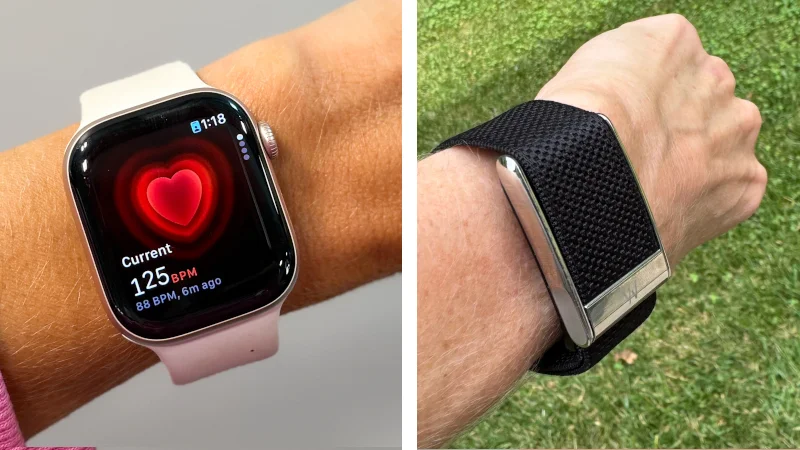
Although I have no plans to stop wearing my Apple Watch, I’ll be the first to admit that having a smartwatch that essentially acts as an extension of my iPhone can be distracting. While I can weather the notification storm and mostly stay focused, others may prefer screenless devices like the Oura Ring, Samsung Galaxy Ring, or WHOOP 5.0.
Which side of the fitness tracker vs smartwatch line do you fall on? This WHOOP vs Apple Watch breakdown will give you perspective on the similarities and differences between two popular wearables that both offer excellent tracking capabilities and a high degree of customization.
So, if you’re on the fence about whether WHOOP or Apple will help you best stay accountable, use this side-by-side comparison to weigh the pros and cons of going with a screenless strap or one of the top smartwatches.
Editor’s Note: Apple recently released the Series 12 Watch. While we haven’t gotten our hands on it yet, we will be sure to update this piece when we get to test the brand’s latest model.
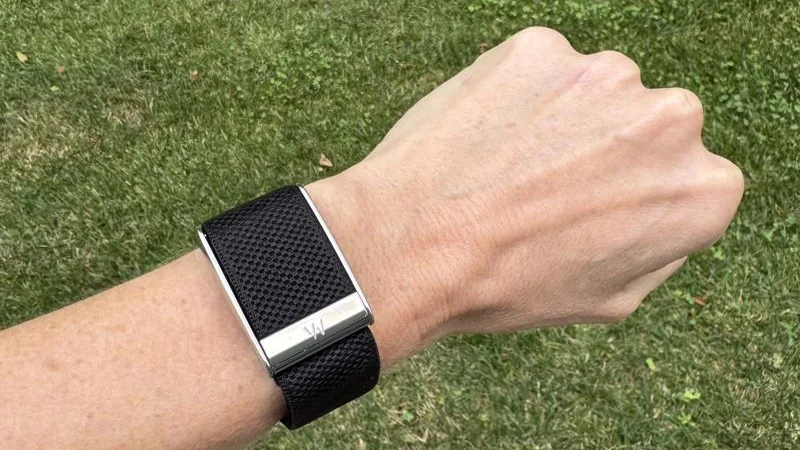
WHOOP offers a screenless way to get valuable insight on your health and fitness. The lightweight sensor band continuously monitors a variety of metrics, including heart rate variability (HRV), resting heart rate, and sleep data. Rather than paying for the device upfront, you must choose from three subscription plans that allow you to take advantage of its capabilities. It’s a great choice if you’re a data-driven user who prefers a simpler, distraction-free method of tracking.
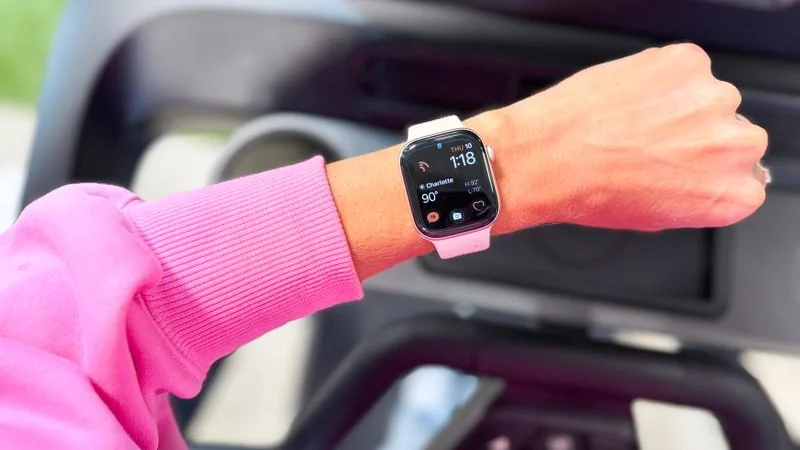
Meanwhile, the Apple Watch remains one of the most popular fitness trackers on the market because it combines a sharp aesthetic with excellent functionality. Featuring a bright, crisp OLED display, you can track your workouts, get insight on your sleep, and stay connected with real-time text and call notifications.
WHOOP vs Apple Watch at a Glance
| WHOOP 5.0 | Apple Watch Series 11 | |
| Price | Device included with membership | Starts at $399 |
| Subscription | WHOOP One ($199/year); WHOOP Peak ($239/year); WHOOP Life ($359/year) | N/A |
| Battery Life | 14+ days | Up to 24 hours |
| Display | None | Always-on retina LTPO3 OLED; 42mm or 46mm |
| Metrics Tracked | Heart rate, resting HR, HRV, respiratory rate, sleep stages/score, recovery, strain, steps, calories, skin temperature, SpO₂, VO₂ max and menstrual-cycle insights; stress and Healthspan require Peak | Heart rate, resting HR, HRV, ECG, blood oxygen, wrist temperature, respiratory rate, sleep stages/score, activity, steps, calories, GPS distance/pace, elevation, training load, noise, cycle/ovulation estimates, depth and water temperature |
| Safety Features | No fall detection, Crash Detection or Emergency SOS; Peak and Life plans include Health Monitor alerts | Emergency SOS, Fall Detection, Crash Detection, noise monitoring and Backtrack |
| Notifications | Haptic alarm and app-based health/coaching alerts | Calls, texts, email and app alerts; alarms plus heart-rate, rhythm, hypertension and other health notifications |
| Water Resistance | IP68; up to 10 meters for two hours | Up to 50 meters |
| Warranty | Lifetime warranty with an active membership | 1-year limited warranty |
WHOOP Company Overview
Founded in 2012 by Harvard University student-athlete Will Ahmed, along with John Capodilupo and Aurelian Nicolae, WHOOP has become one of the most recognizable brands in the fitness industry thanks to the support of many professional athletes and sports organizations like CrossFit, Major League Baseball, and the PGA Tour.
The first WHOOP band was released in 2015, with several iterations coming in subsequent years. You can check out our full WHOOP 4.0 review for our experience with one of the more recent versions. The latest model, the WHOOP 5.0, hit the market in May 2025, alongside the medical-grade WHOOP MG, which adds advanced hardware for ECG monitoring and daily blood pressure insights.
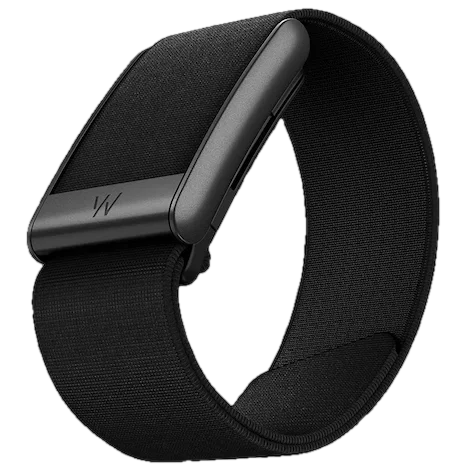
- Continuous heart rate, HRV, sleep, and strain tracking
- 5 day battery life & on-wrist charging
- Multiple strap styles and colors
Apple Company Overview
Synonymous with tech innovation, Apple broke into the smartwatch market in 2015. Since then, the company has followed a similar path with its other hallmark devices, adding new capabilities over the years with each release.
Many GGR team members are longtime Apple Watch users—myself included. While I still utilize the Series 8, we’ll be showcasing the Series 11, which hit the market in September 2025. Although Apple recently discontinued selling this model on its official store in favor of the newly launched Series 12, you can still find it on third-party retailers like Amazon, Walmart, and Target.
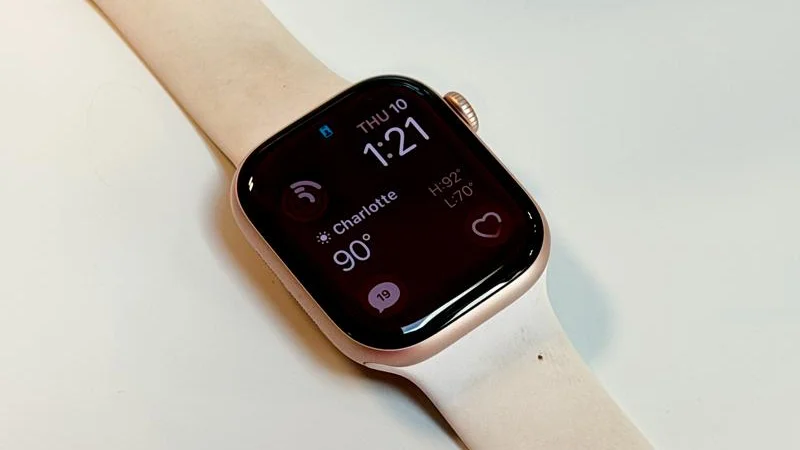
- Best for everyday health tracking
- Up to 24-hour battery life
- Advanced sleep insights
- Slim, durable design
WHOOP vs Apple Watch: Key Similarities and Differences
RELATED: WHOOP vs Oura and Best Apple Watch
Price
It would be unfair to make an apples-to-apples pricing comparison here because WHOOP and Apple market these devices very differently.
WHOOP
With WHOOP, you don’t actually pay for the band itself. Instead, you pay a membership fee that allows you to utilize all of its tracking capabilities and features. Here’s a breakdown of the three-tiered system:
- WHOOP One: Costs $199 per year and includes the WHOOP 5.0 sensor, core recovery, strain, and sleep tracking.
- WHOOP Peak: Costs $239 per year and adds on health and stress monitors, plus longevity data.
- WHOOP Life: Costs $359 per year and includes the medical-grade WHOOP MG sensor, ECG heart screener, and blood pressure insights.
After you’ve completed a 12-month commitment, you can opt for monthly billing. That averages out to $25 per month for WHOOP One, $30 per month for WHOOP Peak, and $40 per month for WHOOP Life.
RELATED: Best Budget Fitness Trackers
Apple Watch
On the other hand, the Apple Watch doesn’t have a subscription model. However, it does require a fairly hefty upfront cost, depending on which model you choose.
As I mentioned earlier, the Series 11 is no longer available on the Apple store, but you can find it on third-party retailers starting at $399 for the 42mm model and $429 for the 46mm model.
Design and Comfort
Talk about two ends of the fitness tracker spectrum. On one hand, you have a screenless, more discreet device in WHOOP. On the other hand, you have a premium smartwatch with a fantastic touch screen. Here’s a more detailed breakdown of how each device is constructed and how it feels on your wrist.
WHOOP
Is the WHOOP 5.0 the most aesthetically pleasing fitness tracker? We’d be lying if we said yes. However, even though it doesn’t have a screen, it’s still well-built, lightweight, and available in a multitude of color options. In fact, WHOOP claims that there are 74,000 color and material combinations.
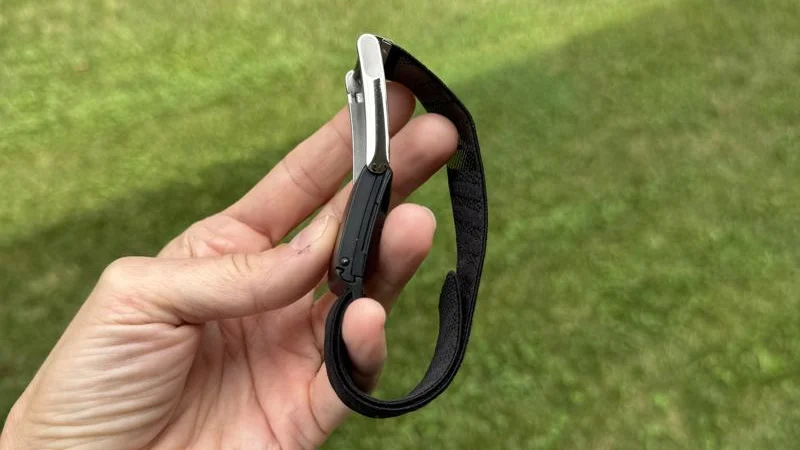
The WHOOP 5.0 band comes in a variety of materials, including:
- SuperKnit: Soft, flexible everyday band for all-day comfort and performance
- Meridian: Stylish woven band with a timeless design
- SportFlex: Durable silicone band made for workouts, movement, and easy cleaning
- Navigator: Rugged outdoor band designed to handle demanding activities and outdoor elements
- CoreKnit: Performance-focused knit band that combines comfort, durability, and flexibility
Although the company claims it “feels like nothing” on your wrist, GGR founder Coop Mitchell says, “I definitely notice it there, especially when working out and hitting it with a kettlebell or something, but it’s not much of a nuisance.”
Apple Watch
The Apple Watch Series 11 comes in two finishes: aluminum or titanium. The former starts at $399, while the latter starts at $699.
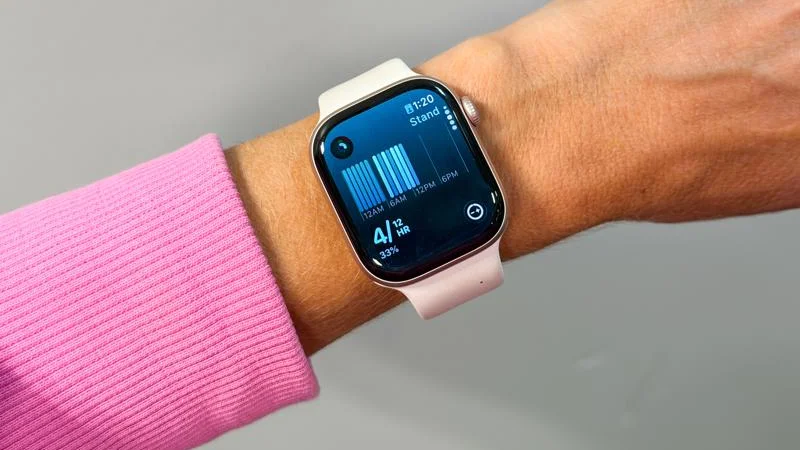
You can also choose between a 42-millimeter or 46-millimeter case. Apple also gives you three standard band options: a flexible, swim-proof silicone rubber, a soft, lightweight textile, or a more sophisticated stainless steel.
Although I’m several series behind, I love the look of my Apple Watch Series 8 with the standard black rubber band. If I was keen on fashion, I’d have a few other options to match whatever outfit I’m wearing. I also appreciate that you can purchase third-party bands, so you don’t have to go with the stock options from Apple. Overall, you can’t go wrong with a well-designed smartwatch that can be highly customized to your liking.
Battery Life and Charging
One of the main factors users look for in a fitness tracker is battery life. After all, you want your device to last long enough that you can get a ton done without needing to plug it back in. Who wins the battery life battle between WHOOP vs. Apple Watch?
WHOOP
One of the few areas where the WHOOP 5.0 stands head and shoulders above the Apple Watch is battery life. This device can stay powered on for 14 days—a remarkable feat for a fitness tracker. According to WHOOP, it takes about 120 minutes to fully charge the device.
In addition, WHOOP sells a waterproof wireless battery pack for $49 that allows you to fully charge your device as you’re wearing it in about two hours. That’s a super convenient feature that ensures you won’t run out of juice.
Apple Watch
The Apple Watch Series 11 has a battery life of up to 24 hours on normal use. According to Apple, it can last for 38 hours on low-power mode. This is solid, but not nearly as impressive as the WHOOP 5.0, which can last for a whopping two weeks.
GGR expert product tester Kayla Godfrey is a longtime Apple Watch user, but she points out that the battery life is the biggest drawback, even with the Series 11.
“I have had good luck with the 11 holding its battery, but my last watch would barely make it through the day and die,” she explains. “Typically I can get almost two full days of wearing my watch, but I charge it every night because it is a part of my routine.”
Fitness and Workout Tracking
Obviously, this is what matters most when you’re investing hundreds of dollars on a piece of fitness technology. Both the WHOOP 5.0 and Apple Watch Series 11 stand out for their array of workout and health tracking features, so let’s dive into what each model can (and can’t) do.
WHOOP
The WHOOP 5.0 gives readings in four critical areas: sleep, recovery, strain, and stress. Of course, you must sync your strap to the WHOOP app to record your workouts—a minor annoyance if you expected your fitness tracker to automatically track everything you do. Thankfully, the app is available for both iOS and Android users.
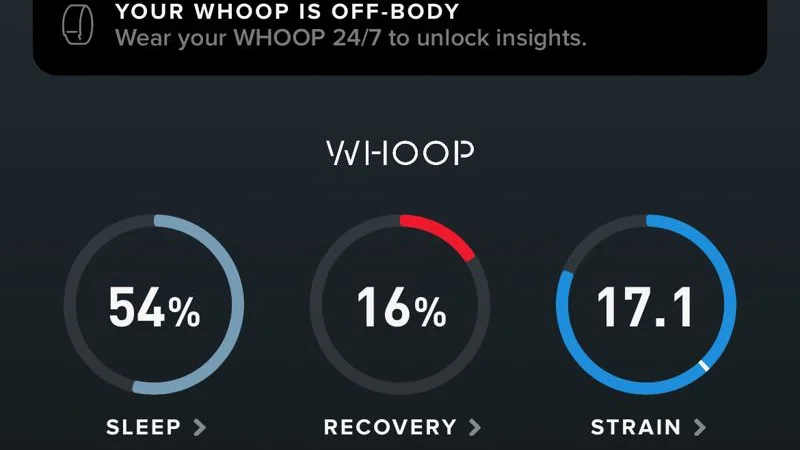
What can you expect from the WHOOP app? You’ll be able to see graphs with your average heart rate data, max heart rate, HRV, and calories burned. This data is used to determine your workout strain (how hard you trained on a specific day). GGR expert product tester Sommer Fritz finds that part to be far more valuable than simply looking at her step count.
“Who cares if you’ve taken 10,000 steps if your heart rate never got out of zone 1?” she says. “The movement is helpful for your body, but I’m more focused on cardiovascular health, and the strain is a better measure of my workouts. I watch my heart rate throughout my workout and make sure I’m in the zone I desire.”
RELATED: Understanding Your Target Heart Rate
So, what exactly can you track with the WHOOP 5.0? The device automatically detects more than 100 workout and activity types, including strength training, running, and cycling. The strain score ranges from 0 to 21, which can help you balance your workout intensity. Plus, the band even measures muscular load using volume and intensity. Both of these are reflected in your Strain and Recovery scores. This can help you know when it’s WHOOP can help you know when it’s time for a rest or active recovery day.
Apple Watch
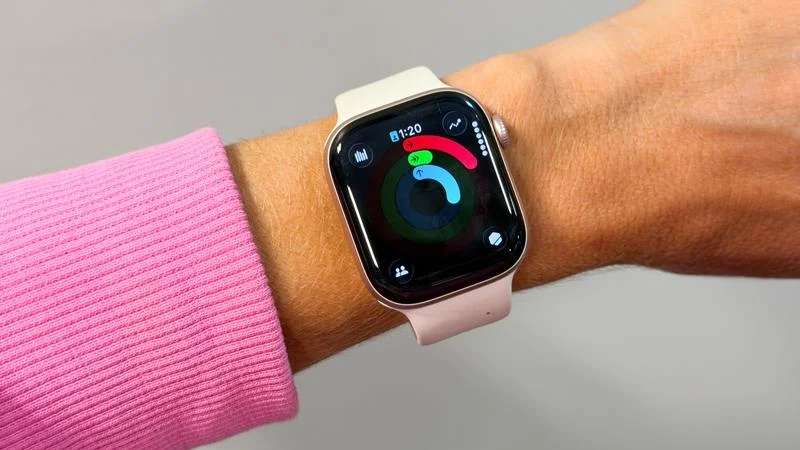
The main reason I got my Apple Watch was to keep track of my workouts. Years later, I still use it daily for this exact reason. Kayla relies on her Series 11 to help record her daily activity and stay on top of her routine.
“With the ring graphics, I can easily see how consistent my movement has been through the week,” she explains. “There are some weeks when I haven’t logged a typical workout, however after looking at my watch, I can see I was active during work. I’m constantly lifting equipment, coaching kids’ sports teams, and moving throughout the day, and sometimes I forget how intensive my days truly are.”
Similar to the WHOOP, the Apple Watch offers comprehensive fitness and workout tracking, including the ability to build custom workouts. Runners will appreciate how the built-in GPS delivers precise mapping and splits. Meanwhile, strength training enthusiasts will appreciate the training load technology that measures how the intensity and duration of your workouts impact your body over time.
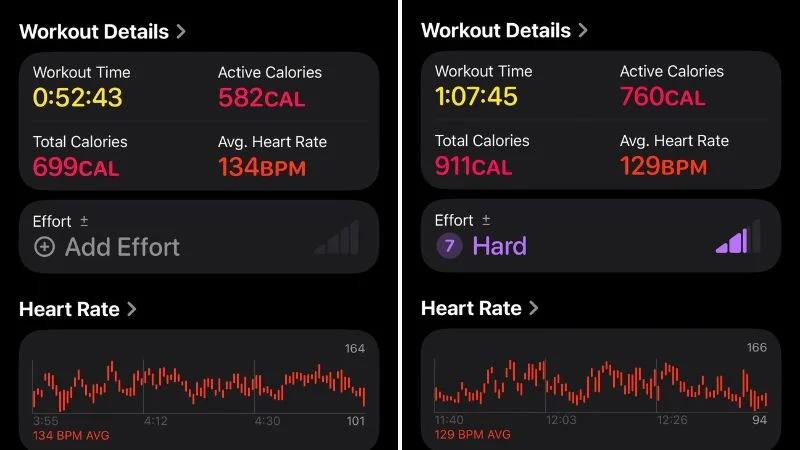
As for the accuracy of the data? Research shows a margin of error up to 25% for calorie burn tracking1. However, if there’s a silver lining, the Apple Watch Series 8 performed better than the other three devices in the study (the Fitbit Sense 2, Samsung Galaxy Watch 5, and Garmin Forerunner 955). So, while it may not be the most accurate, it’s a step above many competitors.
“Even with the calories projected, it seems in line with what I would be burning during a workout,” Kayla explains, “For example, during a 50-minute HIIT-style workout with 35 minutes of aggressive training, I burn 200 to 300 calories. That seems on par with the style of workouts I am doing.”
Finally, it’s worth mentioning that tracking your activity doesn’t have to be a one-person ordeal. In fact, this can be a great way for you and your friends to hold yourselves accountable.
“I also share my workouts with a couple of my friends, so when I see they logged a workout, it’s a good reminder for me to also get at it,” Kayla says.
Fortunately for Apple Watch users, these devices are the kings of connectivity (as long as you have an iPhone). Not only can you keep track of all of your data in the Apple Fitness and Apple Health apps, but you can download a number of third-party apps to take full advantage of the tracking technology.
Sleep Tracking
Monitoring your heart rate and calorie expenditure can be quite valuable. However, that’s not the only reason to invest in a fitness tracker. Recovery is perhaps the most underappreciated component of a balanced wellness routine, and both the WHOOP 5.0 and Apple Watch Series 11 offer advanced sleep tracking capabilities, too.
WHOOP
The WHOOP 5.0 automatically records a number of key sleep metrics, including:
- Sleep stages: Divides your night into Awake, Light, Deep, and REM sleep
- Sleep performance: How many hours your slept vs. your calculated physiological sleep need
- Sleep efficiency: The percentage of time you spent actually sleeping
- Sleep consistency: How closely your recent bedtimes and wake times align with your circadian rhythm
WHOOP can help you schedule your bed and wake times based on how challenging your day was, when you need to wake up, and what your workout will be the following day. Plus, this sleep data can help you be more aware of your overall health.
“I can usually predict when I’m getting sick just by watching my sleep, temperature, and recovery numbers,” Sommer explains. “It helps me to up my water, supplements, and sleep time to head off a virus.”
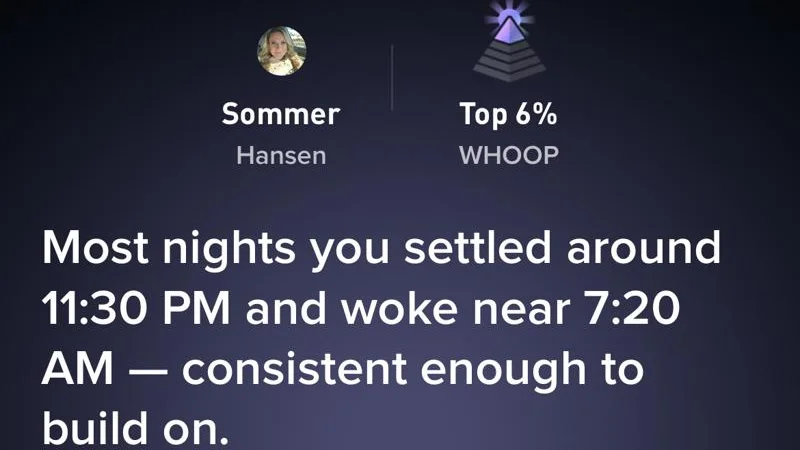
Overall, WHOOP’s biggest advantage is the way it connects sleep to recovery. Overnight heart-rate variability, resting heart rate, respiratory rate, and sleep data feed into the daily Recovery score, while the Journal can help identify how behaviors such as alcohol, caffeine, stress, or late meals correlate with sleep and recovery.
“I really like how the health monitoring shows me how alcohol and other factors affect my body,” Sommer says. “This is motivating me to stay on the straight and narrow.”
Apple Watch
The Apple Watch Series 11 can also provide valuable sleep insights. It estimates total sleep and time spent awake or in Core, Deep, and REM sleep. You can view nightly results or long-term trends in the Sleep and Health apps (another plus for connectivity).
Your Sleep Score is calculated on a 0-100 scale based on sleep duration, bedtime consistency, and nighttime interruptions. This can give you good context about whether you had a restful night or whether you need to improve your sleep hygiene habits.
Of course, you don’t have to utilize the Apple Watch for its sleep tracking capabilities.
“I wanted something that tracked my activity level, but didn’t want to get into the weeds of sleep and recovery like WHOOP,” Kayla explains. “I think Apple does a good job of tracking things like sleep, but I don’t need a device harassing me about things like recovery.”
Smartwatch Features
Obviously, WHOOP focuses on activity and sleep tracking, but without a screen, it doesn’t offer as much functionality as the Apple Watch.
The latter brings connectivity to the forefront, essentially acting as an extension of your iPhone.
“I like how not only I can track my fitness, but I can also keep all my devices synced together,” Kayla says. “Having my watch allows me to track my activity level, keep up with my important notifications, and also ping my phone when I lose it for the eighth time that day.”
While I don’t lose my phone that many times on a daily basis, I echo Kayla’s sentiment about the synchronicity factor. It’s quite convenient to be able to quickly check an e-mail or respond to a text message from my wrist without having to pull out my phone.
Here are some other key smartwatch capabilities you can take advantage of with the Series 11:
- Safety and location features: Includes Emergency SOS, Fall Detection, Crash Detection, Check in, Find My, and Compass Backtrack for retracing your route.
- Mobile payments: Leave your credit card at home and use Apple Pay for seamless transactions.
- Notifications: Receive and respond to texts, calls, emails, calendar alerts, and app notifications right from your wrist.
Personally, I love how convenient it is to check into my local gym by just tapping my watch on the scanner or paying for my groceries without pulling out my wallet. While I have a bit of a love-hate relationship with real-time notifications (sometimes it’s nice to disconnect), the Apple Watch has the versatility advantage over the WHOOP 5.0.
Additional Features
But wait, there’s more!
Let’s touch upon a few other notable features that may affect your purchasing decision.
Water Resistance
While the WHOOP 5.0 is “waterproof,” it wasn’t designed for deep sea diving or anything of the like. It only goes up to 10 meters (32 feet), a far cry from the Apple Watch, which can be submerged up to 50 meters (164 feet).
Cycle Tracking
Women can utilize these devices for cycle support. Here’s an explanation of how each one works:
WHOOP
According to WHOOP, their Menstrual Cycle Insights can:
- Log cycle phases and correlate with metrics like skin temperature and your Recovery Score
- Track symptoms and display patterns across cycle phases
- Anticipate potential symptoms based on your physiology and past logs
- Predict possible period start, which can help inform your training and recovery
- Overlay phases on trends such as Recovery, Sleep, and Strain metrics
- Provide personalized insights on how hormonal shifts affect your performance, mood, and energy levels
In addition, WHOOP offers Pregnancy Insights that include personalized coaching, symptom tracking, and biometric integration. Plus, they offer a free year-long subscription to Natural Cycles through their new partnership. While you should still work with your healthcare provider, using the device can certainly help you make better-informed decisions.
RELATED: Exercise During Pregnancy
Apple
Apple’s Cycle Tracking app lets users record menstrual flow, spotting, symptoms, pregnancy, lactation, and contraceptive use. It uses logged information and heart-rate data to predict upcoming periods and fertile windows.
According to Apple, your watch also uses overnight wrist temperature data to provide retrospective ovulation estimates and improve future period predictions. Overall, the Apple Watch is great for menstrual and ovulation tracking, but the WHOOP provides more insight into how your cycle affects your workouts, recovery, stress, and sleep.
Company Policies
From warranties to returns to customer service, these little details can make a huge impact on your purchasing experience. Luckily, both WHOOP and Apple rate highly in this area.
WHOOP
WHOOP covers the device against material and workmanship defects for life, as long as you maintain an active membership. In addition, you can try the WHOOP 5.0 for 30 days from the date of delivery before deciding whether you want to return it. You will have to pay for shipping and handling in order to receive a full refund.
Apple
Apple isn’t quite so generous, as it only provides a one-year limited warranty. However, you can get added peace of mind and protection with the affordable AppleCare+ program. At just $4.99 per month or $79 for two years for the Series 11 or 12, this protection plan extends your coverage and includes unlimited incidents of accidental damage protection. You can also finance your Apple Watch with an Apple Card, which gives 3% daily cash back upfront on the full cost of your Apple Watch.
Which Fitness Tracker Should You Choose?
As a certified personal trainer and lifelong athlete, I’m all about taking advantage of tools that can help you raise your health and fitness game to a new level. That being said, there are distinct differences between these devices that may make one a better choice than the other.
Choose WHOOP if:
- You don’t want to be distracted by a screen or phone notifications
- You’re an athlete who wants in-depth sleep and recovery data
- You want maximum battery life for continuous use
Choose Apple if:
- You want to remain connected to answer calls and texts
- You’re a runner who needs GPS tracking capabilities
- You want a stylish, sleek smartwatch that can be customized to match your aesthetic
Final Thoughts
Is WHOOP worth the hype? If you’re less worried about staying in the loop with all your calls, emails, and texts and more focused on getting insight into your health, recovery, and sleep, it’s a solid option. Plus, we like that you aren’t tied down to wearing this gadget around your wrist, as WHOOP’s Body line makes it possible to keep this tracker hidden in a sports bra, leggings, jacket, and other compatible apparel.
However, the Apple Watch remains one of the best fitness trackers because it checks so many boxes beyond tracking your workouts and sleep. It functions well with a variety of third-party apps and fits seamlessly into the ever-expanding Apple ecosystem. So, if you’re an iPhone user looking to level up your health and fitness in style, it’s hard to go wrong with any of the Apple Watch models on the market.
Ultimately, you need to decide whether a screenless (aka distraction-free) device that requires a monthly subscription is a better investment than a smartwatch with a higher upfront cost that keeps you connected at all times.
FAQs
What are the main differences between the WHOOP and Apple Watch?
WHOOP emphasizes recovery, sleep, and training strain through a subscription, while Apple Watch offers broader workout, health, smartwatch, and app features with a screen and no subscription cost.
What are some of the best fitness tracker brands?
While the GGR team has been impressed by Apple and WHOOP, we’ve also enjoyed our tracking experiences with Fitbit, Garmin, and Oura. Each brand offers a variety of devices, so check out our individual reviews and roundups for more insight.
Is WHOOP actually worth it?
The Garage Gym Reviews team believes the WHOOP 5.0 is only worth it if you’re a serious athlete looking for in-depth health and sleep data. Look elsewhere if you want a more versatile device, especially if you want a more traditional smartwatch with a display.