



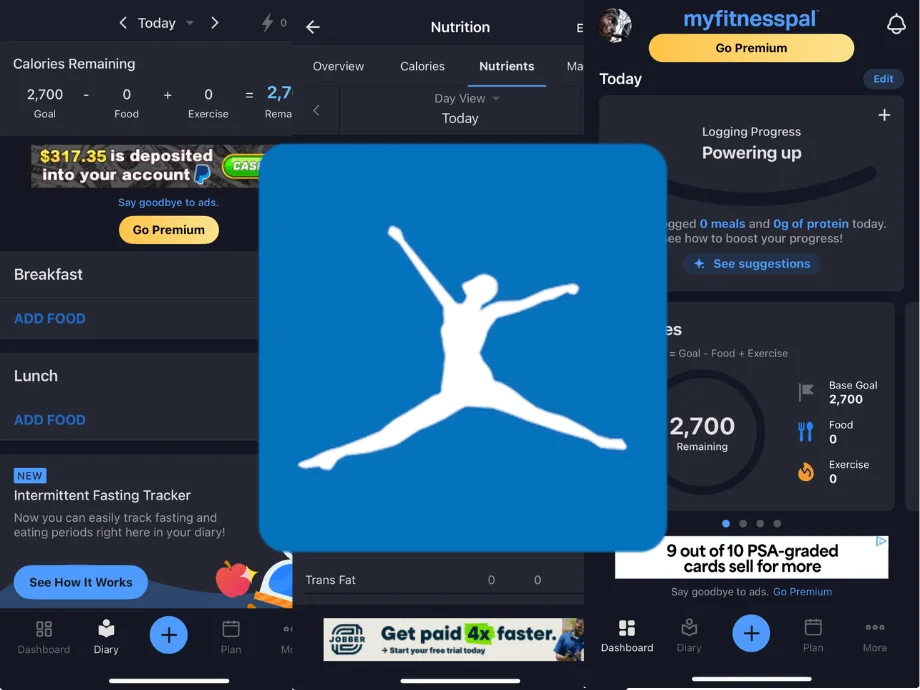
If you’ve ever wondered, “How many calories should I eat per day?,” you’ve likely considered using a tracking app to find out. And there’s a solid chance MyFitnessPal—aka MFP—has already popped up on your radar.
But don’t click “download” just yet. Despite having millions of users, there are things to consider before befriending this daily nutrition sidekick. Lucky for you, our expert tester has spent years logging, scanning, and experimenting with MFP, and now your GGR friends reveal all in this MyFitnessPal review.
Medical disclaimer: This article is intended for educational and informational purposes only. It is not intended as a substitute for medical advice. For health advice, contact a licensed healthcare provider. Weight loss programs are not recommended for people with a history of disordered eating. For health advice, contact a licensed healthcare provider. If you need help with disordered eating, contact NEDA.
20+ Apps Later: Logged, Tested, and Rated Honestly
GGR’s team of certified personal trainers, registered dietitians, nutrition coaches, and health writers has tested more than 20 of the most popular nutrition apps and calorie counters over the years. We’ve logged meals, tracked macros, and stress-tested features like barcode scanners and serving size accuracies to find out which tools support long-term health goals—and which ones fall short.
Every app runs through our GGR fitness equipment testing methodology, where we score products across key factors such as:
- Price: We rate apps based on affordability and overall value, with free and low-cost apps earning top marks. Mid-range apps (about $5 to $10 monthly) must offer useful features to justify their price, while higher-priced subscriptions (over $20 per month) need to deliver exceptional value to earn a strong rating.
- Functionality: An app should be easy to use, even for beginners. High scores go to apps that are reliable and intuitive, with free versions offering plenty of value, while glitchy, confusing, or overly-complicated apps earn lower marks.
- Accuracy: Accuracy is essential for tracking calories and macros, especially for beginners who might not spot errors as easily. We rate apps based on both the size and reliability of their respective food databases, awarding top marks to those with large, verified libraries that keep entries accurate, while lower-rated apps have limited or inconsistent entries.
- Tracking Features: Some users may want to lose weight, while others aim to build muscle, gain weight, or improve overall health. Top-rated apps allow you to track a wide range of goals and habits—covering calories, macros, micronutrients, and progress checks—while lower-rated apps limit tracking to just calories and weight, with no motivational features to keep you engaged.
- App Compatibility: The best apps seamlessly sync with a wide variety of devices and wearables, such as Apple Watch, FitBit, and Whoop. Platforms that only connect to a handful of devices earn middle-tier ratings, while those without syncing capabilities fall to the bottom.











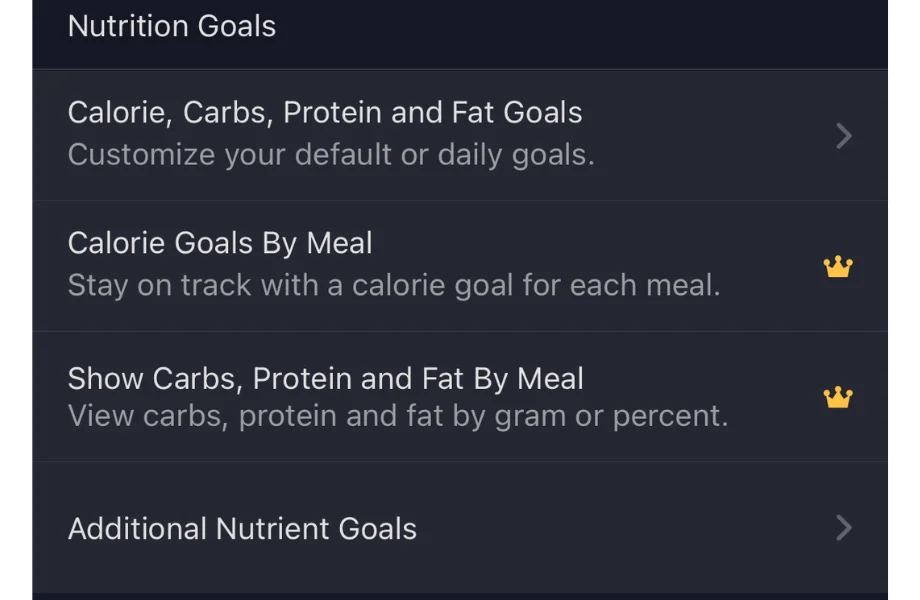
MyFitnessPal is one of the OG calorie counting apps on the market. The free version is available for looking up food per item and creating recipes, but does not allow you access to the barcode scanner. The Premium version grants you access to macronutrient data, intermittent fasting, food comparison, and the barcode scanner.
What our tester says:
“I think this is one of the easiest apps I’ve ever used. It’s super user-friendly.”
A Quick Look at MyFitnessPal
MyFitnessPal got its start back in 2005 when founder Mike Lee and his soon-to-be wife faced a goal many know too well: losing weight before the wedding. But when his personal trainer handed a book listing 3,000 foods and a notepad for logging calorie intake, Mike—a lifelong computer programmer—knew there had to be a better way. The solution? MyFitnessPal.
What started as a humble website has grown into a globally popular mobile app, putting nutrition tracking in the palms of millions. Its extensive database of foods (20.5 million and counting!), active community, and features like a barcode scanner and goal customization make it a go-to for anyone serious about or curious about their nutrition and fitness.
But before it takes up megabytes on your iPhone (or Android), there are a few things worth knowing.
Before You Buy
- The free version covers the basics—food logging, calorie tracking, and goal setting—but lacks macronutrient tracking, barcode scanning, and other tools some feel should be included.
- Two paid tiers—Premium and Premium+—offer more advanced features, which we’ll cover in detail to help you decide if an upgrade is worth it.
- MyFitnessPal often offers a free trial of its paid plans, including a one-month free trial of Premium+ at the time of writing.
Is MyFitness Pal Worth It?
MyFitnessPal’s free version is a solid starting point, offering basic food logging, calorie tracking, and simple insights. For users who want more advanced tools and guidance, the app offers two paid tiers: Premium ($79.99/year or $19.99/month) and Premium+ ($99.99/year or $24.99/month).
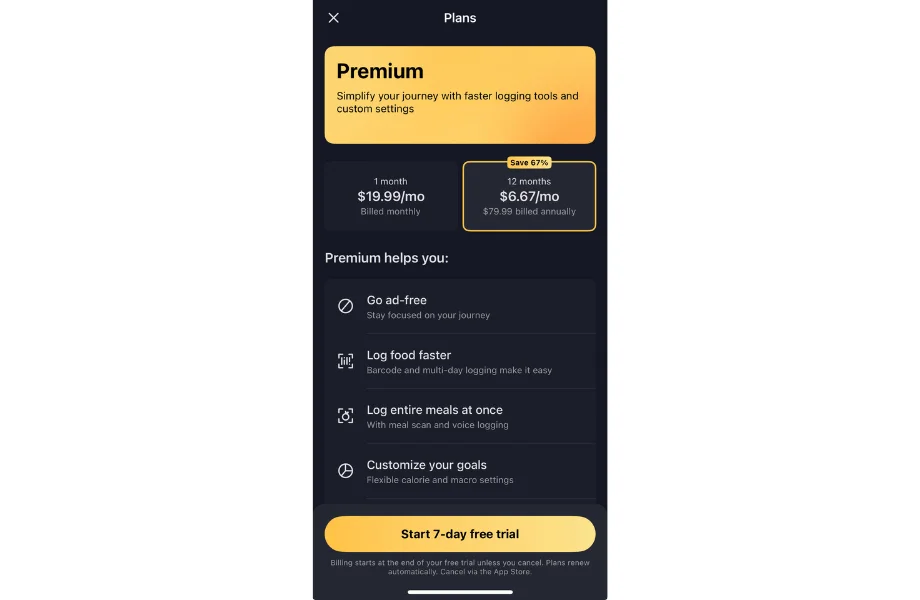
While not the cheapest service when compared to some of the best calorie counter apps, MFP can offer plenty of value for the right users.
Great for:
- Beginners who want structure and guidance while learning how to track food intake
- People with overall wellness or specific body composition goals, ideally paired with one of the best workout apps for a well-rounded health routine
- Users who thrive on community support and accountability
Not recommended for:
- Those with a history of eating disorders or disordered eating patterns
- Individuals who prefer listening to hunger and fullness cues rather than focusing on numbers
MyFitnessPal Specs
| Price | Free, Premium ($79.99/year or $19.99/month), Premium+ ($99.99/year or $24.99/month) |
| Free Trial Period | Yes (free version always available) |
| Subscription Levels | Premium and Premium+ |
| Supported Diets | Balanced, Flexitarian, Keto, Low-Carb, Mediterranean, Paleo, Pescatarian, Vegan, Vegetarian, Whole-Food Focus |
| Key Features | Free: Calorie counting, app and device syncing, goal and progress tracking Premium: All Free features plus macro and intermittent fasting tracking, barcode scanner and voice logging, ad-free experience, and priority customer support Premium+: All Free and Premium features plus meal planning, diet customization, automated grocery lists, and grocery delivery integration |
| Available On | iOS and Android |
Experience Using MyFitnessPal
Kate Meier, NASM-CPT, USAW-L1, CF-L1, wasn’t just our one-time tester for this MyFitnessPal review. Having MyFitnessPal for about five years off and on, she’s well-versed in its features and gives MyFitnessPal high marks for accuracy, ease of use, and overall functionality.
That said, she also points out a few drawbacks—particularly its daily calorie goal for weight loss. Still, in her experience, the benefits far outweigh the shortcomings. “I don’t like the [calorie] formula MFP uses, and I think you just need that professional touch for customized nutrition,” she says. “But for straight-up calorie/macro tracking, this is my favorite service of the bunch.”
Here’s a closer look at her take on the app after years of use.
Price
MyFitnessPal offers a free version with core features like food, fitness, and water tracking. For more advanced tools, a Premium subscription costs $79.99 per year (about $6.67/month) or $19.99 monthly, while Premium+ is $99.99 annually (about $8.33/month) or $24.99 monthly.
Upgrading to Premium+ adds the Meal Planner for just $20 more per year on the annual plan, though the monthly option comes at a higher cost.
All in all, MyFitnessPal scores a 4 out of 5 for price, as the cost feels reasonable when you take advantage of all its features.
Functionality
Kate captures her own experience—and that of many users—perfectly when it comes to functionality, stating, “In my opinion, this is one of the most intuitive apps out there. I love the clean interface and the entire service is user-friendly. If you’re looking for a simple calorie tracker or a platform to easily track your macros, this app delivers and then some.”
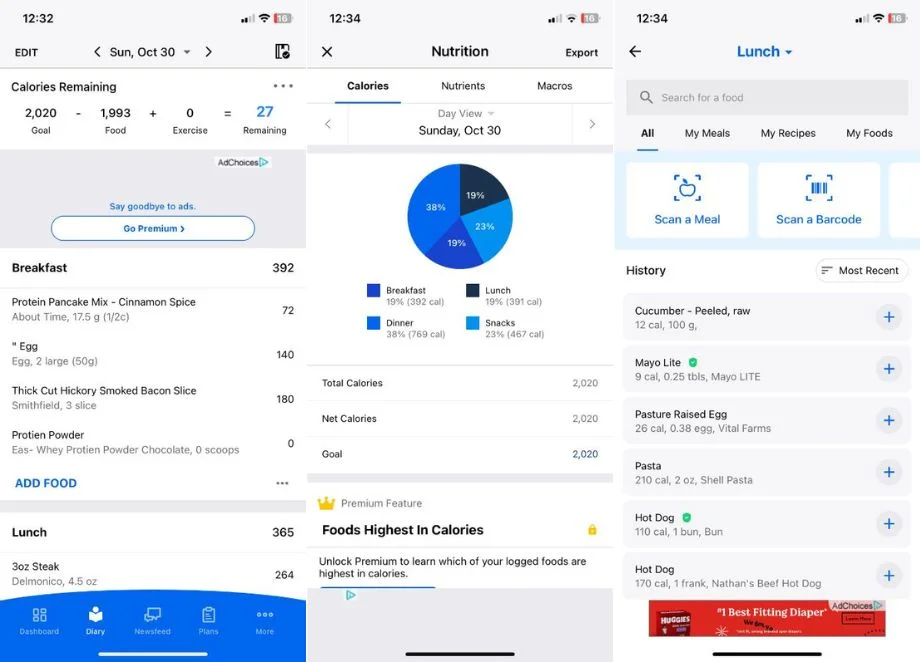
It’s no surprise, then, that we rated MyFitnessPal a well-deserved 5 out of 5 for functionality.
Tracking Accuracy
MFP’s massive database includes over 20 million food items, so it’s rare that Kate needs to add her own food. “That said,” she notes, “The app tracks all foods and recipes uploaded by other users, which can make finding the exact entry a bit of a chore at times.”
The inconvenience was easily overlooked by Kate, though, who awarded MFP a near-perfect 4.5 out of 5 for tracking accuracy. Just be prepared to scroll through some entries before finding your groove with the database.
Progress Tracking
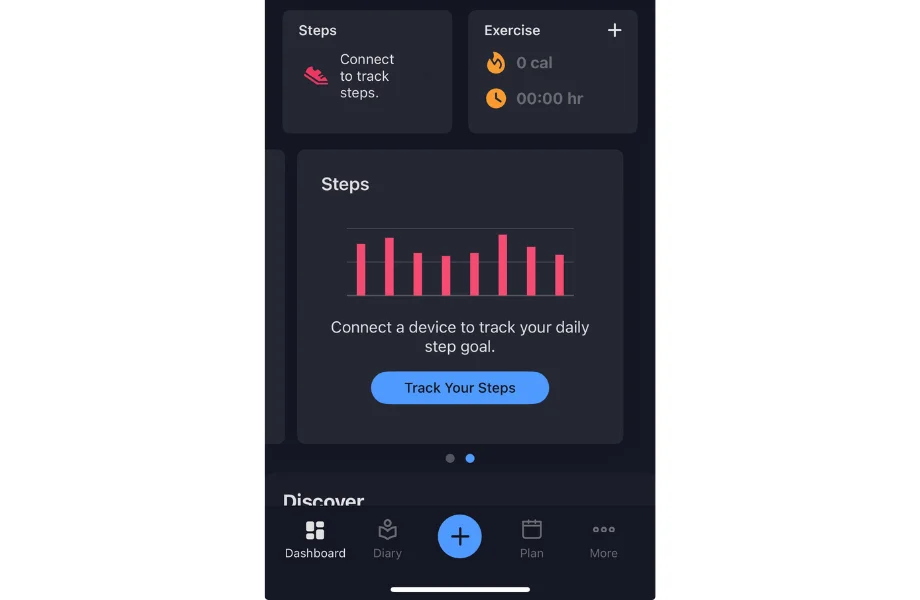
“You can input just about any goal, set progress milestones, and easily track them in the Progress tab,” Kate highlights. We do have to point out one limitation, though—sleep tracking isn’t included, which some users may miss.
Kate uses MFP as a “check-in” tool—whether to make sure she’s getting enough protein or to see how her macros stack up. She adds, “I’ve gone through spurts where I want to lose weight, so I’ll use it for a few months at a time, and it has always been incredibly effective.”
RELATED: Best Health Apps
Dr. Raj Dasgupta, MD, FACP, FCCP, FAASM, reminds us, too, that while tracking can come with powerful perks, it’s important to keep things in perspective. “Technology has given today’s athletes new tools and data that may provide further insights into their health and wellness, leading to positive results when used responsibly,” he states. “However, it has also introduced the risk of an over-focus on the data, metrics, and results, which may be counterintuitive for overall health.”
Research supports this caution. A 2021 review1 suggests that individuals using calorie-tracking apps for weight-related reasons were more likely to report experiencing disordered eating symptoms such as food preoccupation, all-or-none thinking, food anxiety, or purging behaviors than those using an app for general health or disease-prevention purposes.
Bottom line: Tracking with MFP can be highly effective and beneficial, but it should be used mindfully to support your goals, not control them.
Features
MFP doesn’t skimp on features. “There is a LOT to explore through the app,” Kate emphasizes. “I’ve always loved that MFP has a macro breakdown, because that’s been the most helpful for me when counting calories.” The app goes beyond food tracking, as well. “There are countless recipes and even workout routines,” she adds.
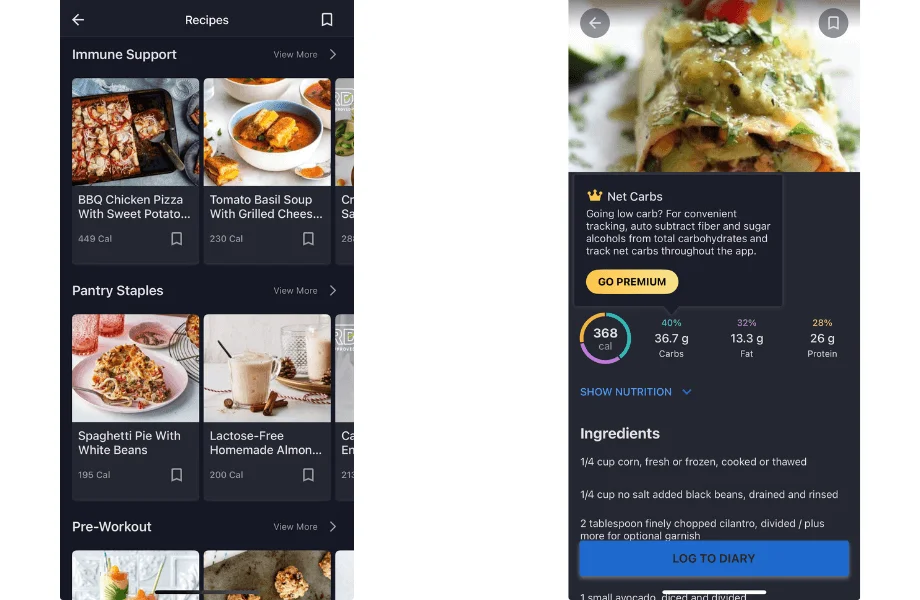
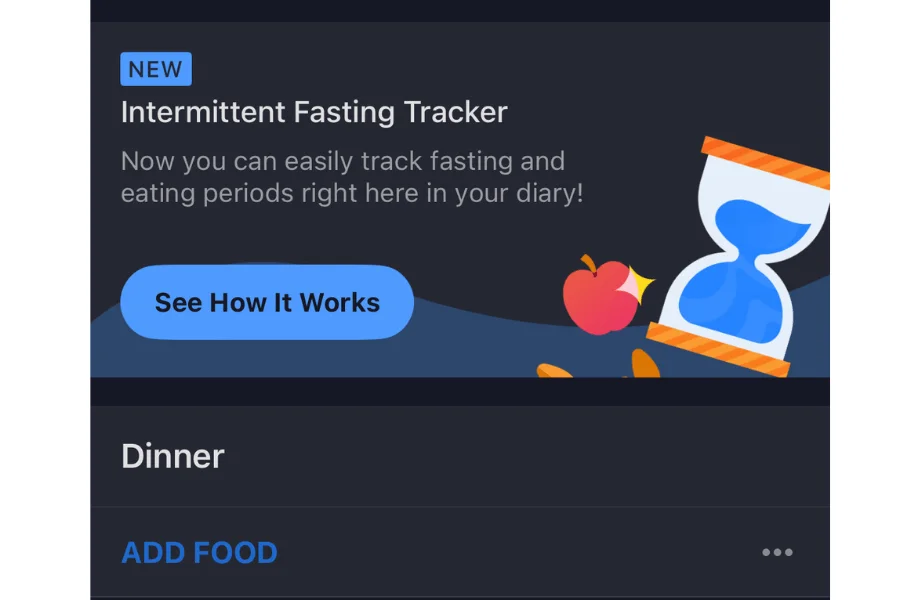
Features are constantly expanding, too. Kate notes, “They recently added an intermittent fasting option. I don’t use it personally, but it could be useful for the right athlete.”
Another unique feature we found is in the Premium+ subscription tier. This level offers Meal Planner, which helps craft personalized meal plans based on your caloric needs, desired portion sizes, cuisine preferences, weight loss goals, and more.
The free version is more limited (another “get what you pay for” scenario, I know), offering basic features like a calorie counter and fitness tracker. Still, Kate calls MFP “a beginner-friendly, one-stop shop” and awards it 4 out of 5 for features.
Compatibility
Device and app compatibility is a strong perk of MyFitnessPal. As Kate puts it, “This syncs with just about any device or app you could want it to sync with. I’ve used it with Apple, Fitbit, and Garmin and never had an issue.”
Thanks to its seamless integration for most users, MFP earns a strong 4.5-out-of-5 rating for device and app compatibility.
Community Features
MyFitnessPal includes an in-app community available to all users—even on the free plan. The discussion boards cover everything from strength training tips and food analysis breakdowns to finding “accountabilibuddies.” Kate adds, “The message boards are really active.”
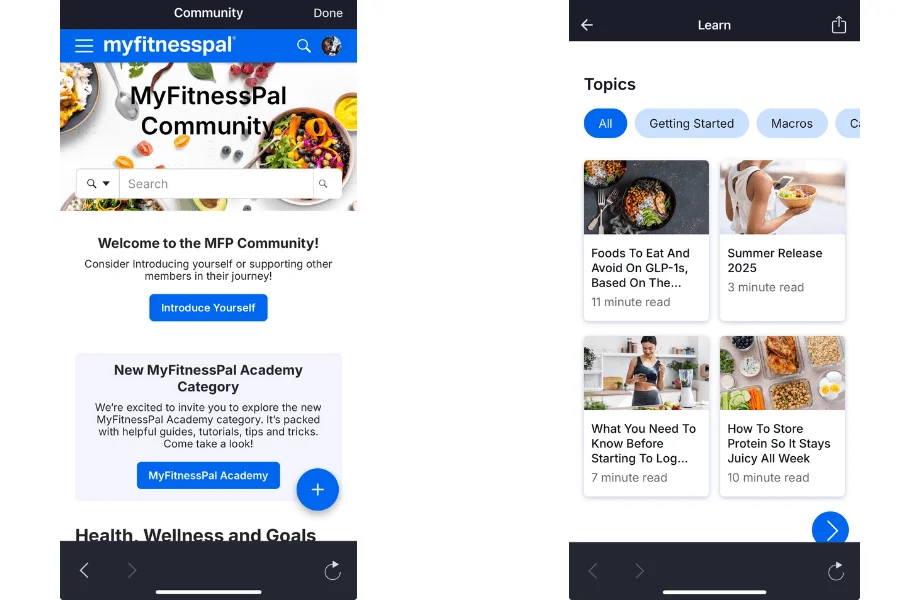
No doubt about it, it’s a great space to get support, find inspiration, and connect with like-minded people—whether you want to better understand how MyFitnessPal works or gather some fitness tips to crush your fitness goals. As such, Kate rates the community features a solid 4 out of 5.
MyFitnessPal vs WeightWatchers









Like MyFitnessPal, WeightWatchers can help users improve their nutrition, eating habits, and reach their health goals. However, their key differences may sway which one best fits your needs:
- Approach: WeightWatchers uses a Points system to assign values to foods, while also letting you earn extra Points for higher activity levels to encourage weight loss and balanced choices. MyFitnessPal is built around calorie, macro, and fitness tracking to support body composition and overall wellness goals.
- Support: WeightWatchers provides online and in-person weekly workshops, access to dietitians, and personalized coaching. MyFitnessPal is primarily self-guided, with community forums and a support center for troubleshooting.
- Price: WeightWatchers ranges from about $10 to $23 per month, depending on your plan commitment, though some plans also add a $20 starter fee. In comparison, MyFitnessPal Premium works out to about $6.67 to $8.33 per month if billed annually (or $19.99 to $24.99 monthly), making it the lower-cost option for most users.
- Best for: MyFitnessPal is ideal for those who want flexibility and detailed nutrition information—whether the goal is building muscle, losing fat, or maintaining weight. WeightWatchers is best suited for users focused on weight loss who want structured support and coaching and prefer to move away from calorie counting.
At the end of the day, the choice comes down to whether you want the nutrition data and flexibility of self-tracking with MyFitnessPal, or the weight loss focus and coaching support of WeightWatchers. If you’re still on the fence, check out our full WeightWatchers review and the comparison table below to help you decide.
| MyFitnessPal | WeightWatchers | |
| Price | Free, Premium ($79.99/year or $19.99/month), Premium+ ($99.99/year or $24.99/month) | $10-$23 per month, based on commitment (some plans also require a $20 “starter fee”) |
| Free Trial Period | Yes (free version always available) | Yes |
| Subscription Levels | Premium and Premium+ | Core and Premium |
| Supported Diets | Balanced, Flexitarian, Keto, Low-Carb, Mediterranean, Paleo, Pescatarian, Vegan, Vegetarian, Whole-Food Focus | All (choose your own foods) |
| Key Features | Free: Calorie counting, app and device syncing, goal and progress tracking Premium: All Free features plus macro and intermittent fasting tracking, barcode scanner and voice logging, ad-free experience, and priority customer support Premium+: All Free and Premium features plus meal planning diet customization, automated grocery lists, and grocery delivery integration | Track points instead of calories, thousands of recipes, supportive community |
| Available On | iOS and Android | iOS and Android |
Customer Experience
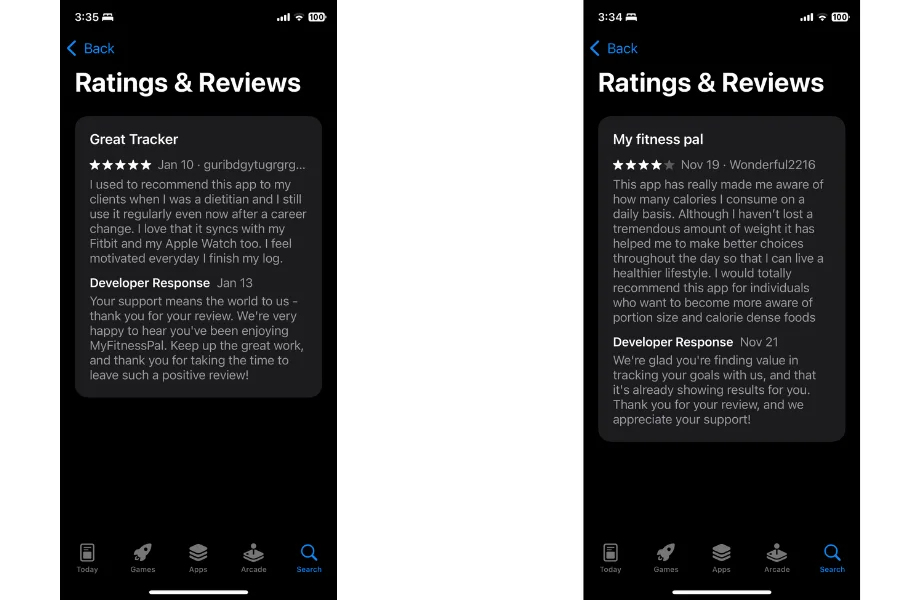
One thing that stood out when reviewing user feedback is the responsiveness of MFP’s support team. Reviews—both positive and negative—often received thoughtful replies, and the app also offers a dedicated support chat, an extensive FAQ section, and a regularly-updated blog.
Premium and Premium+ members get the added perk of personalized priority assistance from the support team. While the “priority” aspect is somewhat vague, one can assume that paying users can expect faster, more tailored assistance when needed.
All in all, MyFitnessPal earns a solid 4 out of 5 for customer experience.
Downloading MyFitnessPal
MyFitnessPal is available on iOS and Android, and it’s easy to get started:. Just head to the Apple’s App Store or the Google Play Store, download the app, and log meals in your food diary within minutes. (Just make sure your device is updated to the latest version.)
Prefer a larger screen? You can also use the web version at myfitnesspal.com.
Customer Reviews
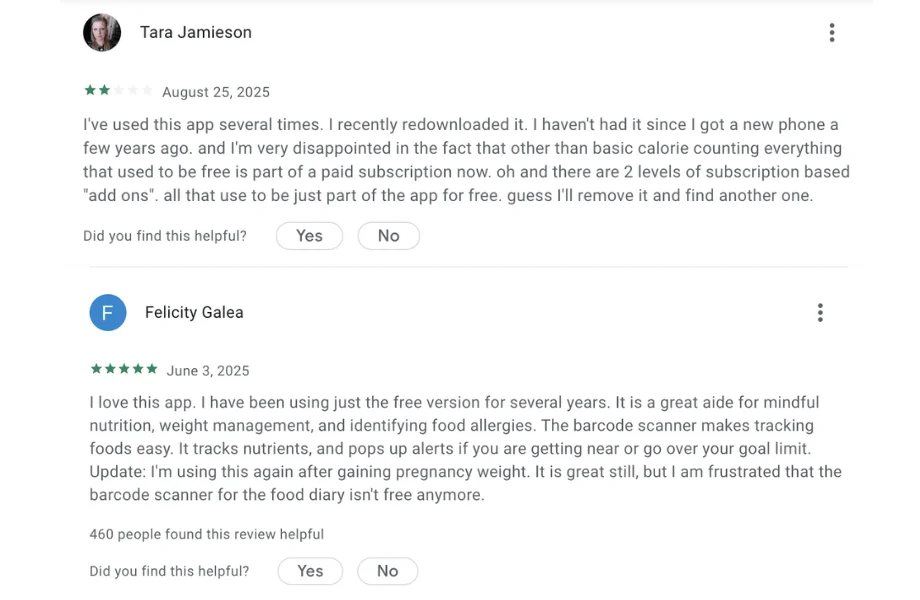
MyFitnessPal holds an impressive 4.7-out-of-5 rating on the Apple App Store, based on more than 2.1 million reviews. On Google Play, it carries a still-strong 4.4 out of 5 from over 2.76 million reviews, underscoring its popularity across platforms.
RELATED: Best Weight Loss Programs
Users frequently highlight its device integrations, motivating progress tracking, and ability to increase awareness of portion sizes and calorie-dense foods. Many note it’s a helpful tool for building healthier habits and supporting weight loss goals, as well.
However, not all feedback is positive. Common complaints include the removal of features like the barcode scanner and macro adjustments from the free version, intrusive ads, and app crashes when trying to add food.
Final Verdict of Our MyFitnessPal Review
MyFitnessPal is a versatile nutrition-tracking app that can fit into many goals and lifestyles. Before downloading it to your phone, consider these final takeaways:
- Free vs. Paid: The free version covers basics like food logging, calorie tracking, and goal setting, but lacks macronutrient tracking, the barcode scanner, and other advanced features Premium ($79.99/year or $19.99/month) and Premium+ ($99.99/year or $24.99/month) offer.
- Functionality: MFP is intuitive and beginner-friendly, making logging meals and tracking macros simple, while also supporting health and fitness goals.
- Tracking Accuracy: With over 20 million foods in its database, tracking is generally accurate, though user-uploaded entries can occasionally be inconsistent.
- Community and Support: Active message boards, support chat, and priority assistance for Premium/Premium+ users.
- Compatibility: Compatible with iOS and Android, MyFitnessPal syncs seamlessly with Apple Watch, Fitbit, Garmin, and other devices. Premium+ Meal Planner users can also integrate with popular grocery apps.
- Price and Value: Mid-range subscription costs are reasonable given the features offered, though the free version is limited in its capabilities.
Full Rating
MyFitnessPal

MyFitnessPal is one of the OG calorie counting apps on the market. The free version is available for looking up food per item and creating recipes, but does not allow you access to the barcode scanner. The Premium version grants you access to macronutrient data, intermittent fasting, food comparison, and the barcode scanner.
Product Currency: USD
Product In-Stock: InStock
4.42
MyFitnessPal: FAQs
Is MyFitnessPal actually good?
MyFitnessPal is widely considered a good app, with millions of users and consistently high ratings. That said, some users are frustrated by the limited free version, especially since the barcode scanner was moved behind the paywall.
Is MyFitnessPal really free?
MyFitnessPal is a free app with access to its food database, basic logging features, and community support. However, many advanced tools—including the barcode scanner and detailed nutrient breakdowns—are exclusive to MyFitnessPal Premium subscriptions, which start at $79.99 per year.
What is the best free food tracking app?
MyFitnessPal is one of the best free apps for tracking calories, but other strong contenders include Cronometer (tracks both calories and nutrients), LoseIt! (offers 55+ million foods and recipes in its database), and MyNetDiary (includes a free barcode scanner).
This article is intended for educational and informational purposes only. It is not intended as a substitute for medical advice.
References
- Messer, M., McClure, Z., Norton, B., Smart, M., & Linardon, J. (2021). Using an app to count calories: Motives, perceptions, and connections to thinness- and muscularity-oriented disordered eating. Eating Behaviors, 43, 101568. https://doi.org/10.1016/j.eatbeh.2021.101568